Kpop Piano Star - Music Game
Updated
Current Version
4.7.1
Offered By

With your passion for Kpop Piano Star - Music Game, you shouldn’t have to limit yourself to the small screen of a phone. Play like a pro and take full control of the game using a keyboard and mouse. MEmu gives you everything you’re looking for. Download and play Kpop Piano Star - Music Game on PC. Play as long as you want — no more worries about battery life, mobile data, or unexpected calls. The all-new MEmu 9 is the best way to play Kpop Piano Star - Music Game on PC. With our expertly designed keymapping system, Kpop Piano Star - Music Game feels just like a real PC game. The MEmu multi-instance manager lets you run two or more accounts on the same device at the same time. Most importantly, our exclusive emulation engine unlocks your PC’s full potential, delivering smooth and seamless performance.
Show more
Download Kpop Piano Star - Music Game on PC with MEmu Android Emulator. Enjoy playing on big screen. Get ready for 'Kpop Piano Beats- blackpink the game' It's a fun game where you tap along to awesome Kpop songs.


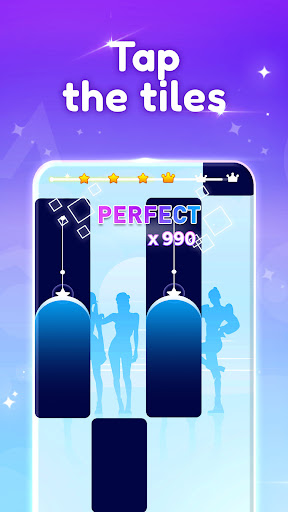
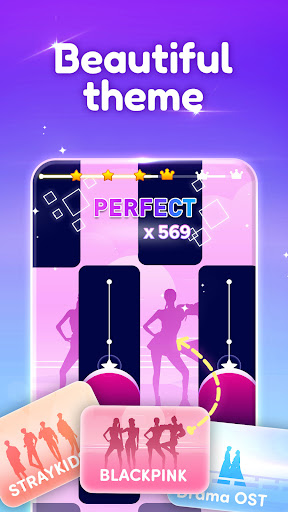
Get ready for 'Kpop Piano Beats- blackpink the game' It's a fun game where you tap along to awesome Kpop songs. Imagine dancing to the coolest music hits with stray kids and more.
How to play?
Dance to the Beat:
Tap, slide, and hold the tiles to match the music's beat. It's like dancing with your fingers! Feel like a Kpop idol as you play.
Our key features:
Latest Kpop Hits:
Play with the newest Kpop songs. The game is always updated with the most popular song from the most artists, girl bands, boy bands: Jung Kook, Black Pink, NewJeans, BTS, Big Bang, SNSD, Aespa, Stray Kids, Twice, ITZY, .... It's like having your own Kpop concert!
Super Fun to Play:
It's like a challenge! Tap the tiles and keep up with the music. You can choose how hard or easy you want it to be. How good are your dancing skills?
Enjoy the endless
Endless mode is available! Could you beat your best score?
Collect and Make It Yours:
As you play, you can unlock cool stuff to make the game look awesome. You can even choose different looks that remind you of Kpop. It's your game, your style!
Play with Friends:
Want to show off your dancing talent? Play with friends and others from far away. See who can get the highest score and be the best dancer!
To bring even more excitement, the game is now infused with vibes from Kpop Demon Hunter, letting you groove alongside iconic characters like Huntrix, Saja Boy, Rumi, Zoey, and Jinu - perfect for true fans of music and fantasy style!
Ready to dance to Kpop music? 'Kpop Piano Beats- Music Game' is all about music, fun, and dancing. Download it now and let's get the party started!
Note: If any producer or label has an issue with any of the music used in the game, please send email to us and it will be deleted immediately if necessary (this includes the images used).
Show more

1. Download MEmu installer and finish the setup

2. Start MEmu then open Google Play on the desktop

3. Search Kpop Piano Star - Music Game in Google Play
Install
4. Download and Install Kpop Piano Star - Music Game
5. On install completion click the icon to start

6. Enjoy playing Kpop Piano Star - Music Game on PC with MEmu
MEmu Play is the best Android emulator and 100 million people already enjoy its superb Android gaming experience. The MEmu virtualization technology empowers you to play thousands of Android games smoothly on your PC, even the most graphic-intensive ones.
Bigger screen with better graphics; Long duration, without limitation of battery or mobile data.
Full Keymapping support for precise control of keyboard and mouse or gamepad.
Multiple game accounts or tasks on single PC at one time with Multi-Instance manager.
Play Kpop Piano Star - Music Game on PC by following steps: