Last Stronghold: Idle Survival
Updated
Current Version
1.6.7
Offered By

With your passion for Last Stronghold: Idle Survival, you shouldn’t have to limit yourself to the small screen of a phone. Play like a pro and take full control of the game using a keyboard and mouse. MEmu gives you everything you’re looking for. Download and play Last Stronghold: Idle Survival on PC. Play as long as you want — no more worries about battery life, mobile data, or unexpected calls. The all-new MEmu 9 is the best way to play Last Stronghold: Idle Survival on PC. With our expertly designed keymapping system, Last Stronghold: Idle Survival feels just like a real PC game. The MEmu multi-instance manager lets you run two or more accounts on the same device at the same time. Most importantly, our exclusive emulation engine unlocks your PC’s full potential, delivering smooth and seamless performance.
Show more
Download Last Stronghold: Idle Survival on PC with MEmu Android Emulator. Enjoy playing on big screen. GOT BRAINS?
GOT BRAINS?
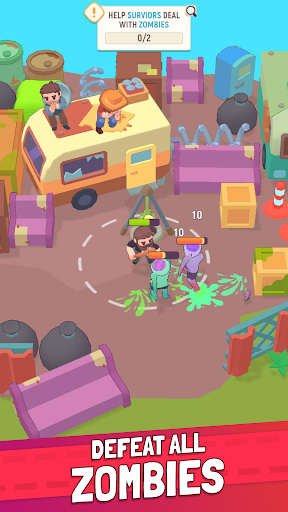
Everyone’s worst nightmare has come true: things have gone nuclear, and the zombie apocalypse has arrived! With survivors few and far between, you’ll need to navigate between driving back the walking dead, building strongholds and bases, crafting supplies, and just plain survival! This idle simulator has it all, from the thrill of bashing in zombie heads to collecting resources.
BRAINS OVER BRAWN
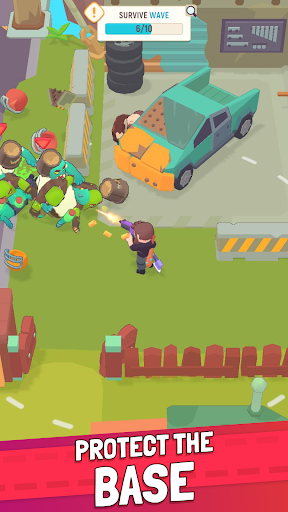
Start off by building a base that you can take refuge in, then venture out to take out these zombies, stalker style! Don’t forget about defense though – your survival depends on making friends with the other humans and adding them to your team so that someone always has your back. Together you’ll be able to craft, explore, and kick zombie butt till the cows come home!
Fun Features:
Zombies Galore: As a lucky survivor, you’ve been thrust into a nightmarish world where the walking dead roam the land in overwhelming numbers. Armed with limited resources and unyielding determination, navigate the treacherous post-apocalyptic landscapes and fend off hordes of undead to both stay alive and defend your base. The sheer volume of zombies to kill ensures that you’ll get to experience both offense and defense in this exciting test of strategy and survival instincts.
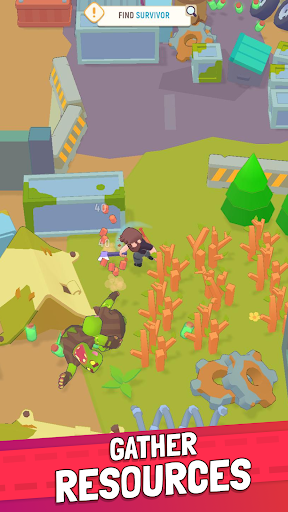
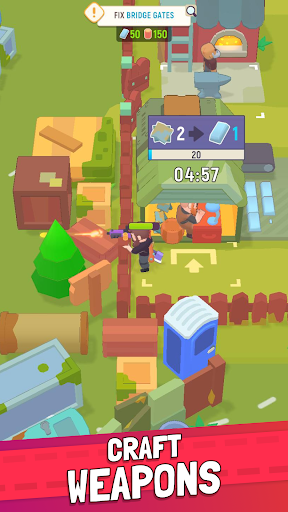
Get Crafty: As you navigate the simulator, you’ll have the chance to collect all sorts of resources that will come in handy for constructing buildings, healing yourself and team members, and driving out the zombie hordes. Thanks to the idle aspect of this game you’ll be able to take some breathers from the chaos and just focus on gathering items and stockpiling resources.
Explore Some More: The world is your oyster, the only thing keeping you from sitting back to enjoy it are all these zombies! In driving them from their hideouts, you’ll get to explore tons of great locations and neat areas, as well as build various strongholds in them. Different locations offer up different resources too, so keep your eyes peeled for these and more as you explore.
Great Storyline: This simulator was created with an open-ended storyline that just keeps evolving, meaning there are always fun new locations, and not so fun new zombies that want to eat your brains. Survival doesn’t have to be boring!
WILL YOU SINK OR SWIM?
With the ability to build and defend strongholds, craft supplies, and form alliances with other survivors, every moment of survival is packed with both excitement and strategy.
Download Last Stronghold today to dive into this exhilarating idle simulator and see if you’ve got both the brains and the brawn needed to survive the zombie apocalypse and rebuild society!
Only the toughest can make it through – can you?
Privacy Policy: https://say.games/privacy-policy
Terms of Use: https://say.games/terms-of-use
Show more

1. Download MEmu installer and finish the setup

2. Start MEmu then open Google Play on the desktop

3. Search Last Stronghold: Idle Survival in Google Play
Install
4. Download and Install Last Stronghold: Idle Survival
5. On install completion click the icon to start

6. Enjoy playing Last Stronghold: Idle Survival on PC with MEmu
MEmu Play is the best Android emulator and 100 million people already enjoy its superb Android gaming experience. The MEmu virtualization technology empowers you to play thousands of Android games smoothly on your PC, even the most graphic-intensive ones.
Bigger screen with better graphics; Long duration, without limitation of battery or mobile data.
Full Keymapping support for precise control of keyboard and mouse or gamepad.
Multiple game accounts or tasks on single PC at one time with Multi-Instance manager.
Play Last Stronghold: Idle Survival on PC by following steps: