
Layton: Curious Village in HD
Updated
Current Version
1.0.8
Offered By

With your passion for Layton: Curious Village in HD, you shouldn’t have to limit yourself to the small screen of a phone. Play like a pro and take full control of the game using a keyboard and mouse. MEmu gives you everything you’re looking for. Download and play Layton: Curious Village in HD on PC. Play as long as you want — no more worries about battery life, mobile data, or unexpected calls. The all-new MEmu 9 is the best way to play Layton: Curious Village in HD on PC. With our expertly designed keymapping system, Layton: Curious Village in HD feels just like a real PC game. The MEmu multi-instance manager lets you run two or more accounts on the same device at the same time. Most importantly, our exclusive emulation engine unlocks your PC’s full potential, delivering smooth and seamless performance.
Show more
Download Layton: Curious Village in HD on PC with MEmu Android Emulator. Enjoy playing on big screen. Digitally remastered in HD for mobile devices and with new, never-before-seen animated cutscenes, it’s time to run the cerebral marathon with Professor Layton and the Curious Village.


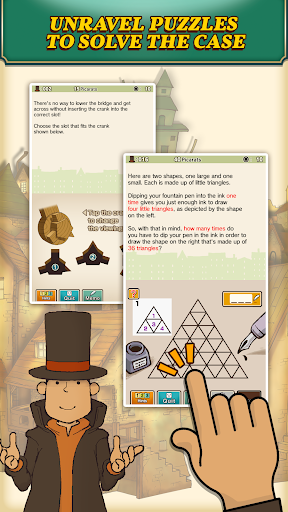
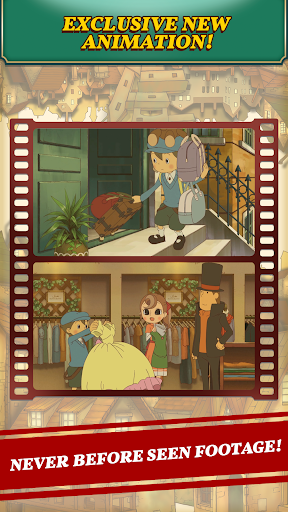
Digitally remastered in HD for mobile devices and with new, never-before-seen animated cutscenes, it’s time to run the cerebral marathon with Professor Layton and the Curious Village.
The tale begins as Professor Layton, a true English gentleman and famous archaeologist, drives to the remote settlement of St Mystere with his apprentice, Luke, in response to a request from the widow of a wealthy baron. The baron’s will indicates that the family treasure, the Golden Apple, is hidden somewhere within the village, and whoever finds it will inherit the whole of the Reinhold Estate. The Professor and Luke must search the town for clues leading to the precious heirloom.
Featuring a distinctive artistic style that oozes old-world charm, the game’s quirky cast of characters instantly comes to life. The animated cutscenes, remastered in HD, tell key parts of the tale in gorgeous detail. And ever-present in the background, the original soundtrack, beloved by many players, keenly captures the mood of the Layton universe.
With puzzles created by Akira Tago, author of the ‘Atama no Taisou’ (lit. ‘Head Gymnastics’) books, Professor Layton and the Curious Village brings together more than 100 brain teasers including slide puzzles, matchstick puzzles, and even trick questions to flex players’ observation, logic and critical thinking skills. In addition, rather than just selecting challenges from a list, players uncover puzzles through conversations with the villagers or by investigating their surroundings.
If you are obsessed with mind-bending puzzles, Professor Layton and the Curious Village is for you!
Game Features:
• 1st instalment of the Layton Series
• Over 100 puzzles, designed by Akira Tago, that can be tackled on the way to solving the case
• New! Exclusive, never-before-seen animation footage
• Beautifully remastered in HD for mobile devices
• Engaging mini-games that include collecting gizmos and pieces of a mysterious painting, as well as pursuing side characters
• Offline play after initial download
This game can be played in English, French, Italian, German and Spanish.
Show more

1. Download MEmu installer and finish the setup

2. Start MEmu then open Google Play on the desktop

3. Search Layton: Curious Village in HD in Google Play
Install
4. Download and Install Layton: Curious Village in HD
5. On install completion click the icon to start

6. Enjoy playing Layton: Curious Village in HD on PC with MEmu
MEmu Play is the best Android emulator and 100 million people already enjoy its superb Android gaming experience. The MEmu virtualization technology empowers you to play thousands of Android games smoothly on your PC, even the most graphic-intensive ones.
Bigger screen with better graphics; Long duration, without limitation of battery or mobile data.
Full Keymapping support for precise control of keyboard and mouse or gamepad.
Multiple game accounts or tasks on single PC at one time with Multi-Instance manager.
Play Layton: Curious Village in HD on PC by following steps: