Fantasy Life i
Updated
Current Version
2.2.2.0
Offered By

With your passion for Fantasy Life i, you shouldn’t have to limit yourself to the small screen of a phone. Play like a pro and take full control of the game using a keyboard and mouse. MEmu gives you everything you’re looking for. Download and play Fantasy Life i on PC. Play as long as you want — no more worries about battery life, mobile data, or unexpected calls. The all-new MEmu 9 is the best way to play Fantasy Life i on PC. With our expertly designed keymapping system, Fantasy Life i feels just like a real PC game. The MEmu multi-instance manager lets you run two or more accounts on the same device at the same time. Most importantly, our exclusive emulation engine unlocks your PC’s full potential, delivering smooth and seamless performance.
Show more
Download Fantasy Life i on PC with MEmu Android Emulator. Enjoy playing on big screen. From thrilling adventures to building up your own island, the anything-goes slow-life RPG comes to mobile!
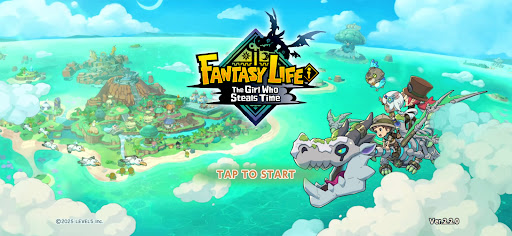
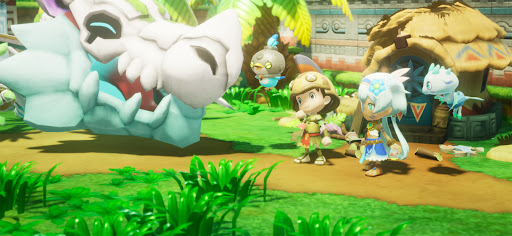
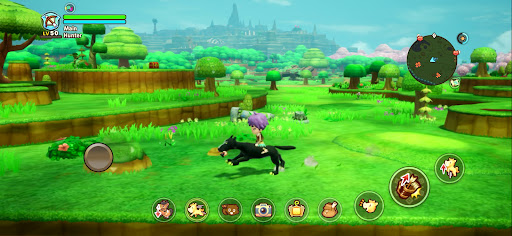
From thrilling adventures to building up your own island, the anything-goes slow-life RPG comes to mobile!
Experience an epic story, explore a vast open world, or simply relax with fishing, cooking, and crafting.
Do what you want, whenever and wherever you like—all in the palm of your hand. Start your very own Fantasy Life!
■ Play Anytime on Your Smartphone
Whether you want to enjoy a laid-back life as a farmer and grow crops at your own pace, or simply run free across a vast landscape, your fantasy life is always waiting whenever you have a spare moment.
Cross-play support lets you play together with friends on both mobile devices and consoles!
■ Guided by a Dragon to a Mysterious Island
You are an adventurer who sets sail alongside the archaeologist Edward and his team.
Following the guiding light from a fossilized dragon, you discover an uncharted island.
The Depths, a mysterious skeletal dragon, and a message from a girl pleading, "Save this world..."
Travel between the island's golden age 1,000 years ago and the present day to uncover the mystery behind its destruction!
■ Shape Your Adventure with 14 Unique Lives
In this world, a Life is your chosen profession, and each Life has its own identity and playstyle.
Switch to a Gathering Life to gather ingredients and materials, a Crafting Life to create weapons and meals, or a Combat Life to battle monsters. Swap between Lives anytime and create a Fantasy Life that's uniquely yours.
■ Craft Your Island
Put your Lives to work and gather resources to restore the island to its former glory!
Place houses and objects, reshape the landscape, and even create your own rivers and roads to build an island that's truly one of a kind.
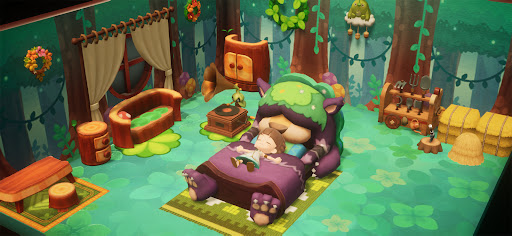
Expand your home, freely arrange furniture, and customize your interiors!
■ Embark on an Open-World Adventure!
Explore the largest continent in the series and venture wherever your heart takes you!
Climb towering cliffs, swim across rivers and lakes, or ride across the land on your favorite mount.
Oh, and the Teleportation Gate lets you easily travel to the continent from anywhere.
■ Continue Your Adventure Across Devices
Cross-save support lets you continue your adventure on your smartphone from your existing console save data.
Gather materials on the go with your smartphone, then switch back to your console at home for more in-depth crafting.
You can also enjoy multiplayer by inviting friends to your island or exploring dungeons together. How you play is entirely up to you.
*The 2P Family Co-op feature is not available in the mobile version.
▼ Official X
https://x.com/FANTASYLIFE_EN
▼ Official Website
https://www.fantasylife.jp/fli/en/
▼ System Requirements
Supported OS: Android 10 or later
Please note that even if your device meets the minimum system requirements, performance may vary depending on your device model, usage conditions, or other factors.
Show more

1. Download MEmu installer and finish the setup

2. Start MEmu then open Google Play on the desktop

3. Search Fantasy Life i in Google Play
Install
4. Download and Install Fantasy Life i
5. On install completion click the icon to start

6. Enjoy playing Fantasy Life i on PC with MEmu
MEmu Play is the best Android emulator and 100 million people already enjoy its superb Android gaming experience. The MEmu virtualization technology empowers you to play thousands of Android games smoothly on your PC, even the most graphic-intensive ones.
Bigger screen with better graphics; Long duration, without limitation of battery or mobile data.
Full Keymapping support for precise control of keyboard and mouse or gamepad.
Multiple game accounts or tasks on single PC at one time with Multi-Instance manager.
Play Fantasy Life i on PC by following steps: