Lineage2M
Updated
Current Version
7.0.2
Offered By

With your passion for Lineage2M, you shouldn’t have to limit yourself to the small screen of a phone. Play like a pro and take full control of the game using a keyboard and mouse. MEmu gives you everything you’re looking for. Download and play Lineage2M on PC. Play as long as you want — no more worries about battery life, mobile data, or unexpected calls. The all-new MEmu 9 is the best way to play Lineage2M on PC. With our expertly designed keymapping system, Lineage2M feels just like a real PC game. The MEmu multi-instance manager lets you run two or more accounts on the same device at the same time. Most importantly, our exclusive emulation engine unlocks your PC’s full potential, delivering smooth and seamless performance.
Show more
Download Lineage2M on PC with MEmu Android Emulator. Enjoy playing on big screen. A World-Class Fantasy MMORPG by NCSOFT & NCV GAMES.

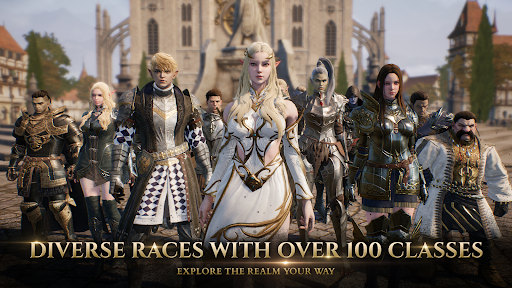
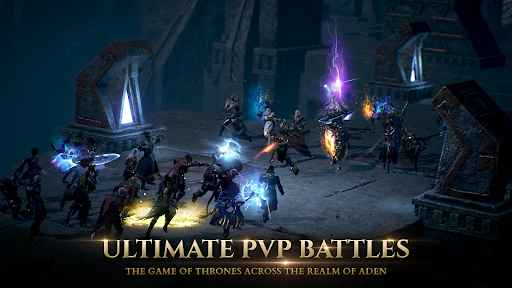
A World-Class Fantasy MMORPG by NCSOFT & NCV GAMES
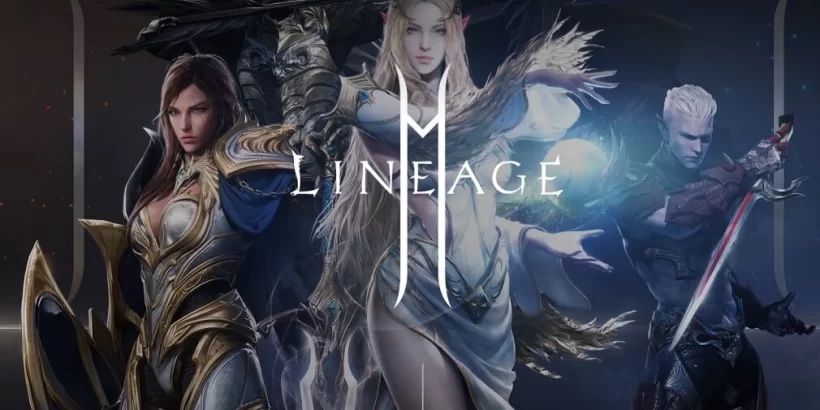
Are you a player or a conqueror? Lineage2M, developed by NCSOFT and published by NCV GAMES, brings the legendary fantasy adventure to a global stage. Immerse yourself in a vast open world where thousands of players battle for supremacy across two massive continents. With stunning 4K graphics, the next evolution of MMORPG games begins here.
▣ THE NEXT GENERATION OF MMORPGs ▣
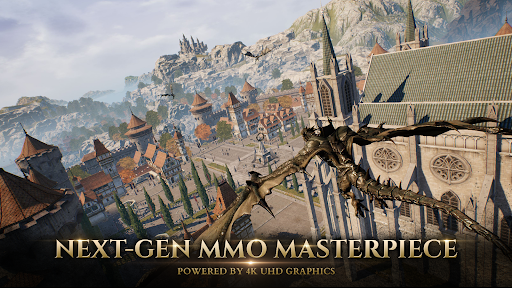
Experience one of the most advanced online open world RPGs, featuring full 3D 4K UHD graphics. Explore the realm of Aden, with its realistic details, intricate armor designs, and dynamic battlefields. With NCSOFT’s expertise in developing top MMORPG games and NCV GAMES' regional experience, players can expect a premium mobile MMORPG experience.
▣ BATTLE FOR SUPREMACY ▣
Forge your legacy by choosing from multiple races and classes. Whether you prefer the sword-and-shield Knight, the agile Raider, or the powerful Wizard, the battlefied is yours to conquer. Join guilds, participate in large-scale PvP wars, dungeons and dominate in epic castle sieges. The battle for power never ends in this fantasy kingdom.
▣ EXPLORE A MASSIVE MMORPG WORLD ▣
Step into a seamless open world where adventure knows no limits. Travel across the Lineage world, take flight on dragons, and engage in real-time battles with thousands of players. With strategic partnerships between NCSOFT and NCV GAMES, Lineage2M ensures an optimized experience for Southeast Asian players.
▣ Lineage 2M requires the following permissions for smooth gameplay.
* Optional permission
[Optional] Photos: Permission to save files after photo registration, screen capture, and video recording in the community bulletin boards
[Optional] Camera: Upload image/video, change profile picture
[Optional] Audio: Permission to record audio when recording video
[Optional] Notifications: Permission to receive informational notifications and advertising push notifications sent from game apps
[Optional] Tracking: Providing customized advertisements and analyzing service usage
- You can use the game even if you do not agree to the optional rights.
* How to revoke access
- After agreeing to the access right, you can reset or revoke the access right as follows.
- Settings > Lineage2M > Select permission > Agree or withdraw access permission
* Minimum requirements: RAM 4GB
Show more

1. Download MEmu installer and finish the setup

2. Start MEmu then open Google Play on the desktop

3. Search Lineage2M in Google Play
Install
4. Download and Install Lineage2M
5. On install completion click the icon to start

6. Enjoy playing Lineage2M on PC with MEmu
MEmu Play is the best Android emulator and 100 million people already enjoy its superb Android gaming experience. The MEmu virtualization technology empowers you to play thousands of Android games smoothly on your PC, even the most graphic-intensive ones.
Bigger screen with better graphics; Long duration, without limitation of battery or mobile data.
Full Keymapping support for precise control of keyboard and mouse or gamepad.
Multiple game accounts or tasks on single PC at one time with Multi-Instance manager.
Play Lineage2M on PC by following steps: