Little Farm Story: Idle Tycoon
Updated
Current Version
1.19.0
Offered By

With your passion for Little Farm Story: Idle Tycoon, you shouldn’t have to limit yourself to the small screen of a phone. Play like a pro and take full control of the game using a keyboard and mouse. MEmu gives you everything you’re looking for. Download and play Little Farm Story: Idle Tycoon on PC. Play as long as you want — no more worries about battery life, mobile data, or unexpected calls. The all-new MEmu 9 is the best way to play Little Farm Story: Idle Tycoon on PC. With our expertly designed keymapping system, Little Farm Story: Idle Tycoon feels just like a real PC game. The MEmu multi-instance manager lets you run two or more accounts on the same device at the same time. Most importantly, our exclusive emulation engine unlocks your PC’s full potential, delivering smooth and seamless performance.
Show more
Download Little Farm Story: Idle Tycoon on PC with MEmu Android Emulator. Enjoy playing on big screen. A FUN-GI TO BE AROUND .
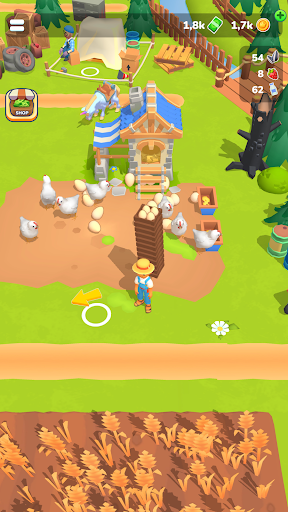
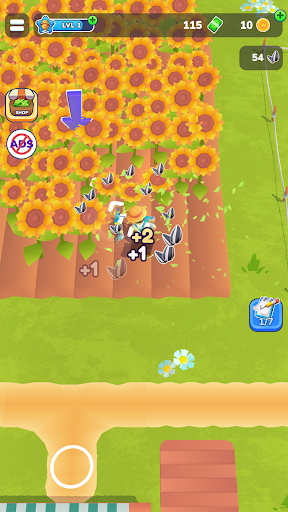
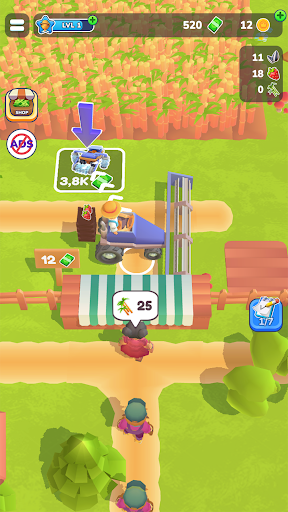

A FUN-GI TO BE AROUND
Calling all entrepreneurial farmers: come dive into a fantastic arcade-style simulator game where you can build and customize your own farm! Unlock an exciting array of plants, tools, and lands that you can cultivate to your heart’s content as you progress through the story, all while improving your business skills. Download Little Farm Story today and let your fantasies and garden blossom!
Like every good business story you start off from a humble background and a tiny, simple farm. Expand your business by catering to your customer’s wishes as you clear land to plant more crops and open more workshops to keep that money flowing. Farming has never been this fun!
FRUITFUL FEATURES
Variety is the spice of life – From a vast array of plants to diverse workshops and buildings, the possibilities are endless as you build your dream farm. Construct houses and tractors, then reap your fields of bountiful harvest to craft delicious products, delighting your customers in the process. There’s always something new to discover and add to your offerings, keeping you entertained for hours on end.
Zen gardening – Sure there’s a time and place for games that involve timers and clocks and deadlines… but this ain’t one of ‘em! Kick back and relax as you build your family farm, never once worrying about deadlines that might kill the mood. Whether you have just a few minutes or a half hour to kill, you’ll always feel relaxed and cool as a cucumber after dipping your toes in the game, ready to take on the world after your farming reprieve.
Mix business with pleasure – Here you’ll get to cultivate both crops and your entrepreneurial spirit! As a farmer you’ll have to learn to strategize, manage resources, and make crucial decisions so that you can make the most of your land while also getting top dollar from your customers. This fantastic game of plants and produce allows you to hone your business skills while growing crops and building your agricultural empire from the ground up, all without breaking a sweat.
BEHOLD THE FRUITS OF YOUR LABOR
Leave your stressful real-world life behind and hop on into this enchanting farm game where you can immerse yourself in a relaxing game of agricultural bliss. Whether you’re tending to your rancho, customizing every aspect of your farm, or discovering new varieties of plants that you can grow and sell, there’s always something fun waiting for you – plus, as you cultivate your farm, you’ll also be honing valuable business skills. So max your relaxing and try out Little Farm Story today!
Privacy Policy: https://say.games/privacy-policy
Terms of Use: https://say.games/terms-of-use
Show more

1. Download MEmu installer and finish the setup

2. Start MEmu then open Google Play on the desktop

3. Search Little Farm Story: Idle Tycoon in Google Play
Install
4. Download and Install Little Farm Story: Idle Tycoon
5. On install completion click the icon to start

6. Enjoy playing Little Farm Story: Idle Tycoon on PC with MEmu
MEmu Play is the best Android emulator and 100 million people already enjoy its superb Android gaming experience. The MEmu virtualization technology empowers you to play thousands of Android games smoothly on your PC, even the most graphic-intensive ones.
Bigger screen with better graphics; Long duration, without limitation of battery or mobile data.
Full Keymapping support for precise control of keyboard and mouse or gamepad.
Multiple game accounts or tasks on single PC at one time with Multi-Instance manager.
Play Little Farm Story: Idle Tycoon on PC by following steps: