Little Panda's Farm
Updated
Current Version
8.70.09.12
Offered By

With your passion for Little Panda's Farm, you shouldn’t have to limit yourself to the small screen of a phone. Play like a pro and take full control of the game using a keyboard and mouse. MEmu gives you everything you’re looking for. Download and play Little Panda's Farm on PC. Play as long as you want — no more worries about battery life, mobile data, or unexpected calls. The all-new MEmu 9 is the best way to play Little Panda's Farm on PC. With our expertly designed keymapping system, Little Panda's Farm feels just like a real PC game. The MEmu multi-instance manager lets you run two or more accounts on the same device at the same time. Most importantly, our exclusive emulation engine unlocks your PC’s full potential, delivering smooth and seamless performance.
Show more
Download Little Panda's Farm on PC with MEmu Android Emulator. Enjoy playing on big screen. Welcome to Little Panda's Farm!
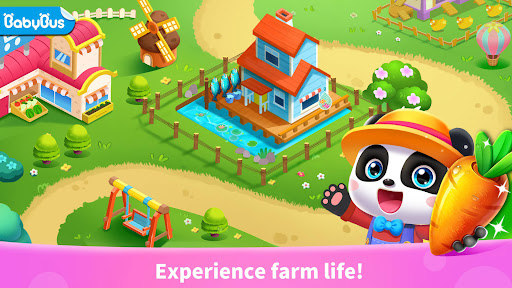
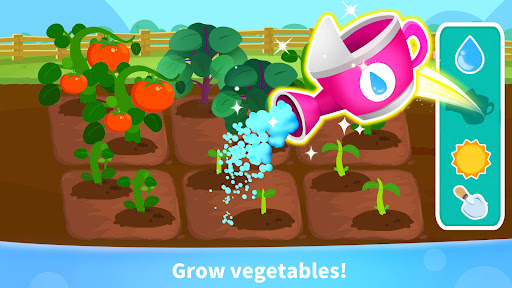
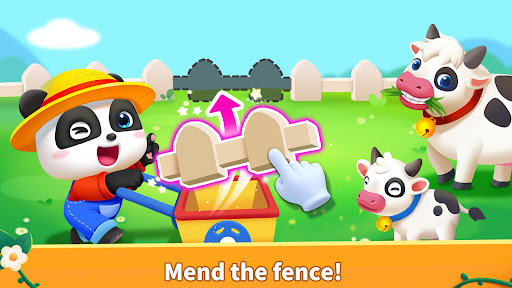
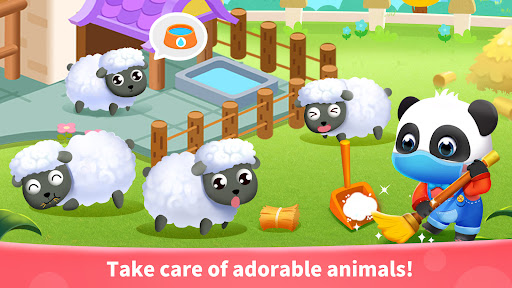
Welcome to Little Panda's Farm! Here, you can grow crops, raise small animals, process and sell agricultural products, renovate buildings, expand your farm and enjoy the nature.
What are you waiting for? Join busy farm life!
RENOVATING THE BUILIDING
The building on the farm is a bit dilapidated. Let's renovate it first! Construction workers will help you rebuild it! The yard is still a bit messy. Let's clean it up! Pull out the weeds and cut down the dead trees to make the yard tidy!
GROWING CROPS
There are many kinds of seeds in the farm: apples, radishes, sunflowers, and more. Please bury them in the soil, and offer them enough sunlight and water. Remember to give them fertilizer on time, and drive away greedy insects and birds time to time.
RAISING ANIMALS
The farm animals are waiting for your care. Feed the cows and bunnies with hay, give the sheep a bath, and clean the hen's house. Let those little animals grow up gradually. Now, you can head to the beehives and fish ponds to take care of other farm animals.
PROCESSING & SELLING
Ding-dong! You've received a new order! Drive the transport truck and deliver the goods! For every order you complete, you will unlock a new product processing method! Produce more new goods to attract more customers!
The farm is making more and more money. Awesome! Hurry up and buy your favorite decorations to build a farm of your own!
FEATURES:
- Experience farm life with role play as farmers;
- Adorable farm animals: cows, sheep, hens, bees, fish and rabbits;
- Grow fruits and vegetables: apples, dragon fruits, oranges, wheat, corn, and more;
- Harvest & process 40+ farm produce;
- The processing formula allows you to make delicious food easily;
- Sell farm products. Learn management of the farm and money;
- Renovate buildings, buy decorations to build a farm of your own;
- Login every day to get mystery gifts.
About BabyBus
—————
At BabyBus, we dedicate ourselves to sparking kids' creativity, imagination and curiosity,and designing our products through the kids' perspective to help them explore the world on their own.
Now BabyBus offers a wide variety of products, videos and other educational content for over 400 million fans from ages 0-8 around the world! We have released over 200 children's educational apps, over 2500 episodes of nursery rhymes and animations of various themes spanning the Health, Language, Society, Science, Art and other fields.
—————
Contact us: ser@babybus.com
Visit us: http://www.babybus.com
Show more

1. Download MEmu installer and finish the setup

2. Start MEmu then open Google Play on the desktop

3. Search Little Panda's Farm in Google Play
Install
4. Download and Install Little Panda's Farm
5. On install completion click the icon to start

6. Enjoy playing Little Panda's Farm on PC with MEmu
MEmu Play is the best Android emulator and 100 million people already enjoy its superb Android gaming experience. The MEmu virtualization technology empowers you to play thousands of Android games smoothly on your PC, even the most graphic-intensive ones.
Bigger screen with better graphics; Long duration, without limitation of battery or mobile data.
Full Keymapping support for precise control of keyboard and mouse or gamepad.
Multiple game accounts or tasks on single PC at one time with Multi-Instance manager.
Play Little Panda's Farm on PC by following steps: