Little Panda's Food Cooking
Updated
Current Version
8.72.00.00
Offered By

With your passion for Little Panda's Food Cooking, you shouldn’t have to limit yourself to the small screen of a phone. Play like a pro and take full control of the game using a keyboard and mouse. MEmu gives you everything you’re looking for. Download and play Little Panda's Food Cooking on PC. Play as long as you want — no more worries about battery life, mobile data, or unexpected calls. The all-new MEmu 9 is the best way to play Little Panda's Food Cooking on PC. With our expertly designed keymapping system, Little Panda's Food Cooking feels just like a real PC game. The MEmu multi-instance manager lets you run two or more accounts on the same device at the same time. Most importantly, our exclusive emulation engine unlocks your PC’s full potential, delivering smooth and seamless performance.
Show more
Download Little Panda's Food Cooking on PC with MEmu Android Emulator. Enjoy playing on big screen. Little Panda's Food City is open!
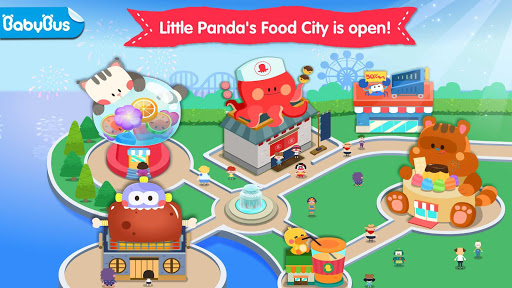

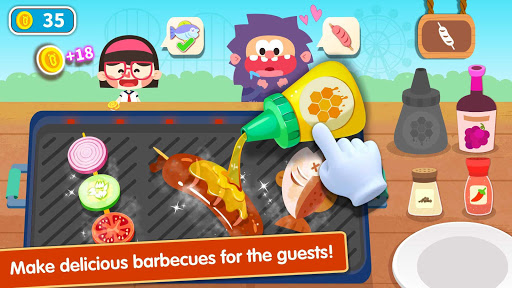
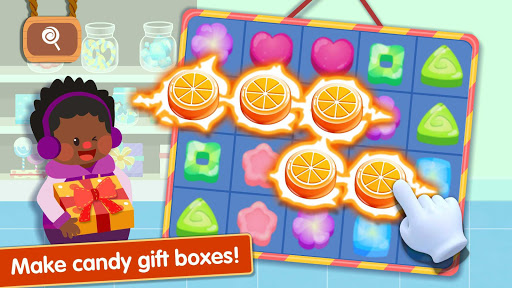
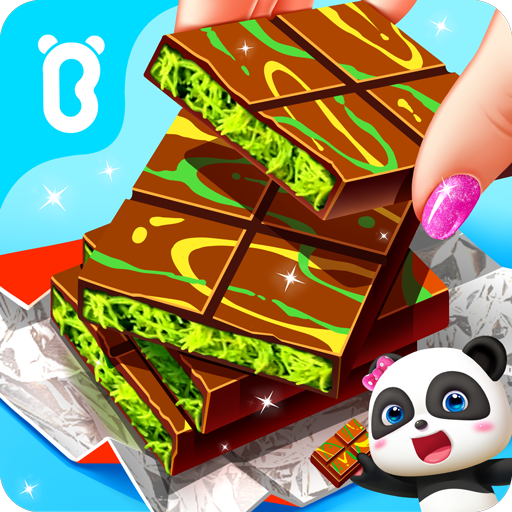
Little Panda's Food City is open! Here you will find a wide variety of delicious food, desserts, barbecues, juices and more. Come and make delicious food for your customers together with Little Panda! Look at the happy faces of your guests. Your food is really yummy!
Candy Gift Box
- Candy is always a sweet choice! Connect three or more candies of the same type to fill your box. Pink, orange, blue, green, various colors and flavors are here! Move your fingers to make a lovely candy box!
Barbecue Lunch
- What delicious food do you want to make for lunch? Hey! How about the tasty barbecue? Skewer the ingredients and place them on the grill. Then brush some oil, and spray pepper or tomato sauce. Be careful, don’t burn the food!
Colorful Juice
- Barbecue and juice, what a perfect match! Choose the fruits you like: bananas, lemons, or tomatoes? Cut different fruits, mix them in the juicer and supply your customers glasses of colorful and tasty fresh juice!
Flavorful Snacks
- Make some snacks for the customers! Take the order, and fill the plates with various snacks: donuts, popcorn, chips, and pizza. Wow! So many attractive snacks. Your guests must be very satisfied with your service!
Product features:
- Over 30 kinds of food available: shrimp, sausage, watermelon, blueberry, popcorn, chips and more!
- Experience the production of various delicious food!
- Run 5 popular shops and meet over 20 different custormers!
About BabyBus
—————
At BabyBus, we dedicate ourselves to sparking kids' creativity, imagination and curiosity,and designing our products through the kids' perspective to help them explore the world on their own.
Now BabyBus offers a wide variety of products, videos and other educational content for over 400 million fans from ages 0-8 around the world! We have released over 200 children's educational apps, over 2500 episodes of nursery rhymes and animations of various themes spanning the Health, Language, Society, Science, Art and other fields.
—————
Contact us: ser@babybus.com
Visit us: http://www.babybus.com
Show more

1. Download MEmu installer and finish the setup

2. Start MEmu then open Google Play on the desktop

3. Search Little Panda's Food Cooking in Google Play
Install
4. Download and Install Little Panda's Food Cooking
5. On install completion click the icon to start

6. Enjoy playing Little Panda's Food Cooking on PC with MEmu
MEmu Play is the best Android emulator and 100 million people already enjoy its superb Android gaming experience. The MEmu virtualization technology empowers you to play thousands of Android games smoothly on your PC, even the most graphic-intensive ones.
Bigger screen with better graphics; Long duration, without limitation of battery or mobile data.
Full Keymapping support for precise control of keyboard and mouse or gamepad.
Multiple game accounts or tasks on single PC at one time with Multi-Instance manager.
Play Little Panda's Food Cooking on PC by following steps: