Meta Toy DragonZ SAGA
Updated
Current Version
1.30
Offered By

With your passion for Meta Toy DragonZ SAGA, you shouldn’t have to limit yourself to the small screen of a phone. Play like a pro and take full control of the game using a keyboard and mouse. MEmu gives you everything you’re looking for. Download and play Meta Toy DragonZ SAGA on PC. Play as long as you want — no more worries about battery life, mobile data, or unexpected calls. The all-new MEmu 9 is the best way to play Meta Toy DragonZ SAGA on PC. With our expertly designed keymapping system, Meta Toy DragonZ SAGA feels just like a real PC game. The MEmu multi-instance manager lets you run two or more accounts on the same device at the same time. Most importantly, our exclusive emulation engine unlocks your PC’s full potential, delivering smooth and seamless performance.
Show more
Download Meta Toy DragonZ SAGA on PC with MEmu Android Emulator. Enjoy playing on big screen. How it Started:.
How it Started:
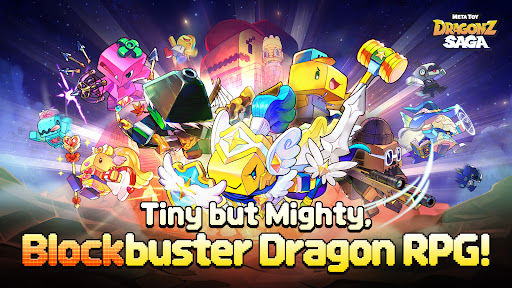
Blocktown was torn apart by rogue wind-up toys, stealing every last treasure. Now, the Toy Dragons are fired up - it's time to rebuild, retaliate, and reclaim what's rightfully theirs.
Why You'll Love it:
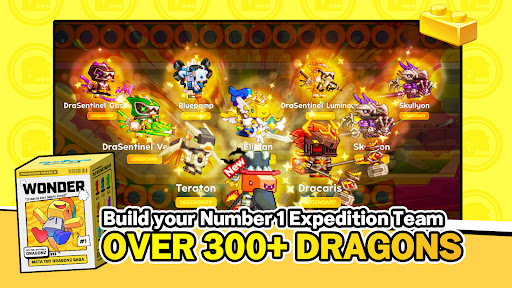
▶ 300+ Unique Pixel-Style Toy Dragons
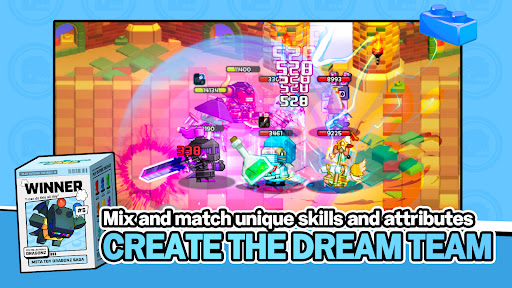
Build your number 1 expedition team from over 300 charming pixel dragons! Mix and match unique skills and attributes to create your dream Dragon squad and conquer various stages.
▶ Rebuilding Blocktown with Toy Dragons
Upgrade factories, rebuild stores, and bring Blocktown back to life! Every upgrade earns you rewards to boost your Toy Dragons and fuel your journey.
▶ Tons of Content & Endless Upgrades
Clear the changing wind-up factory dungeon daily to receive rewards and enhance your skills. Attack a massive fortress armed with numerous Toy Dragons and all kinds of weapons, and acquire passive skills as well.
▶ Discover New Combinations with Gem Blocks and Pets!
Combine various ability gem blocks and pets for unique strategic plays. Create your own custom combinations considering attributes and classes to strengthen your dragons even more.
▶ Master the Meta—Enjoy competitive PvP and PvE
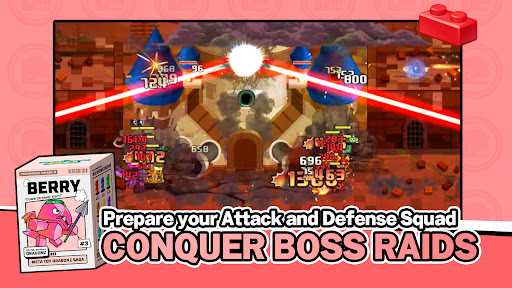
Compete against other dragon expeditions in the arena to achieve thrilling victories and earn rewards. Build the most powerful army of Dragons suited for Boss Raid!
-----
Join us at Discord: https://discord.gg/metatoyworld
Contact email: support_game@sandboxnetwork.net
Privacy Policy: https://sites.google.com/sandboxnetwork.net/policies/en
No special permissions are required to use this app.
- Minimum Requirements: Galaxy S9, 4GB of RAM or higher
Supported Languages:
Meta Toy DragonZ SAGA supports multiple languages: Korean, English, Japanese, Chinese, Portuguese.
Show more

1. Download MEmu installer and finish the setup

2. Start MEmu then open Google Play on the desktop

3. Search Meta Toy DragonZ SAGA in Google Play
Install
4. Download and Install Meta Toy DragonZ SAGA
5. On install completion click the icon to start

6. Enjoy playing Meta Toy DragonZ SAGA on PC with MEmu
MEmu Play is the best Android emulator and 100 million people already enjoy its superb Android gaming experience. The MEmu virtualization technology empowers you to play thousands of Android games smoothly on your PC, even the most graphic-intensive ones.
Bigger screen with better graphics; Long duration, without limitation of battery or mobile data.
Full Keymapping support for precise control of keyboard and mouse or gamepad.
Multiple game accounts or tasks on single PC at one time with Multi-Instance manager.
Play Meta Toy DragonZ SAGA on PC by following steps: