Midnight Study Demo
Updated
Current Version
0.6.2
Offered By

With your passion for Midnight Study Demo, you shouldn’t have to limit yourself to the small screen of a phone. Play like a pro and take full control of the game using a keyboard and mouse. MEmu gives you everything you’re looking for. Download and play Midnight Study Demo on PC. Play as long as you want — no more worries about battery life, mobile data, or unexpected calls. The all-new MEmu 9 is the best way to play Midnight Study Demo on PC. With our expertly designed keymapping system, Midnight Study Demo feels just like a real PC game. The MEmu multi-instance manager lets you run two or more accounts on the same device at the same time. Most importantly, our exclusive emulation engine unlocks your PC’s full potential, delivering smooth and seamless performance.
Show more
Download Midnight Study Demo on PC with MEmu Android Emulator. Enjoy playing on big screen. Midnight Study is a slingshot roguelike deck-building game where you bounce projectiles off walls to hit cards.
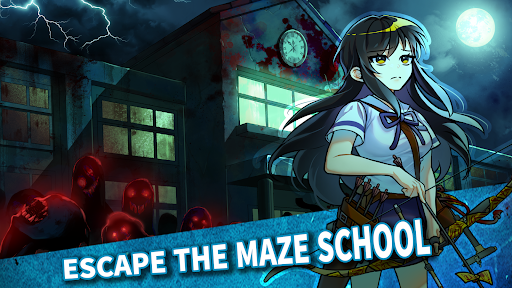
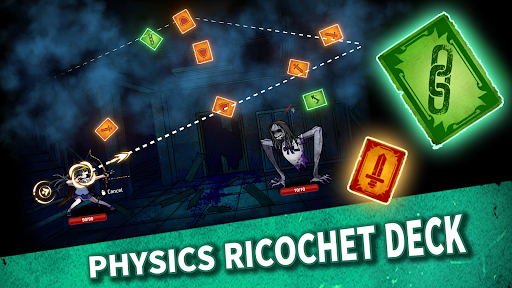
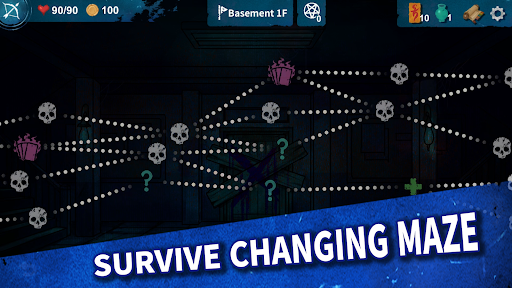

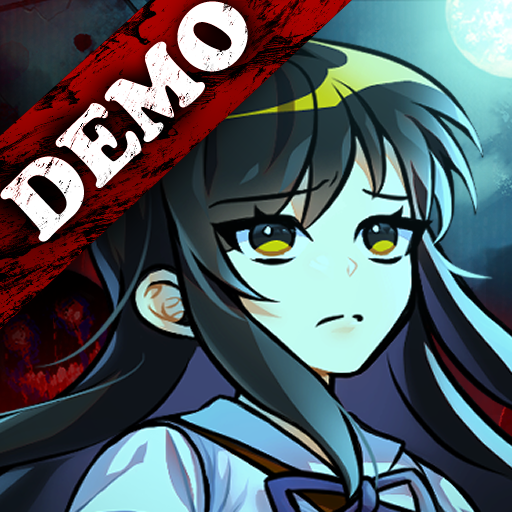
Midnight Study is a slingshot roguelike deck-building game where you bounce projectiles off walls to hit cards. Defeat spirits by accurately predicting trajectories to hit talismans , and escape the labyrinthine school with four unique high school girls by building strategic decks!
"The familiar school becomes a deadly labyrinth."
At Yongcheon Girls' High School, four students accidentally awaken sealed spirits through a forbidden ritual. Now, you must fight for survival in the very classrooms and hallways you once knew.
▣ Slingshot Physics & Strategic Trajectories
This isn't just a simple card game. Experience the unique 'Slingshot' system where you pull, aim, and fire.
- Ricochet Combat: Bounce projectiles off walls and objects to maximize talisman effects with satisfying physics.
- Precision Aiming: Your designed trajectory becomes a powerful blow that pierces through the spirits.
▣ Endless Combinations of Talismans and Relics
Combine over 100 types of forbidden talismans and 80+ mysterious relics. Every run offers fresh strategic choices with procedurally generated school structures and randomized card placements.
▣ 4 High School Heroes with Unique Weapons
- Haneul (Archery): Precise arrows that grow stronger with every hit.
- Sumi (Kendo): Crescent-shaped sword waves that overwhelm enemies.
- Arin (Chemistry): Strategically throws three types of volatile potions.
- Mirae (Athletics): Heavy shot puts that create shockwaves to increase destruction.
▣ Classic Korean School Horror & Legends
Encounter eerie foes inspired by decades of school legends and traditional Korean folklore. Face the terrors lurking in dark classrooms and endless corridors.
▣ Roguelike Challenges
- Unpredictable Events: Your choices in mysterious encounters will determine your survival.
- Growth & Unlocks: Learn from failure, strengthen your characters, and unlock new content to venture deeper into the labyrinth.
Show more

1. Download MEmu installer and finish the setup

2. Start MEmu then open Google Play on the desktop

3. Search Midnight Study Demo in Google Play
Install
4. Download and Install Midnight Study Demo
5. On install completion click the icon to start

6. Enjoy playing Midnight Study Demo on PC with MEmu
MEmu Play is the best Android emulator and 100 million people already enjoy its superb Android gaming experience. The MEmu virtualization technology empowers you to play thousands of Android games smoothly on your PC, even the most graphic-intensive ones.
Bigger screen with better graphics; Long duration, without limitation of battery or mobile data.
Full Keymapping support for precise control of keyboard and mouse or gamepad.
Multiple game accounts or tasks on single PC at one time with Multi-Instance manager.
Play Midnight Study Demo on PC by following steps: