MLB PRO SPIRIT
Updated
Current Version
1.3.0
Offered By

With your passion for MLB PRO SPIRIT, you shouldn’t have to limit yourself to the small screen of a phone. Play like a pro and take full control of the game using a keyboard and mouse. MEmu gives you everything you’re looking for. Download and play MLB PRO SPIRIT on PC. Play as long as you want — no more worries about battery life, mobile data, or unexpected calls. The all-new MEmu 9 is the best way to play MLB PRO SPIRIT on PC. With our expertly designed keymapping system, MLB PRO SPIRIT feels just like a real PC game. The MEmu multi-instance manager lets you run two or more accounts on the same device at the same time. Most importantly, our exclusive emulation engine unlocks your PC’s full potential, delivering smooth and seamless performance.
Show more
Download MLB PRO SPIRIT on PC with MEmu Android Emulator. Enjoy playing on big screen. Play in the big leagues with this brand-new, officially licensed MLB game!
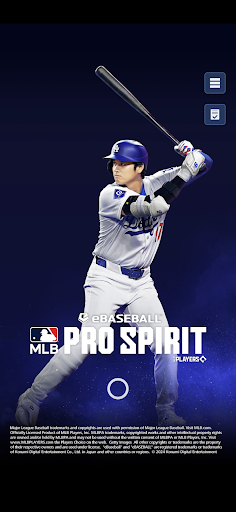
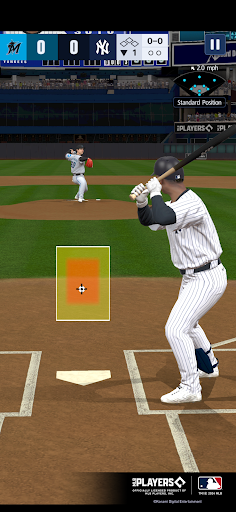
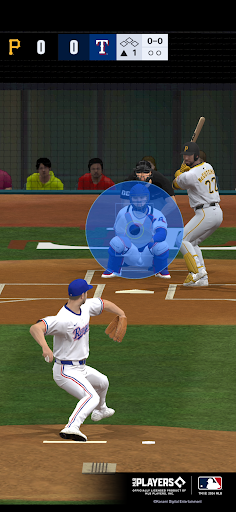
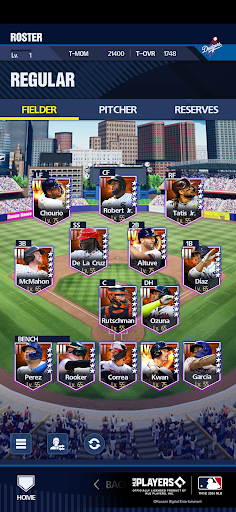
Play in the big leagues with this brand-new, officially licensed MLB game!
Experience the thrill of fast-paced baseball action on your mobile device.
Build the ultimate dream team and compete against players from all over the world. Download now and get into the spirit of the game!
■REAL PLAYERS
Real players from every MLB team!
Use Contracts to acquire your favorite players and showcase their skills on the field.
Collect players and build up your roster to create an unstoppable dream team.
■AUTHENTICITY
All MLB stadiums and uniforms have been carefully crafted to match the real deal!
Hear the crack of the bat and roar of the crowd to immerse yourself in the MLB experience.
■JAM-PACKED WITH MODES
- Season -
Make it to the World Series in a 52-game MLB season against CPU teams.
Use players in Season mode to level them up and increase their attributes!
- Online -
Test your skills on the diamond against other players in real time!
Set the rules and play a casual game against friends in Custom Game.
Ranked Games match you with like-skilled players for a chance to rank up!
- Events -
Log in to play limited-time events and earn awesome rewards!
■IMPORTANT
An internet connection is required to play this app.
We strongly recommend playing with a stable connection to ensure you get the most out of the game.
A download of approximately 2GB is required after starting the game and finishing the tutorial.
■SYSTEM REQUIREMENTS
Android 10.0 and up
*eBaseball™: MLB PRO SPIRIT is compatible with 64-bit devices. Please note that 32-bit devices are not compatible.
*This app may not function properly even if your device meets the system requirements due to device specifications, app usage, or other factors.
*You may experience issues while playing if your device is not capable of handling this app's 3D graphics.
*This app may not function properly if you are using a device that has two-screen display.
Major League Baseball trademarks and copyrights are used with permission of Major League Baseball. Visit MLB.com. Officially Licensed Product of MLB Players, Inc. MLBPA trademarks, copyrighted works and other intellectual property rights are owned and/or held by MLBPA and may not be used without the written consent of MLBPA or MLB Players, Inc. Visit www.MLBPLAYERS.com the Players Choice on the web. Getty Images All other copyrights or trademarks are the property of their respective owners and are used under license. "eBaseball" and "eBASEBALL" are registered trademarks or trademarks of Konami Digital Entertainment Co., Ltd. in Japan and other countries or regions. ©2024 Konami Digital Entertainment
Show more

1. Download MEmu installer and finish the setup

2. Start MEmu then open Google Play on the desktop

3. Search MLB PRO SPIRIT in Google Play
Install
4. Download and Install MLB PRO SPIRIT
5. On install completion click the icon to start

6. Enjoy playing MLB PRO SPIRIT on PC with MEmu
MEmu Play is the best Android emulator and 100 million people already enjoy its superb Android gaming experience. The MEmu virtualization technology empowers you to play thousands of Android games smoothly on your PC, even the most graphic-intensive ones.
Bigger screen with better graphics; Long duration, without limitation of battery or mobile data.
Full Keymapping support for precise control of keyboard and mouse or gamepad.
Multiple game accounts or tasks on single PC at one time with Multi-Instance manager.
Play MLB PRO SPIRIT on PC by following steps: