NBA 2K27
Updated
Current Version
Offered By

With your passion for NBA 2K27, you shouldn’t have to limit yourself to the small screen of a phone. Play like a pro and take full control of the game using a keyboard and mouse. MEmu gives you everything you’re looking for. Download and play NBA 2K27 on PC. Play as long as you want — no more worries about battery life, mobile data, or unexpected calls. The all-new MEmu 9 is the best way to play NBA 2K27 on PC. With our expertly designed keymapping system, NBA 2K27 feels just like a real PC game. The MEmu multi-instance manager lets you run two or more accounts on the same device at the same time. Most importantly, our exclusive emulation engine unlocks your PC’s full potential, delivering smooth and seamless performance.
Show more
Download NBA 2K27 on PC with MEmu Android Emulator. Enjoy playing on big screen. NBA 2K27 suits players who want a realistic hoops experience on mobile, whether practicing alone or competing with others.
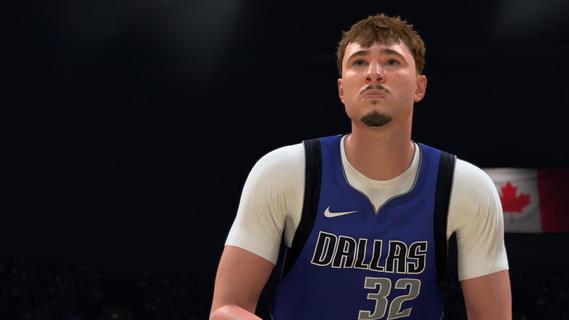
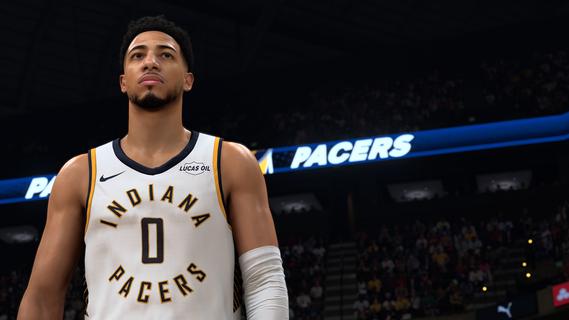
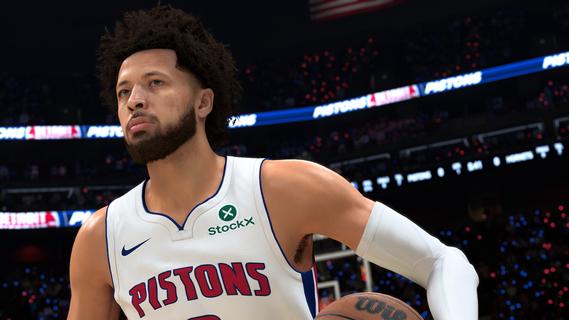
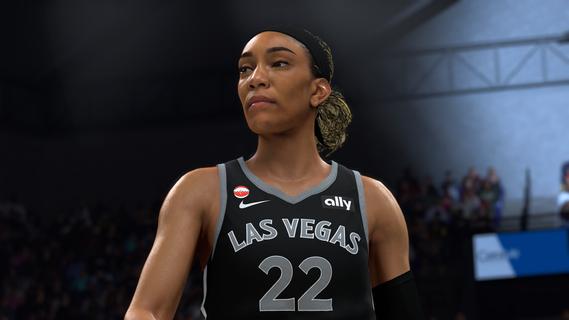
NBA 2K27 suits players who want a realistic hoops experience on mobile, whether practicing alone or competing with others. It focuses on lifelike movement, smooth controls, and a full set of modes that let you build a career, manage squads, and jump into quick matches. As you progress, you can choose to stay offline for select modes or connect for competitive play. To keep things simple, NBA 2K27 APK presents a clear interface that helps new and returning players get started fast.Key features in NBA 2K27ProPLAY animations and refined controlNBA 2K27 applies ProPLAY to mirror real NBA motion, so dribbles, footwork, and finishes look and feel closer to live action. Shooting inputs are more responsive, while ball handling supports tighter changes of direction. As a result, you can read space, create separation, and time releases with better consistency on a touch screen.MyCAREER with a custom MyPLAYERYou create your MyPLAYER and work through a story that aims to define your career. Each game adds progress toward your attributes and badges, and your choices influence how your path unfolds. This mode helps you learn the systems at your pace before moving into broader competition.The City and Crews for social playWhen ready to connect, you can explore The City, join friends, and run games at The REC and Park. Crews let your group set roles, coordinate outfits, and enter organized matchups together. Social spaces give you a place to meet, queue for games, and track group progress between sessions.MyTEAM collection buildingMyTEAM centers on collecting NBA and WNBA players, assembling lineups, and testing combinations across solo and multiplayer challenges. Card upgrades, role balance, and playstyle choices matter as you move through events. You can experiment with lineups offline first, then take your best squads online when comfortable.Play Now, MyNBA, and The W with offline optionsFor times when a connection is not available, you can enter quick games in Play Now, manage a franchise in MyNBA, or take the court in The W. These modes help you practice sets, try rotations, and enjoy games without online pressure. Most other features require an internet connection, so plan sessions accordingly.How to start playing NBA 2K27 on AndroidSet up is straightforward and guides you into play within a few minutes. If you plan to download NBA 2K27 for the first time, the steps below outline a simple path from install to your first games.Install the game on your Android device, open it after installation finishes, and accept any required permissions.Choose a control layout and adjust sensitivity and shot timing in settings, then test moves on the practice court.Begin with Play Now or The W to learn pacing and timing offline, and complete any optional tutorials that appear.Enter MyCAREER to create your MyPLAYER, select a position, set key attributes, and choose animations that fit your style.When ready for competition, connect online to visit The City, join or form a Crew, or start building your first MyTEAM lineup.Get ready to playNBA 2K27 focuses on realistic basketball, flexible modes, and a clear progression path from solo to online play. For the best experience and ongoing updates, consider installing the NBA 2K27 latest version on your device.
Show more

1. Download MEmu installer and finish the setup

2. Start MEmu then open Google Play on the desktop

3. Search NBA 2K27 in Google Play
Install
4. Download and Install NBA 2K27
5. On install completion click the icon to start

6. Enjoy playing NBA 2K27 on PC with MEmu
MEmu Play is the best Android emulator and 100 million people already enjoy its superb Android gaming experience. The MEmu virtualization technology empowers you to play thousands of Android games smoothly on your PC, even the most graphic-intensive ones.
Bigger screen with better graphics; Long duration, without limitation of battery or mobile data.
Full Keymapping support for precise control of keyboard and mouse or gamepad.
Multiple game accounts or tasks on single PC at one time with Multi-Instance manager.
Play NBA 2K27 on PC by following steps: