Pocket City 2
Updated
Current Version
1.096
Offered By

With your passion for Pocket City 2, you shouldn’t have to limit yourself to the small screen of a phone. Play like a pro and take full control of the game using a keyboard and mouse. MEmu gives you everything you’re looking for. Download and play Pocket City 2 on PC. Play as long as you want — no more worries about battery life, mobile data, or unexpected calls. The all-new MEmu 9 is the best way to play Pocket City 2 on PC. With our expertly designed keymapping system, Pocket City 2 feels just like a real PC game. The MEmu multi-instance manager lets you run two or more accounts on the same device at the same time. Most importantly, our exclusive emulation engine unlocks your PC’s full potential, delivering smooth and seamless performance.
Show more
Download Pocket City 2 on PC with MEmu Android Emulator. Enjoy playing on big screen. Build and explore your own city in this 3D sequel to the original Pocket City!
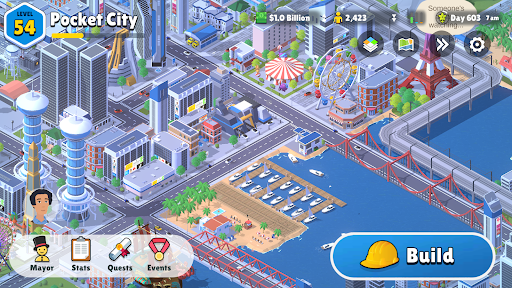
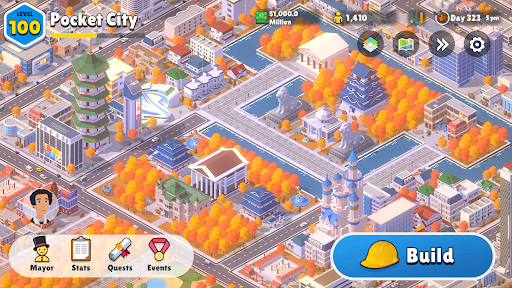
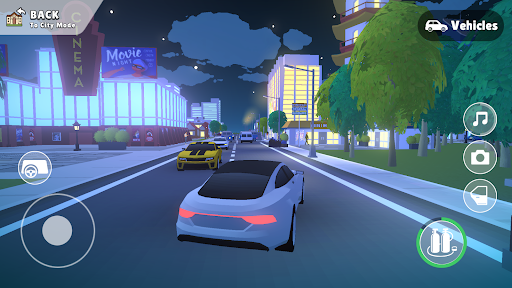
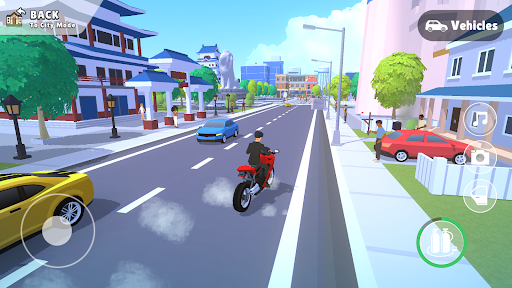
Build and explore your own city in this 3D sequel to the original Pocket City! Create using roads, zones, landmarks, and special buildings. Drop your avatar into the world and roam freely. Buy your own house, host events, survive disasters, and live the life of a successful mayor!
No microtransactions or long wait times, everything is unlocked and rewarded through gameplay!
FEATURES
- Build a unique city by creating zones and new special buildings
- Explore your city by controlling your avatar directly
- Enjoy a dynamic environment with seasons and a day night cycle
- Play minigames like street racing, plane flying, and much more
- Trigger fun events like block parties, or disasters like tornadoes
- Complete quests to earn XP and money
- Customize your avatar with clothing and tools
- Become a homeowner and furnish your own house
- Visit buildings in your city to buy items and find loot
- Invest and build long-term mega projects
- Encounter and help NPCs around your city
- Spend research points to gain valuable perks
- Invite a friend to collaborate on your city in real-time
- Unlock special rewards by competing against rival towns
- Unleash your creative side in Sandbox Mode
- Play in both landscape and portrait mode
Show more

1. Download MEmu installer and finish the setup

2. Start MEmu then open Google Play on the desktop

3. Search Pocket City 2 in Google Play
Install
4. Download and Install Pocket City 2
5. On install completion click the icon to start

6. Enjoy playing Pocket City 2 on PC with MEmu
MEmu Play is the best Android emulator and 100 million people already enjoy its superb Android gaming experience. The MEmu virtualization technology empowers you to play thousands of Android games smoothly on your PC, even the most graphic-intensive ones.
Bigger screen with better graphics; Long duration, without limitation of battery or mobile data.
Full Keymapping support for precise control of keyboard and mouse or gamepad.
Multiple game accounts or tasks on single PC at one time with Multi-Instance manager.
Play Pocket City 2 on PC by following steps: