Pokerrrr 2: Texas Holdem Poker
Updated
Current Version
7.2.2
Offered By

With your passion for Pokerrrr 2: Texas Holdem Poker, you shouldn’t have to limit yourself to the small screen of a phone. Play like a pro and take full control of the game using a keyboard and mouse. MEmu gives you everything you’re looking for. Download and play Pokerrrr 2: Texas Holdem Poker on PC. Play as long as you want — no more worries about battery life, mobile data, or unexpected calls. The all-new MEmu 9 is the best way to play Pokerrrr 2: Texas Holdem Poker on PC. With our expertly designed keymapping system, Pokerrrr 2: Texas Holdem Poker feels just like a real PC game. The MEmu multi-instance manager lets you run two or more accounts on the same device at the same time. Most importantly, our exclusive emulation engine unlocks your PC’s full potential, delivering smooth and seamless performance.
Show more
Download Pokerrrr 2: Texas Holdem Poker on PC with MEmu Android Emulator. Enjoy playing on big screen. The ultimate multiplayer poker app to learn and play with your buddies!
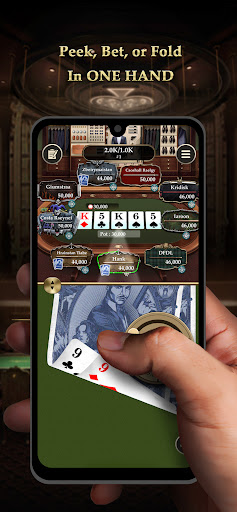
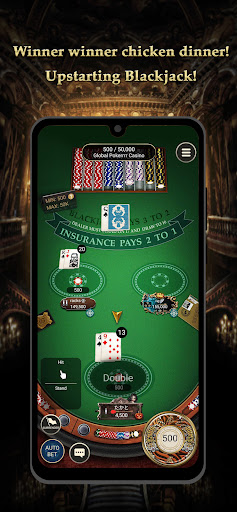
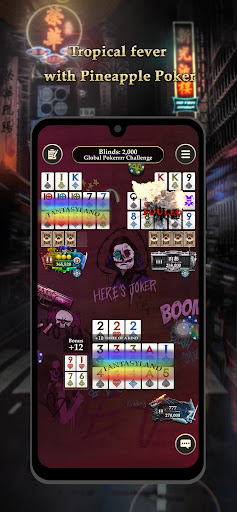
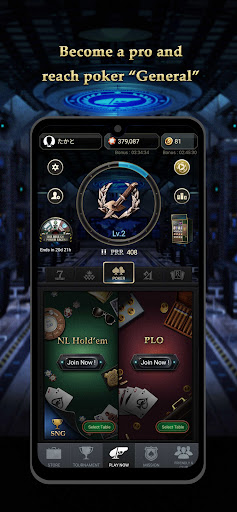
The ultimate multiplayer poker app to learn and play with your buddies!
Want to learn poker but don’t want to spend lots of money? Pokerrrr 2 is the best poker app for you!
Try a few hands, strengthen your poker skills, and compete with players all over the world!
Texas Hold’em/Blackjack/Omaha/OFC/Stud/PLO/Rummy with buddies!
It's as simple as creating a private room or tournament clock/timer, setting the rules (No Limit Hold'em, Blackjack, OFC-13 card poker (Pineapple Poker), Short Deck Poker, Pot-Limit Omaha, 7 card stud, Rummy, Round of Each, Sit-and-go, MTT and so on), and dealing out the cards. It's like having poker night in the palm of your hand, anytime, anywhere!
Want to meet new poker buddies? Join our Global PRR Challenge or create a poker club to play with players from around the world!
How to Play?
- Host games live or online in private rooms, just for friends!
- Choose Multiple game modes, including NL Hold'em, OFC -13 card poker (Pineapple Poker), Blackjack, Rummy, SNG, MTT, PLO, Stud, R.O.E. and tournament clock, for up to 9 players.
《POKERRRR 2 FEATURES》
Multiple Game Modes:
You can find various kinds of poker games in Pokerrrr 2. Choose a mode you are interested in and sit at the table right away!
- No Limit Hold’em
- Blackjack
- PLO
- Open Face Chinese Poker / Open Face Chinese Joker
- 7 card Stud
- Rummy
Tournaments:
Want to challenge yourself through competition? You can find different tournaments here and compete with players worldwide!
- Ultrasonic SNG Tournament
- Multi-Table Tournament
- Lucky Dip Tournament
Mission:
In Pokerrrr Intelligence, you can find missions from different game modes. Complete the missions and get awesome rewards!
Gifting:
Waiting for other players’ turn? You can send roses, bombs, and other giftings to players on the table!
There are also seasonal and event special giftings during events and holidays. Get these special giftings and use them within a limited period!
Store:
Want to show off your fancy nameplates on the table? Want to get cool Decks and Chip-Cons? You can find lots of different items in the Store. Just hand out your coins and they are yours!
Create your own Clubs:
- Create free private clubs with your friends from around the world, or join other
clubs to meet new players.
- Each club has a members-only chat and place for hosted games/records.
Share any intense hand with club friends whenever you want.
- Invite friends to a club with the unique club code
Poker party on the Big Screen:
Hosting a poker party? Host the game with your phone and use iPad to join it!
Community cards will be shown on iPad (connected to Big Screen) while two hand cards are dealt to each player's phone. Big Screen mode supports all regular games (Hold'em, Blackjack, OFC, PLO, 7 card Stud, Rummy) and SNG.
Download now to enjoy all kinds of poker games and tournaments!
《What others say》
"It's great for those times when you don't have a deck of cards or poker chips
lying around." - AppAdvice
"Don't wait for Vegas. This app lets you create your own poker club and play
poker with friends anytime, anywhere." - Yahoo
"It's a really great update on poker playing experience, so download Pokerrrr and
try something new for POKER NIGHT" - APPSAGA
Top p2p poker app in AppStore:
- Top 1 in 20+ countries
- Top 10 in 60+ countries
Follow our social media to get first-hand news and updates!
- Facebook: https://www.facebook.com/pokerrrr2/
- Twitter: https://twitter.com/Pokerrrr2
- Instagram: https://instagram.com/pokerrrr2?igshid=YmMyMTA2M2Y=
-------------------------------------
Additional information:
- This game is intended for an adult audience and does not offer real money gambling or an opportunity to win real money or prizes. Practice or success at social gaming does not imply future success at real money gambling.
- Use of this application is governed by Pokerrrr 2's Terms of Service, found at
http://pokerrrrapp.com/terms/
Show more

1. Download MEmu installer and finish the setup

2. Start MEmu then open Google Play on the desktop

3. Search Pokerrrr 2: Texas Holdem Poker in Google Play
Install
4. Download and Install Pokerrrr 2: Texas Holdem Poker
5. On install completion click the icon to start

6. Enjoy playing Pokerrrr 2: Texas Holdem Poker on PC with MEmu
MEmu Play is the best Android emulator and 100 million people already enjoy its superb Android gaming experience. The MEmu virtualization technology empowers you to play thousands of Android games smoothly on your PC, even the most graphic-intensive ones.
Bigger screen with better graphics; Long duration, without limitation of battery or mobile data.
Full Keymapping support for precise control of keyboard and mouse or gamepad.
Multiple game accounts or tasks on single PC at one time with Multi-Instance manager.
Play Pokerrrr 2: Texas Holdem Poker on PC by following steps: