Price Quiz: Guess The Price PC

Download Price Quiz: Guess The Price on PC

Price Quiz: Guess The Price PC

Price Quiz: Guess The Price

  • Updated

  • Current Version

    1.8.26

  • Offered By

    Price Quiz: Guess The Price PC

Features of Price Quiz: Guess The Price on PC

With your passion for Price Quiz: Guess The Price, you shouldn’t have to limit yourself to the small screen of a phone. Play like a pro and take full control of the game using a keyboard and mouse. MEmu gives you everything you’re looking for. Download and play Price Quiz: Guess The Price on PC. Play as long as you want — no more worries about battery life, mobile data, or unexpected calls. The all-new MEmu 9 is the best way to play Price Quiz: Guess The Price on PC. With our expertly designed keymapping system, Price Quiz: Guess The Price feels just like a real PC game. The MEmu multi-instance manager lets you run two or more accounts on the same device at the same time. Most importantly, our exclusive emulation engine unlocks your PC’s full potential, delivering smooth and seamless performance.

Show more

Screenshots & Video of Price Quiz: Guess The Price PC

Download Price Quiz: Guess The Price on PC with MEmu Android Emulator. Enjoy playing on big screen. Price Quiz: Guess the Price.

Game Info

Price Quiz: Guess the Price


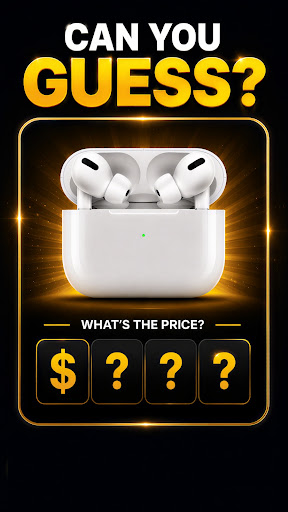
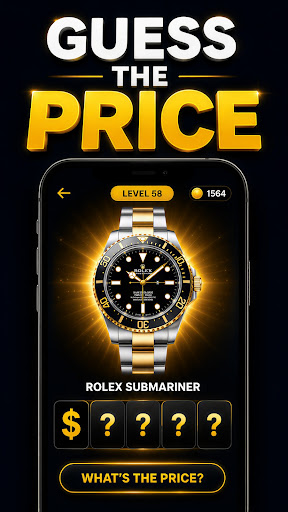
Can you guess the exact price of real products?
Put your shopping knowledge to the test in the ultimate Price Quiz! Discover thousands of real products across electronics, fashion, luxury, cars, gaming, groceries, home essentials and more.
Every level is a new challenge. Can you find the exact price?

Game Features


4 exciting game modes
• Exact Price – Find the exact price of each product.
• Higher or Lower – Decide if the real price is higher or lower.
• One Digit Closer – Get one digit closer to the correct answer.
• Multiple Choice – Choose the correct price from multiple options.

Thousands of real products
From smartphones and designer bags to cars, watches, cosmetics, groceries and household items.

Unlock new levels and improve your score.
Train your memory and test your price knowledge.
Play offline anytime.
Completely FREE.
Regular updates with new products, categories and game modes.

Can You Guess the Price?


Think you know how much everyday products really cost?
Can you tell the difference between a $50 watch and a $5,000 luxury watch?
Can you identify the real price of the latest smartphone?
Challenge yourself, beat your high score and become the ultimate Price Quiz champion.

Download Price Quiz: Guess the Price today!

Show more

How to Download Price Quiz: Guess The Price on PC

  • Price Quiz: Guess The Price PC

    1. Download MEmu installer and finish the setup

  • Price Quiz: Guess The Price PC

    2. Start MEmu then open Google Play on the desktop

  • Price Quiz: Guess The Price PC

    3. Search Price Quiz: Guess The Price in Google Play

  • Price Quiz: Guess The Price PC Install

    4. Download and Install Price Quiz: Guess The Price

  • Price Quiz: Guess The Price PC

    5. On install completion click the icon to start

  • Price Quiz: Guess The Price PC
    Price Quiz: Guess The Price PC Price Quiz: Guess The Price PC

    6. Enjoy playing Price Quiz: Guess The Price on PC with MEmu

Why Use MEmu for Price Quiz: Guess The Price

MEmu Play is the best Android emulator and 100 million people already enjoy its superb Android gaming experience. The MEmu virtualization technology empowers you to play thousands of Android games smoothly on your PC, even the most graphic-intensive ones.

  • Bigger screen with better graphics; Long duration, without limitation of battery or mobile data.

  • Full Keymapping support for precise control of keyboard and mouse or gamepad.

  • Multiple game accounts or tasks on single PC at one time with Multi-Instance manager.

Ready to Play?

Hot Topics

Price Quiz: Guess The Price - FAQs

  • How to play Price Quiz: Guess The Price on PC?

    Play Price Quiz: Guess The Price on PC by following steps:

    • Download MEmu, then install and launch it
    • Login to Google Play Store, install the game
    • Enjoy playing the game on PC with MEmu
  • What are the minimum system requirements to run Price Quiz: Guess The Price on PC?

    • Intel or AMD Processor
    • Microsoft Windows 7 and above
    • 2GB of memory
    • 5GB of free disk space
    • Hardware Virtualization Technology