
プリンセスコネクト!Re:Dive
Updated
Current Version
10.10.6
Offered By

With your passion for プリンセスコネクト!Re:Dive, you shouldn’t have to limit yourself to the small screen of a phone. Play like a pro and take full control of the game using a keyboard and mouse. MEmu gives you everything you’re looking for. Download and play プリンセスコネクト!Re:Dive on PC. Play as long as you want — no more worries about battery life, mobile data, or unexpected calls. The all-new MEmu 9 is the best way to play プリンセスコネクト!Re:Dive on PC. With our expertly designed keymapping system, プリンセスコネクト!Re:Dive feels just like a real PC game. The MEmu multi-instance manager lets you run two or more accounts on the same device at the same time. Most importantly, our exclusive emulation engine unlocks your PC’s full potential, delivering smooth and seamless performance.
Show more
Download プリンセスコネクト!Re:Dive on PC with MEmu Android Emulator. Enjoy playing on big screen. もう一度、キミとつながる物語.

もう一度、キミとつながる物語
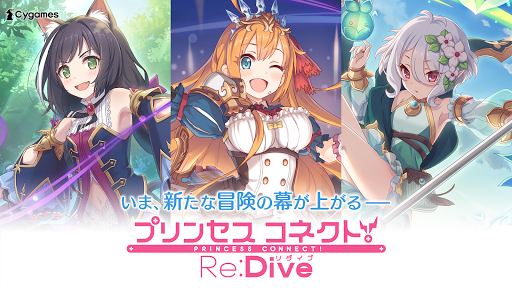
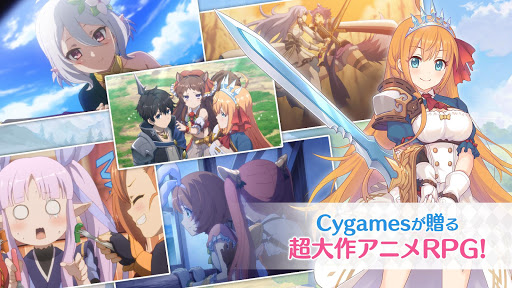
Cygamesが贈る超大作アニメRPG『プリンセスコネクト!Re:Dive』がスマートフォンゲームとしてついに登場!
個性豊かな少女たちと、アストルムの地へ旅立とう!
◆物語を彩る美麗なアニメーション
ゲーム内には美麗でハイクオリティなアニメーションを多数収録!
物語をより深く、よりドラマティックに盛り上げます!
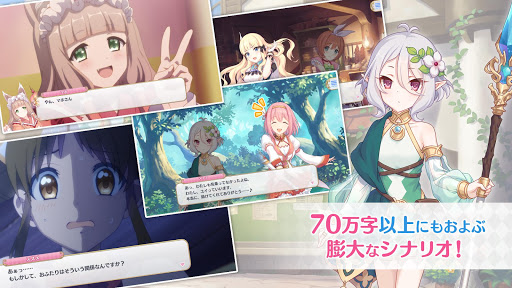
◆大ボリュームのフルボイスシナリオ
メインシナリオライターに人気作家の日日日氏を起用。
シナリオは全て豪華声優陣によるフルボイスで、テキストは70万字以上の大ボリューム!
◆シンプルで奥深いリアルタイムバトル
可愛いキャラクターたちがコミカルに動き回るリアルタイムバトル!
タップするだけで豪華なカットインアニメ演出とともに必殺技の「ユニオンバースト」がさく裂!
それぞれにユニークなスキルをもつキャラクターを組み合わせ、自分だけのお気に入りのパーティをつくろう!
◆女の子たちとの絆を深めよう
ともに冒険した時間が長ければ長いほど、女の子とあなたの絆は深まります。
絆を上げることで解放される特別なストーリーでは、女の子の意外な一面が見られることも…?
◆アストルムで出会う美少女キャラクターたち
ペコリーヌ(CV:M・A・O)
コッコロ(CV:伊藤美来)
キャル(CV:立花理香)
ユイ(CV:種田梨沙)
ヒヨリ(CV:東山奈央)
レイ(CV:早見沙織)
ハツネ(CV:大橋彩香)
ミヤコ(CV:雨宮天)
マホ(CV:内田真礼)
ほかにも、総勢50人以上の女の子があなたを待っています!
◆メインテーマ作曲
田中公平
◆メインシナリオ
日日日
◆アニメーション制作
WIT STUDIO
◆公式Twitter
https://twitter.com/priconne_redive
◆公式サイト
https://priconne-redive.jp/
(C)Cygames, Inc.
Show more

1. Download MEmu installer and finish the setup

2. Start MEmu then open Google Play on the desktop

3. Search プリンセスコネクト!Re:Dive in Google Play
Install
4. Download and Install プリンセスコネクト!Re:Dive
5. On install completion click the icon to start

6. Enjoy playing プリンセスコネクト!Re:Dive on PC with MEmu
MEmu Play is the best Android emulator and 100 million people already enjoy its superb Android gaming experience. The MEmu virtualization technology empowers you to play thousands of Android games smoothly on your PC, even the most graphic-intensive ones.
Bigger screen with better graphics; Long duration, without limitation of battery or mobile data.
Full Keymapping support for precise control of keyboard and mouse or gamepad.
Multiple game accounts or tasks on single PC at one time with Multi-Instance manager.
Play プリンセスコネクト!Re:Dive on PC by following steps: