Shadowverse: Worlds Beyond
Updated
Current Version
1.1.2
Offered By

With your passion for Shadowverse: Worlds Beyond, you shouldn’t have to limit yourself to the small screen of a phone. Play like a pro and take full control of the game using a keyboard and mouse. MEmu gives you everything you’re looking for. Download and play Shadowverse: Worlds Beyond on PC. Play as long as you want — no more worries about battery life, mobile data, or unexpected calls. The all-new MEmu 9 is the best way to play Shadowverse: Worlds Beyond on PC. With our expertly designed keymapping system, Shadowverse: Worlds Beyond feels just like a real PC game. The MEmu multi-instance manager lets you run two or more accounts on the same device at the same time. Most importantly, our exclusive emulation engine unlocks your PC’s full potential, delivering smooth and seamless performance.
Show more
Download Shadowverse: Worlds Beyond on PC with MEmu Android Emulator. Enjoy playing on big screen. Shadowverse: Worlds Beyond is a brand-new strategy card game from the popular Shadowverse CCG.
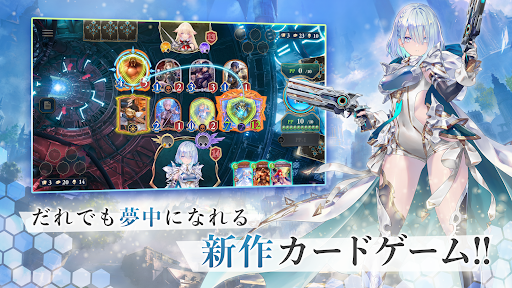
Shadowverse: Worlds Beyond is a brand-new strategy card game from the popular Shadowverse CCG.
Enjoy creating decks and battling online, just like the original Shadowverse CCG.
With the newly added super-evolution mechanic and Shadowverse Park, among other brand-new content, there is lots to enjoy for both seasoned and brand-new players.
Card Battles
The rules of Shadowverse are simple, yet offer limitless ways to strategize and win.
Use different card combinations to create unique synergies and strategies in battles against players all around the world.
Dive into the game and enjoy strategic card battles with breathtaking graphics and effects.
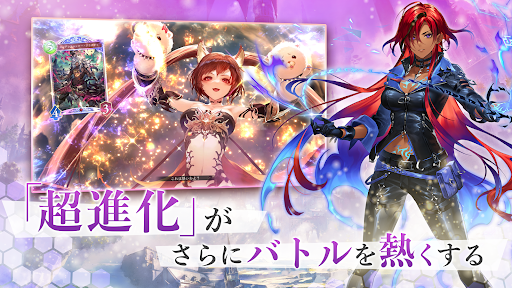
New Game Mechanic: Super-Evolution
Each of your followers (unit cards you play on the field) can now super-evolve!
Followers that have super-evolved are stronger and can knock opposing followers out with powerful attacks and deal damage straight to their leader!
Super-evolve your followers and enjoy exhilarating card battles like never before!
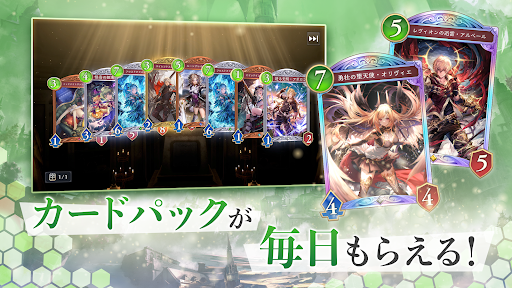
Free Card Pack Every Day
Log in to open a free card pack every day!
Collect cards for the new compendium feature!
Enjoy battling and collecting!
Class
Choose from 7 unique classes that match your playstyle and create custom decks.
Tailor your deck to match your strategy and style, then dive into epic card battles!
Story
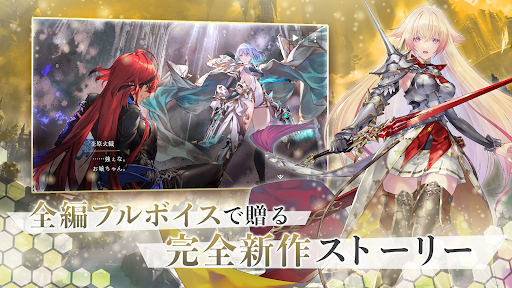
Experience a brand new Shadowverse story where characters are brought to life with full voice acting!
Follow spectacular stories centered around seven unique characters, each bringing their own personality to the adventure.
New Feature: Shadowverse Park
Step into the Shadowverse CCG community where players can connect and interact!
Show off your avatar with customizable outfits and emotes, bond with others, and grow stronger together!
Shadowverse: Worlds Beyond is recommended to the following:
- Fans of card games and collecting cards
- Players who like collectible card games (CCG) or trading card games (TCG)
- Long-time fans and players of the Shadowverse CCG
- Players who enjoy PvP card games
- People who have played other TCG and CCG before
- Players who are looking for new TCG and CCG
- Fans of strategic trading card games (TCG) and collectible card games (CCG)
- Players who are looking for card games with compelling full-scale stories
- Card collectors who appreciate beautifully designed collectible or trading cards
- People who want to connect and interact with others through gaming
Show more

1. Download MEmu installer and finish the setup

2. Start MEmu then open Google Play on the desktop

3. Search Shadowverse: Worlds Beyond in Google Play
Install
4. Download and Install Shadowverse: Worlds Beyond
5. On install completion click the icon to start

6. Enjoy playing Shadowverse: Worlds Beyond on PC with MEmu
MEmu Play is the best Android emulator and 100 million people already enjoy its superb Android gaming experience. The MEmu virtualization technology empowers you to play thousands of Android games smoothly on your PC, even the most graphic-intensive ones.
Bigger screen with better graphics; Long duration, without limitation of battery or mobile data.
Full Keymapping support for precise control of keyboard and mouse or gamepad.
Multiple game accounts or tasks on single PC at one time with Multi-Instance manager.
Play Shadowverse: Worlds Beyond on PC by following steps: