Rogue Reigns
Updated
Current Version
Offered By

With your passion for Rogue Reigns, you shouldn’t have to limit yourself to the small screen of a phone. Play like a pro and take full control of the game using a keyboard and mouse. MEmu gives you everything you’re looking for. Download and play Rogue Reigns on PC. Play as long as you want — no more worries about battery life, mobile data, or unexpected calls. The all-new MEmu 9 is the best way to play Rogue Reigns on PC. With our expertly designed keymapping system, Rogue Reigns feels just like a real PC game. The MEmu multi-instance manager lets you run two or more accounts on the same device at the same time. Most importantly, our exclusive emulation engine unlocks your PC’s full potential, delivering smooth and seamless performance.
Show more
Download Rogue Reigns on PC with MEmu Android Emulator. Enjoy playing on big screen. A DARK FANTASY ROGUELIKE DECKBUILDER ABOUT TRUST AND SACRIFICE.
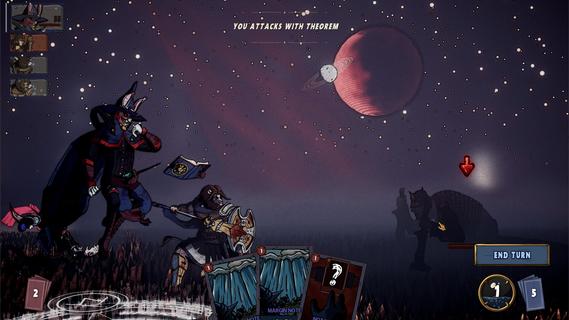
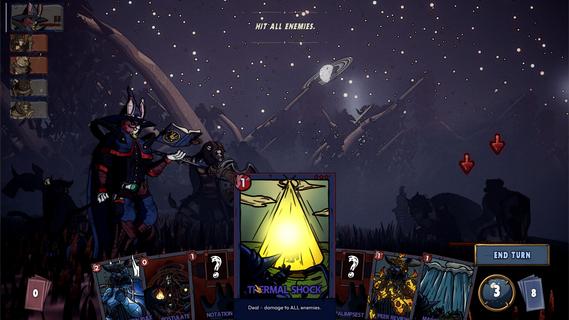
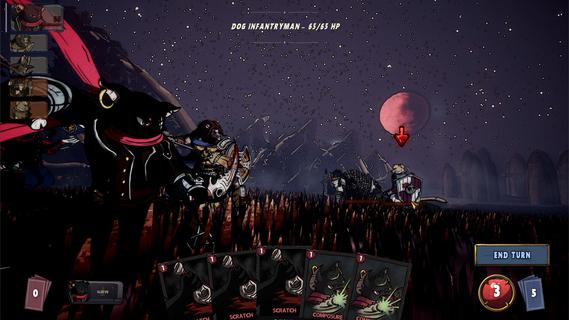
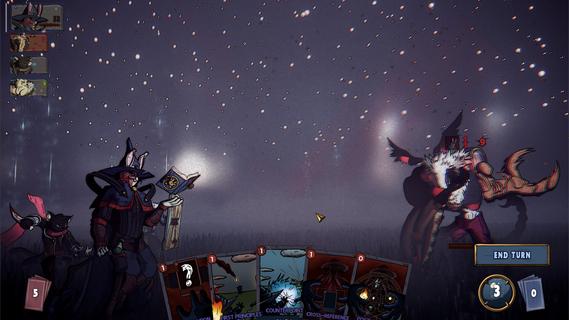
A DARK FANTASY ROGUELIKE DECKBUILDER ABOUT TRUST AND SACRIFICE. A grieving bear, a guilty lion, a scheming cat, and a rabbit who knows too much. Their abilities interlock. What one sets up, another finishes. Their motives don't. Every card you give one is a card you took from another. Strengthen one and another starves. Their synergies are fragile. Their resentment isn't. The party holds together only as long as you force it; And the run will force you to choose between them. It doesn't wait at the end of the map. It stalks you across it. The sky dims. The road goes quiet. Read the signs or get caught. Every fall sends you back, scarred and stitched. But this one is different. When it finds you, that fall is permanent. A queen who fused with the dead to shelter them. A prince who starved until he devoured the battlefield. A princess who sewed her dead lover to her own flesh. You learn who they were when they kill you. PARTY DECKBUILDING Four decks, one fight. Combos and synergies run across your whole party. CROSS-CHARACTERS PAYOFFS Your finishers enter allies' decks. Your setup is their payoff. TRUST AND SACRIFICE Favor a champion and they grow. Neglect one and face the consequences. A STALKER Hunts you across the map. Miss the signs and fall for real. MULTIPLE ENDINGS Who you trusted and who you sacrificed determines how it ends. HAND-DRAWN CHARACTERS Every frame animated by hand. ANIMATED CARDS Every card brought to life with hand-crafted animation.
Show more

1. Download MEmu installer and finish the setup

2. Start MEmu then open Google Play on the desktop

3. Search Rogue Reigns in Google Play
Install
4. Download and Install Rogue Reigns
5. On install completion click the icon to start

6. Enjoy playing Rogue Reigns on PC with MEmu
MEmu Play is the best Android emulator and 100 million people already enjoy its superb Android gaming experience. The MEmu virtualization technology empowers you to play thousands of Android games smoothly on your PC, even the most graphic-intensive ones.
Bigger screen with better graphics; Long duration, without limitation of battery or mobile data.
Full Keymapping support for precise control of keyboard and mouse or gamepad.
Multiple game accounts or tasks on single PC at one time with Multi-Instance manager.
Play Rogue Reigns on PC by following steps: