Security Nuclear (Premium)
Updated
Current Version
1.1
Offered By

With your passion for Security Nuclear (Premium), you shouldn’t have to limit yourself to the small screen of a phone. Play like a pro and take full control of the game using a keyboard and mouse. MEmu gives you everything you’re looking for. Download and play Security Nuclear (Premium) on PC. Play as long as you want — no more worries about battery life, mobile data, or unexpected calls. The all-new MEmu 9 is the best way to play Security Nuclear (Premium) on PC. With our expertly designed keymapping system, Security Nuclear (Premium) feels just like a real PC game. The MEmu multi-instance manager lets you run two or more accounts on the same device at the same time. Most importantly, our exclusive emulation engine unlocks your PC’s full potential, delivering smooth and seamless performance.
Show more
Download Security Nuclear (Premium) on PC with MEmu Android Emulator. Enjoy playing on big screen. O Security Nuclear é um simulador imersivo em primeira pessoa que coloca você no papel de porteiro de uma usina nuclear.
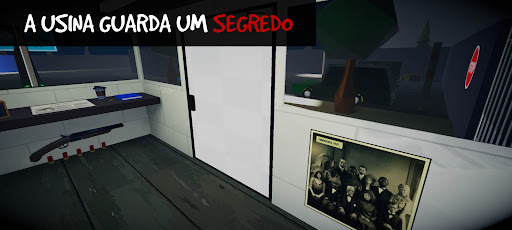
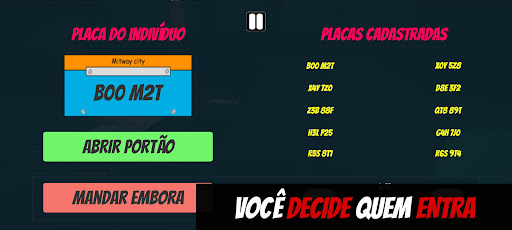
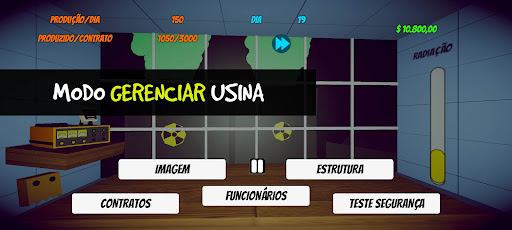
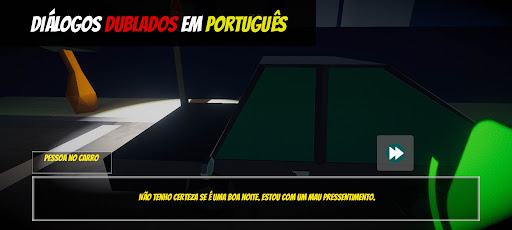
O Security Nuclear é um simulador imersivo em primeira pessoa que coloca você no papel de porteiro de uma usina nuclear. Sua função é simples: controlar a entrada de veículos com base em diálogos e placas registradas. Mas as coisas começam a ficar complicadas quando eventos estranhos e perigosos começam a ocorrer ao seu redor.
À medida que a radiação emitida pela usina aumenta, ela atrai a atenção de potências internacionais e desencadeia fenômenos como a chuva ácida. Além disso, você terá que lidar com um segredo sombrio: um acidente na fábrica que resultou na morte de sete funcionários e que a gerência tenta esconder a qualquer custo. Você será capaz de manter tudo sob controle à medida que a tensão aumenta?
Recursos principais:
História Imersiva: Tome decisões críticas que afetam o curso dos eventos e levam a um dos 6 finais possíveis.
Diálogo dublado: interaja com os personagens em inglês ou português do Brasil, com dublagens que dão vida à história.
Imersão total: use sua lanterna para explorar, ler o jornal diário, verificar suas anotações e se comunicar com o chefe via rádio.
Pós-processamento ajustável: controle a aparência e o desempenho do jogo no seu dispositivo.
Desafios estratégicos: receba ordens do chefe, lide com repórteres curiosos e a polícia, enquanto tenta manter os segredos da fábrica.
Multilíngue: disponível em 16 idiomas - árabe, chinês tradicional, inglês, francês, alemão, hindi, indonésio, italiano, japonês, coreano, polonês, português do Brasil, russo, espanhol, tailandês e turco - garantindo uma experiência acessível e global.
O Security Nuclear oferece uma experiência única em que suas escolhas determinam o destino da usina e revelam ou ocultam a verdade por trás de eventos bizarros.
Entre em contato: Para suporte ou feedback, envie um e-mail para secnuclear.suporte@gmail.com.
Show more

1. Download MEmu installer and finish the setup

2. Start MEmu then open Google Play on the desktop

3. Search Security Nuclear (Premium) in Google Play
Install
4. Download and Install Security Nuclear (Premium)
5. On install completion click the icon to start

6. Enjoy playing Security Nuclear (Premium) on PC with MEmu
MEmu Play is the best Android emulator and 100 million people already enjoy its superb Android gaming experience. The MEmu virtualization technology empowers you to play thousands of Android games smoothly on your PC, even the most graphic-intensive ones.
Bigger screen with better graphics; Long duration, without limitation of battery or mobile data.
Full Keymapping support for precise control of keyboard and mouse or gamepad.
Multiple game accounts or tasks on single PC at one time with Multi-Instance manager.
Play Security Nuclear (Premium) on PC by following steps:















































