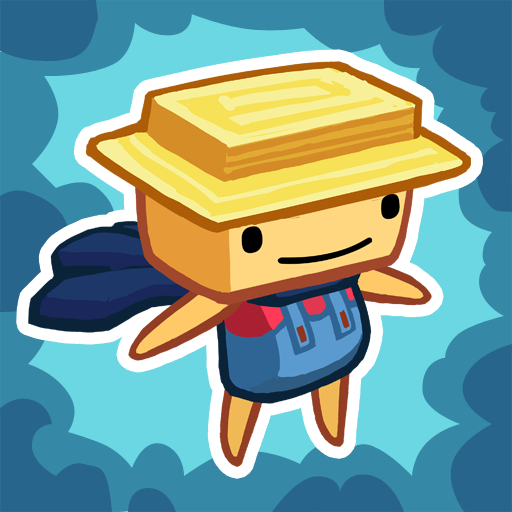
Sproggiwood
Updated
Current Version
1.3.6
Offered By

With your passion for Sproggiwood, you shouldn’t have to limit yourself to the small screen of a phone. Play like a pro and take full control of the game using a keyboard and mouse. MEmu gives you everything you’re looking for. Download and play Sproggiwood on PC. Play as long as you want — no more worries about battery life, mobile data, or unexpected calls. The all-new MEmu 9 is the best way to play Sproggiwood on PC. With our expertly designed keymapping system, Sproggiwood feels just like a real PC game. The MEmu multi-instance manager lets you run two or more accounts on the same device at the same time. Most importantly, our exclusive emulation engine unlocks your PC’s full potential, delivering smooth and seamless performance.
Show more
Download Sproggiwood on PC with MEmu Android Emulator. Enjoy playing on big screen. *** Designed for newer devices.
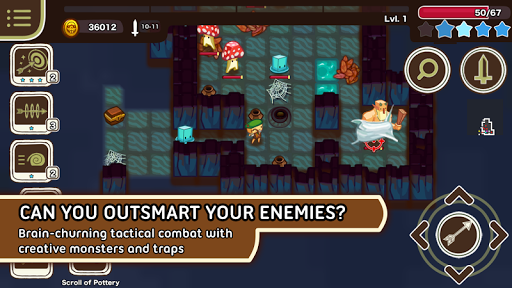
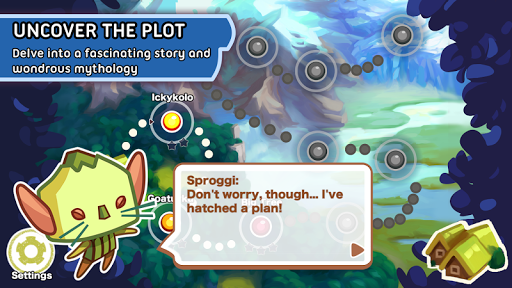
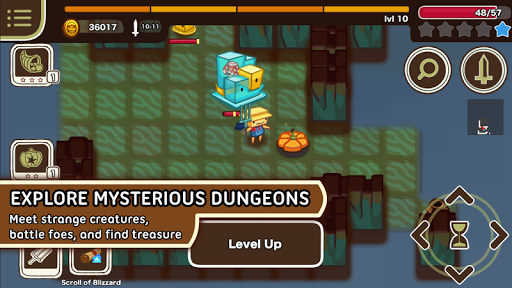
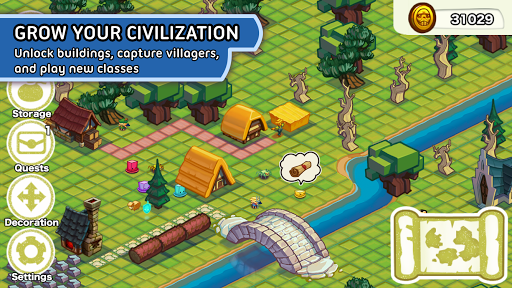
*** Designed for newer devices. Requires minimum 1GB of RAM. See list of tested devices at the bottom. ***
*** HTC one M8 owners: The problem is with bad updates on the phone, not Sproggiwood. Info on fixing it can be found here: http://forum.xda-developers.com/htc-one-m8/help/google-play-error-963-t3037545 ***
"The game just oozes personality and humor through its characters and game world." -- Touch Arcade
"The combination of adorable art, fun dialogue, bite-sized dungeons and a clear sense of progression makes Sproggiwood pretty danged difficult to put down." -- CNET
"The adorable graphics and humorous writing bring every detail to life, from talking sheep to vampiric mushrooms." -- Gamezebo
"If you're a fan of roguelikes, then this is a must buy. And if you're considering dipping your toe into that particular pond for the first time, this is a darn good place to start.” -- Pocket Gamer
Bring civilization to Sproggiwood, a story-driven, turn-based roguelike set in a humorous world inspired by Finnish mythology. Grow your civilization and plunder procedural dungeons with six unique classes. Outsmart mischievous monsters who work together in unexpected ways. No two dungeon dives are alike.
Story
You’re a simple farmer from the peaceful island of Clog. One moment, you're tending your grove -- the next, you’re lured through a mysterious portal by a talking sheep. Now you’re the prisoner of Sproggi, a mischievous forest spirit who's built a whole village just for you. You have a simple job: tame the wild creatures that roam the forests of Sproggi's realm...
Watch Sproggi's plans go awry when you discover a rival civilization on the rise to greatness. Will you choose to befriend these curious Mushroom people and stand together, or will you crush them and claim Sproggiwood for your own? Seize the day and civilize Sproggiwood now!
Gameplay
Sproggiwood distills the roguelike genre down to its core fun ingredients: inspired character classes, loads of interesting loot, and procedurally populated dungeons with monsters and traps that combine to produce totally unique tactical challenges. In Sproggiwood, adventure sessions are compact and chock-full of interesting choices for you to make. Each dungeon dive follows the heroic rise of one adventurer from your civilization. Journey through teeming forests, haunted swamps, teetering cliffs, and glacial mazes to uncover your civilization's whole story.
Features
*A wondrous and humorous setting inspired by Finnish mythology
*Brain-churning tactical combat vs. an assortment of creative monsters and traps
*Six fully unique, customizable classes: simple farmer, brave warrior, merry archer, cunning thief, brainy wizard, and creepy vampire
*Procedural dungeons filled to the brim with scrolls, potions, swords, and staves
*Town decoration mode with buildings, trees, roads, and villagers
Requirements
*Minimum 1GB of RAM (minimum 200mb application heap)
Tested on
*Nexus 5
*Samsung Galaxy Tab S
*Samsung Galaxy Tab 4
*Samsung Galaxy S3
*Samsung Galaxy S4
*Samsung Galaxy S5
*LG G3
Show more

1. Download MEmu installer and finish the setup

2. Start MEmu then open Google Play on the desktop

3. Search Sproggiwood in Google Play
Install
4. Download and Install Sproggiwood
5. On install completion click the icon to start

6. Enjoy playing Sproggiwood on PC with MEmu
MEmu Play is the best Android emulator and 100 million people already enjoy its superb Android gaming experience. The MEmu virtualization technology empowers you to play thousands of Android games smoothly on your PC, even the most graphic-intensive ones.
Bigger screen with better graphics; Long duration, without limitation of battery or mobile data.
Full Keymapping support for precise control of keyboard and mouse or gamepad.
Multiple game accounts or tasks on single PC at one time with Multi-Instance manager.
Play Sproggiwood on PC by following steps:
















































