Sudoku Master Premium: Offline
Updated
Current Version
3.7
Offered By

With your passion for Sudoku Master Premium: Offline, you shouldn’t have to limit yourself to the small screen of a phone. Play like a pro and take full control of the game using a keyboard and mouse. MEmu gives you everything you’re looking for. Download and play Sudoku Master Premium: Offline on PC. Play as long as you want — no more worries about battery life, mobile data, or unexpected calls. The all-new MEmu 9 is the best way to play Sudoku Master Premium: Offline on PC. With our expertly designed keymapping system, Sudoku Master Premium: Offline feels just like a real PC game. The MEmu multi-instance manager lets you run two or more accounts on the same device at the same time. Most importantly, our exclusive emulation engine unlocks your PC’s full potential, delivering smooth and seamless performance.
Show more
Download Sudoku Master Premium: Offline on PC with MEmu Android Emulator. Enjoy playing on big screen. Sudoku Premium Classic puzzle is a popular classic number game to train your brain.
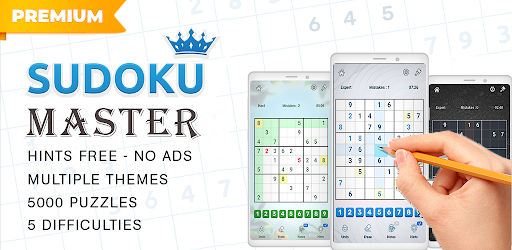
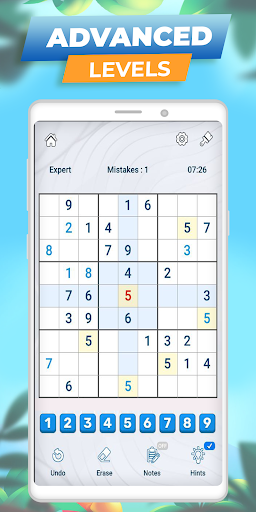
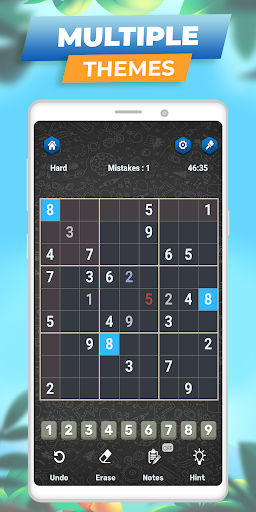
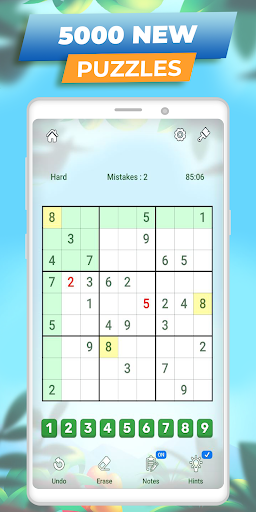
Sudoku Premium Classic puzzle is a popular classic number game to train your brain. Solve daily sudoku and have fun!
More than 5000+ challenging Sudoku puzzles to train your brain and Each Sudoku has only one true solution and Thousands of number games to explore with no ads and unlimited hints.
Sudoku Puzzle Game Features:
Sudoku puzzles come with 4 difficulties - easy, medium,
hard and expert!
No Ads, No network required, and no time limit.
Free & Unlimited Hints - guide you through the numbers
Free & Unlimited undo & redo
Auto-save - Close the game and resume the game without losing any progress
Themes - Choose the theme that makes it easier for your eyes.
Amazing sound effects
Notes Mode - you can turn on / turn off Notes Mode as you like.
Highlight Duplicates - to avoid repeating numbers in a row, column, and block.
Turn on/ off Highlight identical numbers
Easy tools, easy control
Clear layout
Sudoku Puzzle Game is a welcomed and addictive Brain on Google Play.
Classic Sudoku is the puzzle game for your brain, logical thinking, memory, and a good time killer!
Classic Sudoku is a logic-based number puzzle game and the goal is to place 1 to 9-digit numbers into each grid cell so that each number can only appear once in each row, each column, and each mini-grid. Also known as. With our Sudoku puzzle app, you can not only enjoy sudoku games anytime anywhere but also learn Sudoku techniques from it.
More features:
- Statistics. Track your progress for each difficulty level of the sudoku puzzle: analyze your best time and other achievements
- Unlimited Undo. Made a mistake? Or accidentally have the same numbers match in a row while solving a sudoku puzzle game? Just undo it quickly!
- Color themes. Choose one of three appearances to design your own sudoku kingdom! Play these fun number games with more comfort, even in the dark!
- Auto-save. If you leave a game with numbers unfinished, it will be saved. Continue playing your sudoku puzzle game anytime
- Highlighting of a row, column, and box related to the selected cell
- Eraser. Get rid of the mistakes in the free sudoku games
Our Sudoku puzzle app has an intuitive interface, easy control, a clear layout, and well-balanced difficulty levels for beginners and advanced players. It’s not only a good time killer but also helps you think, makes you more logical, and has a good memory.
Classic Sudoku for beginners and advanced players. Whether you'd like to relax or keep your mind active – pass the time in a pleasant way with sudoku free puzzle game! Get a small stimulating break or clear your head! Take your favorite number game with you wherever you go. Sudoku is available offline. Playing this free sudoku puzzle on mobile is as good as using a real pencil and paper.
Our sudoku puzzle games have some features that make this number puzzle easier for you: hints, auto-check, and highlight duplicates. What's more, in our app each classic sudoku puzzle game has one solution. You will find all you need whether you are solving your first sudoku puzzle, or you've progressed to expert difficulty. Choose any level you like!
Daily sudoku is the best way to start your day! 1 or 2 classic sudoku puzzles will help you to wake up, make your brain work, and help you to be ready for a productive working day. Download this classic number game.
Show more

1. Download MEmu installer and finish the setup

2. Start MEmu then open Google Play on the desktop

3. Search Sudoku Master Premium: Offline in Google Play
Install
4. Download and Install Sudoku Master Premium: Offline
5. On install completion click the icon to start

6. Enjoy playing Sudoku Master Premium: Offline on PC with MEmu
MEmu Play is the best Android emulator and 100 million people already enjoy its superb Android gaming experience. The MEmu virtualization technology empowers you to play thousands of Android games smoothly on your PC, even the most graphic-intensive ones.
Bigger screen with better graphics; Long duration, without limitation of battery or mobile data.
Full Keymapping support for precise control of keyboard and mouse or gamepad.
Multiple game accounts or tasks on single PC at one time with Multi-Instance manager.
Play Sudoku Master Premium: Offline on PC by following steps: