Word Search Game: Offline
Updated
Current Version
2.3
Offered By

With your passion for Word Search Game: Offline, you shouldn’t have to limit yourself to the small screen of a phone. Play like a pro and take full control of the game using a keyboard and mouse. MEmu gives you everything you’re looking for. Download and play Word Search Game: Offline on PC. Play as long as you want — no more worries about battery life, mobile data, or unexpected calls. The all-new MEmu 9 is the best way to play Word Search Game: Offline on PC. With our expertly designed keymapping system, Word Search Game: Offline feels just like a real PC game. The MEmu multi-instance manager lets you run two or more accounts on the same device at the same time. Most importantly, our exclusive emulation engine unlocks your PC’s full potential, delivering smooth and seamless performance.
Show more
Download Word Search Game: Offline on PC with MEmu Android Emulator. Enjoy playing on big screen. Would you like to relax, and exercise your brain?

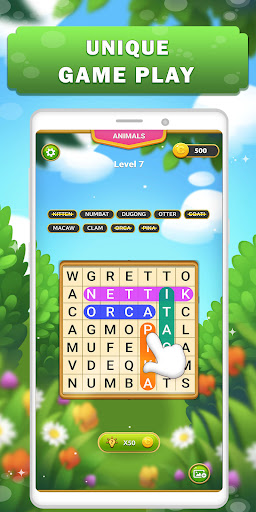
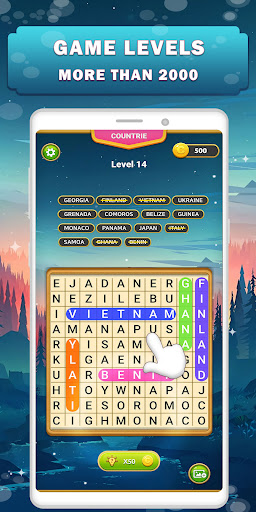
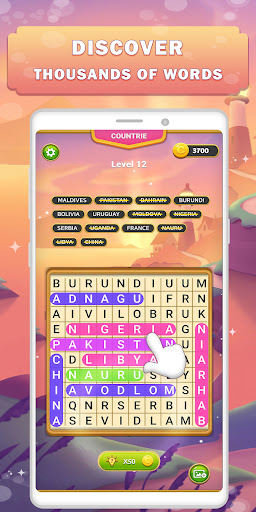
Would you like to relax, and exercise your brain? This letter puzzle game will surprise you and will expand your vocabulary at the same time
Wordscapes Search is an incredibly addicting word search game
easy to play, and ideal for hours of fun entertainment while training your brain. It has different levels of difficulty, making it perfect for anyone who is on the lookout for words on a board.
Wordscapes Search Game: Features
No Ads, No network required and no time limit.
More than 1000+ unique puzzles.
100+ different categories for your different moods
Easy to play, Smooth and Simple Control.
Well-designed interfaces, beautiful graphics/backgrounds.
“Hints” To guide you.
Free coins every 30 min -
Coins Reward for Levels & Extra words
Starts off easy but gets challenging fast
How to play Wordscapes Search
Connect letters to find every word on the board and sail through thousands of classic puzzle levels set against stunning nature backgrounds. Training your brain has never been easier —or more relaxing. Once you start playing, you just won't be able to put it down!
EXPLORE UNIQUE LEVELS: Choose from a variety of themes featuring new destinations from around the globe, in addition to classic categories from your favorite word search games
The word search boards are created with many fundamental topics: food, animals, cities, countries, transport, home, colors, sports… Are you ready to solve hundreds of fun-filled puzzles?
TEST YOUR VOCABULARY
How many words do you actually know? Your alphabet may be more limited than you think...or maybe not! These puzzles are challenging and will test how broad your vocabulary is, how you combine different options, and if you can search well enough and learn new words and improve your vocabulary.
Word Search Game is a word game that consists of the letters of words placed on a grid. The objective of this puzzle is to find and mark all the words hidden on the board. The words may be placed horizontally, vertically, or diagonally.
Wordscapes Search 2022 is much more than a typical word game.
Swipe your way to a fantastic word game journey that will keep you going on and start playing now an incredible word game experience.
Show more

1. Download MEmu installer and finish the setup

2. Start MEmu then open Google Play on the desktop

3. Search Word Search Game: Offline in Google Play
Install
4. Download and Install Word Search Game: Offline
5. On install completion click the icon to start

6. Enjoy playing Word Search Game: Offline on PC with MEmu
MEmu Play is the best Android emulator and 100 million people already enjoy its superb Android gaming experience. The MEmu virtualization technology empowers you to play thousands of Android games smoothly on your PC, even the most graphic-intensive ones.
Bigger screen with better graphics; Long duration, without limitation of battery or mobile data.
Full Keymapping support for precise control of keyboard and mouse or gamepad.
Multiple game accounts or tasks on single PC at one time with Multi-Instance manager.
Play Word Search Game: Offline on PC by following steps: