Supremacy: World War 3
Updated
Current Version
0.211
Offered By

With your passion for Supremacy: World War 3, you shouldn’t have to limit yourself to the small screen of a phone. Play like a pro and take full control of the game using a keyboard and mouse. MEmu gives you everything you’re looking for. Download and play Supremacy: World War 3 on PC. Play as long as you want — no more worries about battery life, mobile data, or unexpected calls. The all-new MEmu 9 is the best way to play Supremacy: World War 3 on PC. With our expertly designed keymapping system, Supremacy: World War 3 feels just like a real PC game. The MEmu multi-instance manager lets you run two or more accounts on the same device at the same time. Most importantly, our exclusive emulation engine unlocks your PC’s full potential, delivering smooth and seamless performance.
Show more
Download Supremacy: World War 3 on PC with MEmu Android Emulator. Enjoy playing on big screen. "Modern Battle Tanks spearhead the assault, Attack Subs prowl the oceans for lone Carriers, Ace Pilots dominate the skies with Stealth Fighters… while your hand reaches for the Nuclear Launch Button.
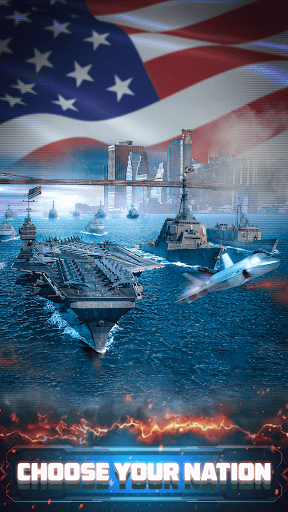
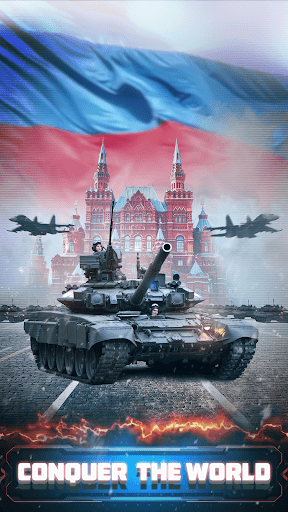
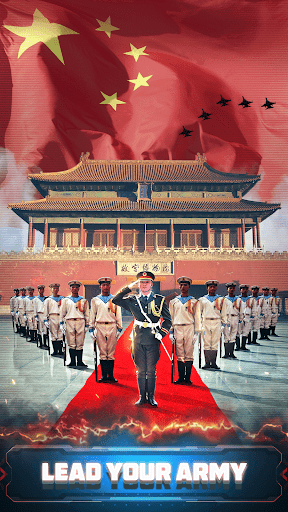
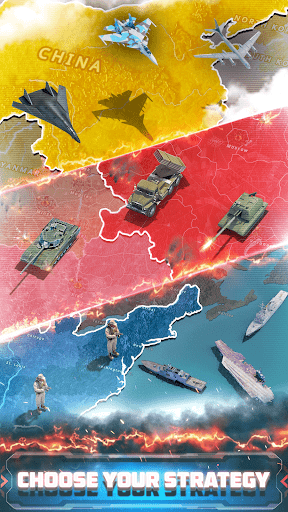
"Modern Battle Tanks spearhead the assault, Attack Subs prowl the oceans for lone Carriers, Ace Pilots dominate the skies with Stealth Fighters… while your hand reaches for the Nuclear Launch Button. In Supremacy: World War 3 you control the course of history on a global scale!
Take control of one of the mightiest nations of the world and face the looming threat of World War 3. Conquer resources, forge alliances and strengthen your economy. Research devastating weapons of mass destruction and risk it all to become the dominating superpower on the planet.
Intelligent alliances or ruthless expansion, stealth warfare or nuclear devastation? The choice is yours: The nation’s military power is awaiting your command - 24 hours a day, 7 days a week. Are you ready to take control?
For fans of realistic grand-strategy games, Supremacy: WW3 offers a gigantic playing field, a multitude of military units, and infinite paths to success. Jump into a match, plan your strategy, and lead your troops to victory in the days and weeks ahead. Rank up and claim your place among the best players in this addicting World War 3 game.
FEATURES
Up to 100 human opponents per match
Units move in real-time across the battlefield
Loads of different maps and scenarios
Real military technologies and equipment
Huge research tree with over 350 different unit types
Three distinct doctrines: Western, European, Eastern
Terrain based combat with stealth, radar and missiles
Nuclear and chemical weapons of mass destruction
Fresh content, updates, seasons and events
Dedicated alliance gameplay in a huge community
Join the race for the best strategy players on the planet! Jump right into World War 3, and test yourself in real time against human players across geopolitical maps of the modern world!
Enjoy Supremacy: WW3? Learn more about the game and share your experience with the growing community:
Supremacy: WW3 is free to download and play. Some game items can also be purchased for real money. If you do not want to use this feature, please set up password protection for purchases in the settings of your Google Play Store app."
Show more

1. Download MEmu installer and finish the setup

2. Start MEmu then open Google Play on the desktop

3. Search Supremacy: World War 3 in Google Play
Install
4. Download and Install Supremacy: World War 3
5. On install completion click the icon to start

6. Enjoy playing Supremacy: World War 3 on PC with MEmu
MEmu Play is the best Android emulator and 100 million people already enjoy its superb Android gaming experience. The MEmu virtualization technology empowers you to play thousands of Android games smoothly on your PC, even the most graphic-intensive ones.
Bigger screen with better graphics; Long duration, without limitation of battery or mobile data.
Full Keymapping support for precise control of keyboard and mouse or gamepad.
Multiple game accounts or tasks on single PC at one time with Multi-Instance manager.
Play Supremacy: World War 3 on PC by following steps: