明日方舟
Updated
Current Version
33.6.61
Offered By

With your passion for 明日方舟, you shouldn’t have to limit yourself to the small screen of a phone. Play like a pro and take full control of the game using a keyboard and mouse. MEmu gives you everything you’re looking for. Download and play 明日方舟 on PC. Play as long as you want — no more worries about battery life, mobile data, or unexpected calls. The all-new MEmu 9 is the best way to play 明日方舟 on PC. With our expertly designed keymapping system, 明日方舟 feels just like a real PC game. The MEmu multi-instance manager lets you run two or more accounts on the same device at the same time. Most importantly, our exclusive emulation engine unlocks your PC’s full potential, delivering smooth and seamless performance.
Show more
Download 明日方舟 on PC with MEmu Android Emulator. Enjoy playing on big screen. - The limited-time event "Carefree Dreams" for Arknights × BanG Dream!
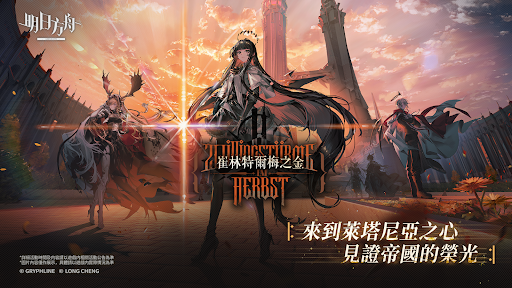
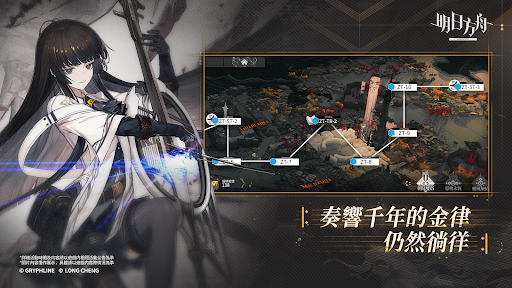
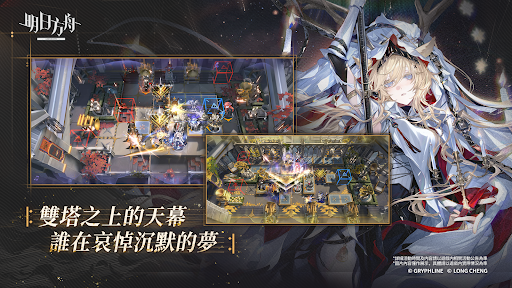
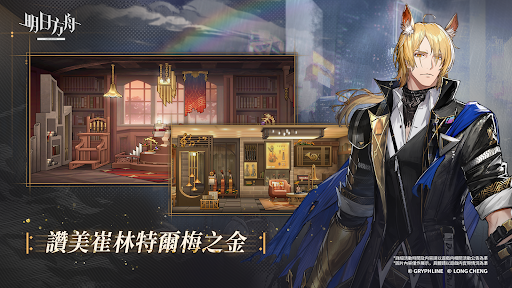
- The limited-time event "Carefree Dreams" for Arknights × BanG Dream! Ave Mujica is about to begin. Please refer to the official announcement for details.
The land has been ravaged by unexplained natural disasters, leaving behind a large amount of mysterious minerals—"Originium."
With the continuous advancement of technology, the energy contained within Originium, when applied to industry, has enabled civilization to smoothly enter the modern era. At the same time, Originium itself has also given rise to the existence of "Infected."
The "Infected" are beings possessing both power and misfortune. Now, some of them attempt to integrate with Originium, bringing a new order to the land.
This conspiracy and conflict will be a new obstacle in our fight against the natural disasters.
You will be a member of Rhodes Island, working alongside Amiya, the public leader of Rhodes Island, frequently deploying personnel into dangerous areas affected by the disasters to rescue those in need, resolve mineral disputes, and combat the Reunion Movement—
Are you ready to be the tactical mastermind of Rhodes Island? **[Game Features]**
**- Top-Tier Illustrators, Exquisite Character Designs** Top-tier illustrators have poured their hearts into creating beautifully illustrated characters, coupled with meticulously crafted personality portrayals, resulting in high-quality, multifaceted characters.
**- Diverse Classes, Strategic Team Compositions** Eight operator classes—Castrator, Sniper, Vanguard, Guard, Defender, Support, Medic, and Specialist—are available. Strategically combine them, master positioning, and utilize their class characteristics to build an invincible operator squad!
**- Factional Powers, Intelligence Unveiled** Operators from various factions make their appearance, each with different backgrounds and personalities. Train your favorite operators, unlock more confidential information related to them, and gradually uncover the unknown secrets and stories surrounding them.
**- Infrastructure Management, Facility Unlocking** Manage a vast infrastructure network with your operators, from power plants to processing plants, from meeting rooms to trading posts, continuously expanding the infrastructure and unlocking more special functions.
**Themed Dormitories for Relaxation and Healing** Arrange a variety of furniture to your liking, freely combine various themes to create your own exclusive dormitory space for your operators. Sufficient rest is essential for a longer journey.
[Permissions Description]
• android.permission.READ_EXTERNAL_STORAGE
Necessary permission to read images, resources, and documents from your storage device.
Permission required to install the game on your device.
*This application will not access your personal photos or files.
• android.permission.WRITE_EXTERNAL_STORAGE
Permission required to load game resources.
Permission required to install the game on your device.
*This application will not access your personal photos or files.
Ariel Network Co., Ltd. is the distributor of *Arknights* in Taiwan, Hong Kong, and Macau.
※Due to the game's content involving "sex," it is classified as "suitable for ages 12 and up" according to the Game Software Rating Management Regulations.
※Please be mindful of usage time and avoid addiction. The game contains a paid in-game store; please spend responsibly.
Official community: https://www.facebook.com/arknightstw/
Show more

1. Download MEmu installer and finish the setup

2. Start MEmu then open Google Play on the desktop

3. Search 明日方舟 in Google Play
Install
4. Download and Install 明日方舟
5. On install completion click the icon to start

6. Enjoy playing 明日方舟 on PC with MEmu
MEmu Play is the best Android emulator and 100 million people already enjoy its superb Android gaming experience. The MEmu virtualization technology empowers you to play thousands of Android games smoothly on your PC, even the most graphic-intensive ones.
Bigger screen with better graphics; Long duration, without limitation of battery or mobile data.
Full Keymapping support for precise control of keyboard and mouse or gamepad.
Multiple game accounts or tasks on single PC at one time with Multi-Instance manager.
Play 明日方舟 on PC by following steps: