Unboxing the Cryptic Killer
Updated
Current Version
1.4.0
Offered By

With your passion for Unboxing the Cryptic Killer, you shouldn’t have to limit yourself to the small screen of a phone. Play like a pro and take full control of the game using a keyboard and mouse. MEmu gives you everything you’re looking for. Download and play Unboxing the Cryptic Killer on PC. Play as long as you want — no more worries about battery life, mobile data, or unexpected calls. The all-new MEmu 9 is the best way to play Unboxing the Cryptic Killer on PC. With our expertly designed keymapping system, Unboxing the Cryptic Killer feels just like a real PC game. The MEmu multi-instance manager lets you run two or more accounts on the same device at the same time. Most importantly, our exclusive emulation engine unlocks your PC’s full potential, delivering smooth and seamless performance.
Show more
Download Unboxing the Cryptic Killer on PC with MEmu Android Emulator. Enjoy playing on big screen. SOLVE A CRYPTIC BOX.
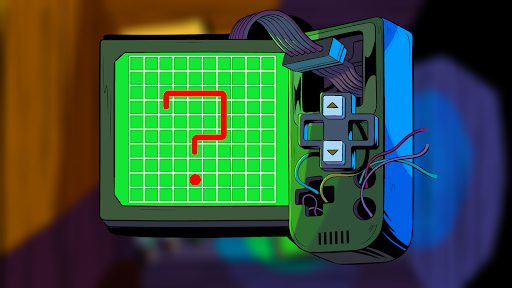

SOLVE A CRYPTIC BOX
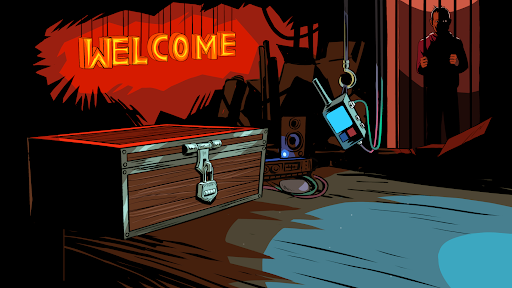
Unboxing the Cryptic Killer is the first standalone chapter to the cooperative point-and-click puzzle game series 'Cryptic Killer'. Join forces with a friend and play as detective partners Ally and Old Dog in our debut two-player escape room adventure.
IMPORTANT: "Unboxing the Cryptic Killer" is a 2-player cooperative puzzle game, that requires each player to have their own copy on either mobile, tablet, PC or Mac. Internet connection and voice communication are essential. Need a Player Two? Join our Discord community!
Two seasoned detectives, Ally and Old Dog, are entangled in a chilling unsolved case. Lured on a perilous trail, they fall into the clutches of the enigmatic Cryptic Killer they've been relentlessly pursuing. The stakes are sky-high as two innocent lives hang in the balance. In order to save them, Ally and Old Dog must unravel a box of intricate puzzles masterfully designed by the nefarious killer. Test your mettle and join this high-stakes race against time, where every puzzle solved is a step closer to unmasking the Cryptic Killer.
THE ONLY WAY TO ESCAPE IS TO WORK TOGETHER
Unboxing the Cryptic Killer is a puzzle for exactly two players. The name of the game is collaboration. Each player takes on one of the two roles and works their way through a series of challenging puzzles. You'll each see one half of the same puzzle and must work together to crack the codes and escape the Cryptic Killer's clutches.
FEATURES LIST
▶Two Player Co-Op
In Unboxing the Cryptic Killer, the detectives are separated. You’ll see different items and clues than your partner, and will be tested on your communication!
▶Challenging Collaborative Puzzles
Two brains are better than one when it comes to cracking the Cryptic Killer's codes.
▶Unravel a Thrilling Story
Track the Cryptic Killer's movements as Detectives Old Dog and Ally in this ongoing murder mystery saga.
▶Explore Illustrated Worlds
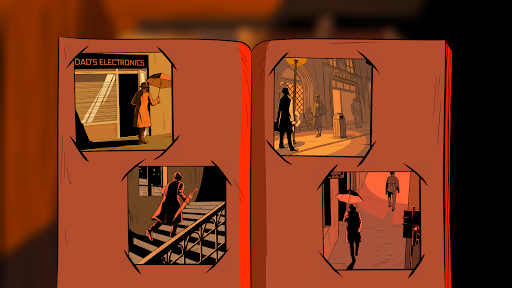
Unboxing the Cryptic Killer features hand-illustrated environments that are inspired by noir novels.
▶Draw on… Everything!
You cannot solve a case without taking notes. At any time in the game, you can whip out a notebook and pen to make notes and scribble on your environment.
Show more

1. Download MEmu installer and finish the setup

2. Start MEmu then open Google Play on the desktop

3. Search Unboxing the Cryptic Killer in Google Play
Install
4. Download and Install Unboxing the Cryptic Killer
5. On install completion click the icon to start

6. Enjoy playing Unboxing the Cryptic Killer on PC with MEmu
MEmu Play is the best Android emulator and 100 million people already enjoy its superb Android gaming experience. The MEmu virtualization technology empowers you to play thousands of Android games smoothly on your PC, even the most graphic-intensive ones.
Bigger screen with better graphics; Long duration, without limitation of battery or mobile data.
Full Keymapping support for precise control of keyboard and mouse or gamepad.
Multiple game accounts or tasks on single PC at one time with Multi-Instance manager.
Play Unboxing the Cryptic Killer on PC by following steps: