Warm Snow
Updated
Current Version
3.1.3
Offered By

With your passion for Warm Snow, you shouldn’t have to limit yourself to the small screen of a phone. Play like a pro and take full control of the game using a keyboard and mouse. MEmu gives you everything you’re looking for. Download and play Warm Snow on PC. Play as long as you want — no more worries about battery life, mobile data, or unexpected calls. The all-new MEmu 9 is the best way to play Warm Snow on PC. With our expertly designed keymapping system, Warm Snow feels just like a real PC game. The MEmu multi-instance manager lets you run two or more accounts on the same device at the same time. Most importantly, our exclusive emulation engine unlocks your PC’s full potential, delivering smooth and seamless performance.
Show more
Download Warm Snow on PC with MEmu Android Emulator. Enjoy playing on big screen. While the rich stinks of meat and wine, the bones of the poor litter the roadside.
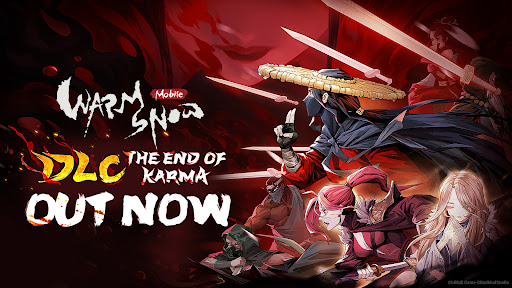
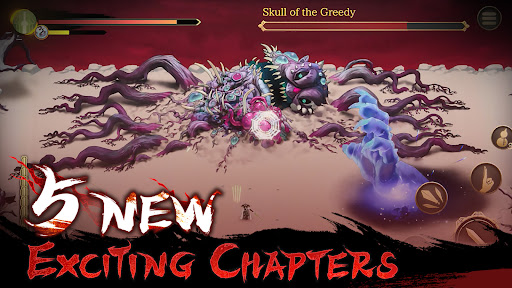
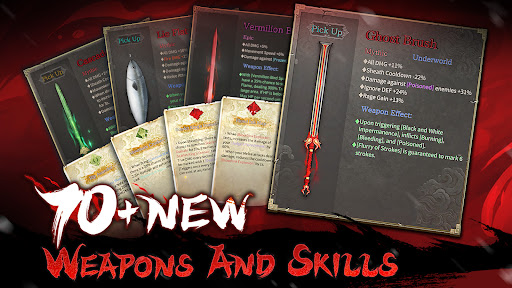
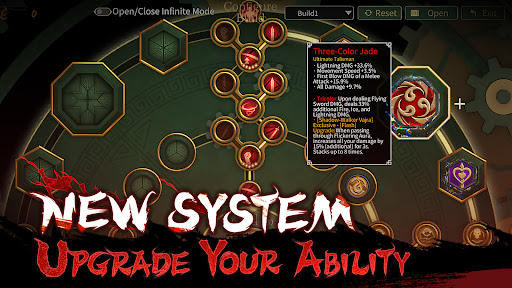
While the rich stinks of meat and wine, the bones of the poor litter the roadside.
Great injustice often leads to strange occurrences
Snow in July can only be remedied through blood.
Warm Snow is a Roguelike action game with a background set in a dark fantasy world, where the eerie 'Warm Snow' holds sway. You will play as the Warrior 'Bi-an' on a crusade against the Five Great Clans, in order to save a world teetering on the brink of destruction.
【A Dark Tale of Sword and Snow】
A strange phenomenon appeared during the 27th Year of the Longwu Era. Snow fell from the sky, which was warm rather than cold to the touch, and did not melt.
People who breathed in the 'Warm Snow' lost their minds and became monsters. This phenomenon was later known as 'Warm Snow'.
Embark on a journey as Warrior 'Bi-an' to search for the truth behind the 'Warm Snow' and put an end to the this never-ending darkness.
【Countless Combinations】
Seven sects, varied Relics, unpredictable excaliburs, the game is full of Rogue-like elements which will keep each challenge in your journey fresh and unique.
Each time you venture into the world would be a whole-new experience, pick your favorite playing style and challenge yourself.
【Thrilling Flying Sword System】
Perform critical destruction with swords that flicker between shadow and light. Control your flying swords with different attributes, attack modes and Relic boosts.
【Reincarnate and Collect the Fragments of Truth】
You decide how you will grow stronger!
Boost your abilities with talent points that you can assign at will.
The truth about this world is hidden in the randomly dropped 'Memory Fragments'.
Are you ready to discover the secrets behind the Five Great Clans and reveal the truth of this world?
【Mobile Version Optimizations】
· Button customization and Auto-Dash: Adjust the position and size of buttons according to your preferences. Enable the Auto-Dash feature to start auto dashing with the left joystick.
· Adjust the viewing distance freely: Adjust the size of the screen display according to your preferences.
· Auto Enemy Tracking: Enable the Auto Enemy Tracking feature for a silky smooth combat experience.
Minimum device requirement: iOS 12.0 or higher. Memory requirement: 4GB. Available RAM: 4GB
SUPPORT
If you encounter any issues during the game, you can send us feedback via the in-game Customer Service Center.
Customer Service Email: warmsnowgh@bilibili.com
Official Site: https://warmsnow.biligames.com
Twitter:https://twitter.com/WarmSnowGame
Discord: https://discord.gg/gC2nRfEQ
YouTube: https://www.youtube.com/@warmsnow6951
Show more

1. Download MEmu installer and finish the setup

2. Start MEmu then open Google Play on the desktop

3. Search Warm Snow in Google Play
Install
4. Download and Install Warm Snow
5. On install completion click the icon to start

6. Enjoy playing Warm Snow on PC with MEmu
MEmu Play is the best Android emulator and 100 million people already enjoy its superb Android gaming experience. The MEmu virtualization technology empowers you to play thousands of Android games smoothly on your PC, even the most graphic-intensive ones.
Bigger screen with better graphics; Long duration, without limitation of battery or mobile data.
Full Keymapping support for precise control of keyboard and mouse or gamepad.
Multiple game accounts or tasks on single PC at one time with Multi-Instance manager.
Play Warm Snow on PC by following steps: