Water Sort! Color Sort Puzzle
Updated
Current Version
1.0.41
Offered By

With your passion for Water Sort! Color Sort Puzzle, you shouldn’t have to limit yourself to the small screen of a phone. Play like a pro and take full control of the game using a keyboard and mouse. MEmu gives you everything you’re looking for. Download and play Water Sort! Color Sort Puzzle on PC. Play as long as you want — no more worries about battery life, mobile data, or unexpected calls. The all-new MEmu 9 is the best way to play Water Sort! Color Sort Puzzle on PC. With our expertly designed keymapping system, Water Sort! Color Sort Puzzle feels just like a real PC game. The MEmu multi-instance manager lets you run two or more accounts on the same device at the same time. Most importantly, our exclusive emulation engine unlocks your PC’s full potential, delivering smooth and seamless performance.
Show more
Download Water Sort! Color Sort Puzzle on PC with MEmu Android Emulator. Enjoy playing on big screen. Water Sort!
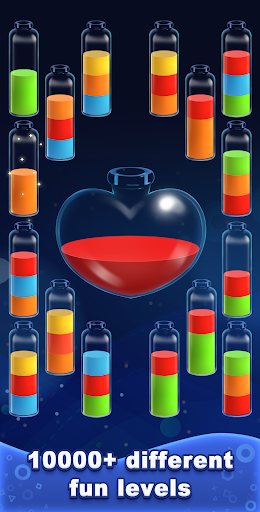
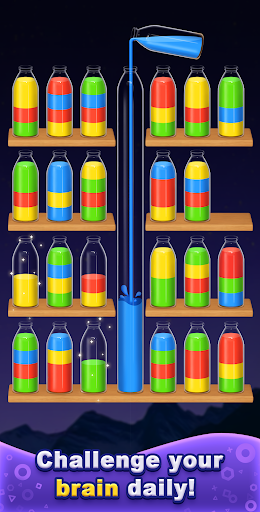
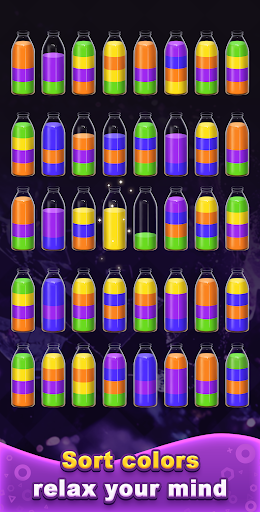
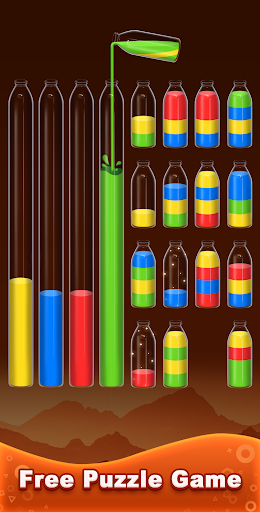
Water Sort! Color Logic Puzzle – Addictive Water Sorting, Relaxing Color Logic & Brain Fun.
Welcome to the calming world of water, sort, and color logic. Water Sort! Color Logic Puzzle is an addictive water sort puzzle designed to help you relax, focus, and train your brain through smooth and satisfying bottle-sorting gameplay. Every time you pour water and match the right color, you feel the perfect rhythm of logic and comfort. This is the kind of puzzle you can play anytime—during a break, before bed, on the bus, or whenever you need a moment to unwind.
What makes this game special is its unique Grow Your Plant system. Every color sort level you complete gives energy to your plant, helping it sprout new leaves, bloom flowers, and evolve into something beautiful. Instead of just finishing puzzles, you’re growing a tiny world of your own—something peaceful, motivating, and delightfully different from other water sort puzzle games.
A Colorful, Relaxing Flow of Water
Imagine sitting somewhere comfortable with bottles filled with layered color gradients—calm blues, sunset reds, pastel greens, bright yellows. Your goal is simple: sort every color into its own bottle by pouring water from one tube to another. The motion is smooth, the sound is soft, and every correct color sort creates a satisfying moment that helps your mind stay fresh.
Whether you're looking for a quiet mental break, a relaxing evening activity, or a gentle brain challenge, this experience delivers a calming blend of water, color, and logic.
How to Play
1. Tap a bottle to pour water into another bottle.
2. You can sort only if:
⭐The top color matches
⭐There is enough space in the receiving bottle
3. Use Undo to correct moves anytime.
4. No punishment, no rush — just relax and enjoy the flow.
5. Complete the puzzle by finishing every color sort bottle.
6. After each puzzle, your plant grows a little more.
7. Easy to learn, deeply addictive, and endlessly satisfying.
Features
Classic Water Sort & Color Puzzle Gameplay
If you enjoy water sorting, color logic, and bottle puzzle challenges, this is the perfect match. Each level brings new combinations of shades, bottle shapes, and arranging strategy. You’ll feel the joy of watching water fall into place and each color settle into the right tube.
Unique Plant-Growth System
Complete water sort puzzles → your plant grows.
Unlock new stages of growth.
A relaxing and personal reward system.
Makes the gameplay more meaningful and addictive.
Your plant becomes a visual diary of your puzzle progress.
Designed for Relaxation & Brain Benefits
Developed for stress relief.
Helps ease the mind and relax.
Engages your brain with simple logic.
Light IQ-style challenges through every sort sequence.
Ideal for killing time in a peaceful, positive way.
Player-Friendly Controls
No time limit — take your time.
No penalty — experiment freely.
Offline mode — play anytime, anywhere.
One-finger control — smooth and simple.
Thousands of Addictive Water Sort Levels
Whether you prefer easy color sorting or complex multi-bottle challenges, there are endless stages to explore. With increasing bottle counts, tricky layouts, and mixed color patterns, your brain always has something new to enjoy.
Why Players Love It?
Players enjoy the clean design, flowing water, satisfying color sorting, and the calming energy the game creates. The smooth animations, gentle difficulty curve, and the adorable plant-growth journey make the experience truly unique. It’s the perfect water sort puzzle for relaxing at the end of the day or keeping your mind gently active.
Settle into a peaceful moment, tap the bottles, let the water flow, watch the color align, and let your plant grow with you.
Download Water Sort! Color Logic Puzzle today — and enjoy endless water, sort, color, brain, and puzzle satisfaction.
Show more

1. Download MEmu installer and finish the setup

2. Start MEmu then open Google Play on the desktop

3. Search Water Sort! Color Sort Puzzle in Google Play
Install
4. Download and Install Water Sort! Color Sort Puzzle
5. On install completion click the icon to start

6. Enjoy playing Water Sort! Color Sort Puzzle on PC with MEmu
MEmu Play is the best Android emulator and 100 million people already enjoy its superb Android gaming experience. The MEmu virtualization technology empowers you to play thousands of Android games smoothly on your PC, even the most graphic-intensive ones.
Bigger screen with better graphics; Long duration, without limitation of battery or mobile data.
Full Keymapping support for precise control of keyboard and mouse or gamepad.
Multiple game accounts or tasks on single PC at one time with Multi-Instance manager.
Play Water Sort! Color Sort Puzzle on PC by following steps: