Z Universe: Energy Burst
Updated
Current Version
13.194.15
Offered By

With your passion for Z Universe: Energy Burst, you shouldn’t have to limit yourself to the small screen of a phone. Play like a pro and take full control of the game using a keyboard and mouse. MEmu gives you everything you’re looking for. Download and play Z Universe: Energy Burst on PC. Play as long as you want — no more worries about battery life, mobile data, or unexpected calls. The all-new MEmu 9 is the best way to play Z Universe: Energy Burst on PC. With our expertly designed keymapping system, Z Universe: Energy Burst feels just like a real PC game. The MEmu multi-instance manager lets you run two or more accounts on the same device at the same time. Most importantly, our exclusive emulation engine unlocks your PC’s full potential, delivering smooth and seamless performance.
Show more
Download Z Universe: Energy Burst on PC with MEmu Android Emulator. Enjoy playing on big screen. Every choice shapes your legend.
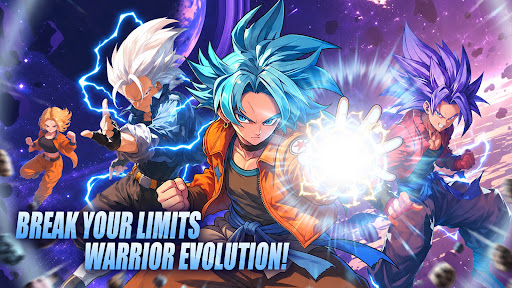
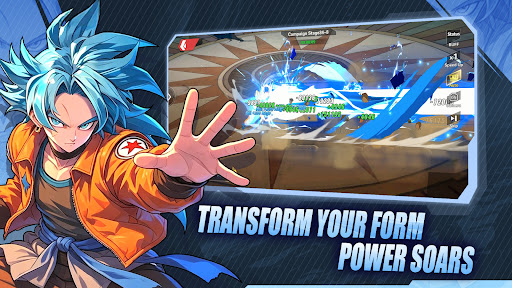
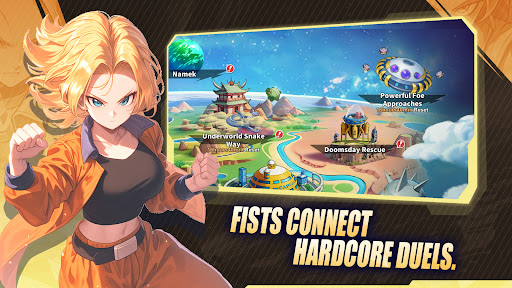
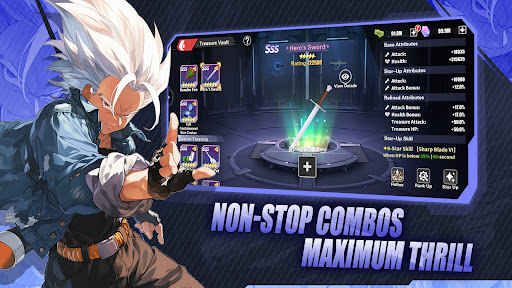
Every choice shapes your legend. Dive into a universe on the brink and forge your own destiny.
The universe stands at a crossroads, and only you can tip the balance.
Immerse yourself in a deeply narrative-driven adventure where every decision echoes across galaxies. Recruit legendary warriors, each carrying their own burdens, dreams, and untold stories. Train them, bond with them, and watch as their paths intertwine with yours in ways you never expected.
Battle against overwhelming odds using strategic combat that rewards quick thinking and careful planning. Unleash devastating energy attacks, trigger breathtaking transformations, and turn the tide of battle in stunning cinematic fashion.
But raw power is only half the battle. Build a team that complements your playstyle, exploit enemy weaknesses, and outmaneuver opponents in real-time combat that never lets up. Whether you prefer overwhelming offense or calculated defense, the battlefield is yours to conquer.
Recruit legendary warriors from every corner of existence, each with their own motivations and stories. Fight alongside them, learn from them, and watch as your journey takes you to places you never imagined.
Every battle is a step forward. Every defeat is a lesson. Every victory brings you closer to the ultimate power that lies dormant within. The path to greatness is paved with struggle, but those who persevere will find themselves standing at the pinnacle of strength.
Experience combat that blends strategy, skill, and spectacle. Unleash devastating energy attacks, trigger legendary transformations, and witness battles that redefine the meaning of power.
The fate of everything rests in your hands. Will you answer the call?
Show more

1. Download MEmu installer and finish the setup

2. Start MEmu then open Google Play on the desktop

3. Search Z Universe: Energy Burst in Google Play
Install
4. Download and Install Z Universe: Energy Burst
5. On install completion click the icon to start

6. Enjoy playing Z Universe: Energy Burst on PC with MEmu
MEmu Play is the best Android emulator and 100 million people already enjoy its superb Android gaming experience. The MEmu virtualization technology empowers you to play thousands of Android games smoothly on your PC, even the most graphic-intensive ones.
Bigger screen with better graphics; Long duration, without limitation of battery or mobile data.
Full Keymapping support for precise control of keyboard and mouse or gamepad.
Multiple game accounts or tasks on single PC at one time with Multi-Instance manager.
Play Z Universe: Energy Burst on PC by following steps:
















































