Adobe Premiere: Video Editor
Updated
Current Version
26.5.0
Offered By

Stop worrying about high battery drain when using Adobe Premiere: Video Editor on your phone. Free yourself from the tiny screen and enjoy the app on a much larger display. From now on, get a full-screen experience of your app with the convenience of a keyboard and mouse. MEmu offers you all the surprising features you’d expect: quick installation and easy setup, intuitive controls, and no more worries about battery life, mobile data, or unexpected calls. The all-new MEmu 9 is the choice for using Adobe Premiere: Video Editor on your computer. With the MEmu multi-instance manager, you can run two or more accounts at the same time. Most importantly, our exclusive emulation engine unlocks your PC’s full potential, delivering smooth and enjoyable performance.
Show more
Enjoy superb experience of using Adobe Premiere: Video Editor on PC with MEMU App Player. It's a powerful free Android emulator which provides you with thousands of android apps for their desktop version. Enjoy connecting with friends and polishing your work with higher efficiency! Adobe Premiere brings you effortless video editing with total control, for free.

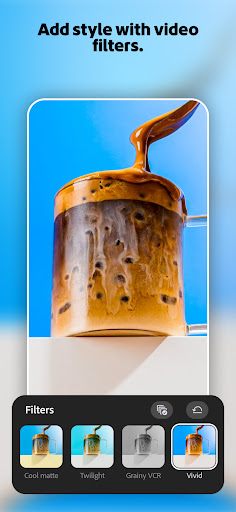
Adobe Premiere brings you effortless video editing with total control, for free. Meet the fast, and focused mobile AI video editing app that's powerful enough for any idea, yet simple enough for anyone to use. Access unmatched speed on a precise multi-track timeline, and studio-quality audio featuring crystal clear voiceovers. Enjoy a free video editor without ads or watermarks for quick and seamless content creation.
Use transition effects, leverage AI video editing tools to create stand out edits to share on TikTok, YouTube, Instagram, and Facebook. Use sound effects on videos, record voice overs, and enhance audio to studio-quality.
ADOBE PREMIERE VIDEO EDITING APP FEATURES:
LIGHTNING-FAST VIDEO EDITING TIMELINE
• Frame-Accurate Edits: Trim, or split your videos to showcase key moments
• YouTube Shorts integration with remixable templates
• Fresh and relevant video creator-made templates for quick drafts
• Smooth speed effects: speed up, slow down, or freeze key video moments.
• Unique Colour Presets: Apply Adobe Lightroom presets and fine-tune to fit your aesthetic.
• Enhance & Extract Audio, Adobe Premiere video editor easily incorporates music into your final videos.
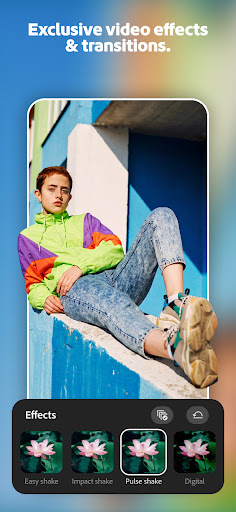
• Transition Effects: Step up your content with seamless transitions from clip to clip.
• Adaptive UI: Enjoy a video editing layout with your most-used movie maker tools in one place.
VIDEO EDITING WITH PRECISION CONTROL
• Video Editor with Unlimited Tracks: Overlay clips and organize your timeline with no limits to your creativity.
• Advanced Video Editor Clip Controls: Flip, or extract audio to customise every cut.
AI VIDEO EDITING GENERATOR WITH STUDIO QUALITY SOUND
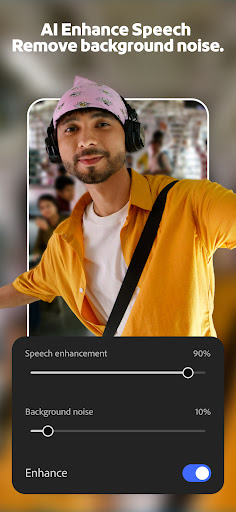
• AI Enhance Speech: Create studio quality voiceovers with the help of AI.
• Text to Image AI Video Editing: Create unique, commercially safe images from a simple text prompt with Adobe Firefly.
• We Respect Creator Content Ownership: Adobe never trains on user content.
SPEED AND PERFORMANCE
• Built natively on Android for fast and smooth video editing and can export videos in 4K.
• Import your assets directly from your device or favourite cloud storage provider.
• No distractions: no pop-up ads, clutter & entirely free export without watermarks
FREE TO DOWNLOAD AND USE
• Everything you need to create great videos is available for free. Only pay when you need Firefly generative AI credits.
DEVICE REQUIREMENTS
Requires a device with 5GB RAM or more to download the app.
Terms & Conditions:
Your use of this application is governed by the Adobe General Terms of Use http://www.adobe.com/go/terms_uk and the Adobe Privacy Policy http://www.adobe.com/go/privacy_policy_uk
Do not sell or share my personal information www.adobe.com/go/ca-rights
Show more

1. Download MEmu installer and finish the setup

2. Start MEmu then open Google Play on the desktop

3. Search Adobe Premiere: Video Editor in Google Play
Install
4. Download and Install Adobe Premiere: Video Editor
5. On install completion click the icon to start

6. Enjoy using Adobe Premiere: Video Editor on PC with MEmu
MEmu Play is the best Android emulator, and 100 million users already enjoy its superb Android app experience. Powered by advanced virtualization technology, it lets you enjoy thousands of Android apps smoothly on your PC—including the most graphics-intensive ones.
Bigger screen with better graphics; Long duration, without limitation of battery or mobile data.
Full Keymapping support for precise control of keyboard and mouse or gamepad.
Multiple game accounts or tasks on single PC at one time with Multi-Instance manager.
Use Adobe Premiere: Video Editor on PC by following steps: