Creative Cloud Express: Design
Updated
Current Version
30.9.0
Offered By

Stop worrying about high battery drain when using Creative Cloud Express: Design on your phone. Free yourself from the tiny screen and enjoy the app on a much larger display. From now on, get a full-screen experience of your app with the convenience of a keyboard and mouse. MEmu offers you all the surprising features you’d expect: quick installation and easy setup, intuitive controls, and no more worries about battery life, mobile data, or unexpected calls. The all-new MEmu 9 is the choice for using Creative Cloud Express: Design on your computer. With the MEmu multi-instance manager, you can run two or more accounts at the same time. Most importantly, our exclusive emulation engine unlocks your PC’s full potential, delivering smooth and enjoyable performance.
Show more
Enjoy superb experience of using Creative Cloud Express: Design on PC with MEMU App Player. It's a powerful free Android emulator which provides you with thousands of android apps for their desktop version. Enjoy connecting with friends and polishing your work with higher efficiency! Adobe Express is the quick and easy app to create on-brand content that helps your business stand out and make an impact.
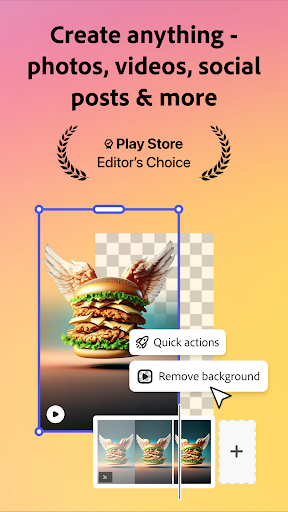
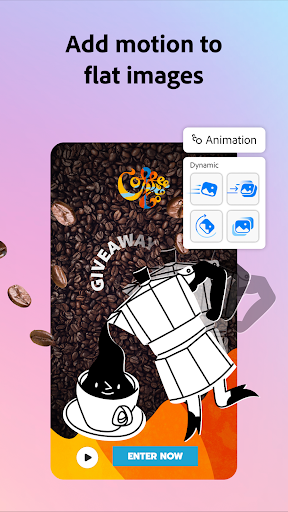
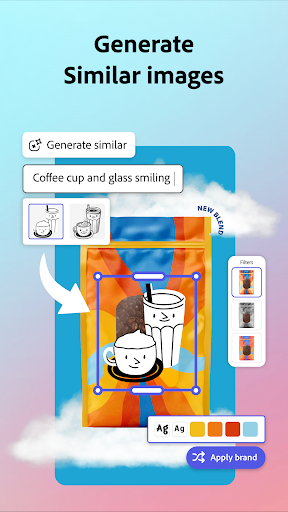
Adobe Express is the quick and easy app to create on-brand content that helps your business stand out and make an impact. Regardless of your skill level, Adobe Express empowers you and your team to make high-quality marketing & business materials while maintaining brand consistency.
VIDEO MADE EASY
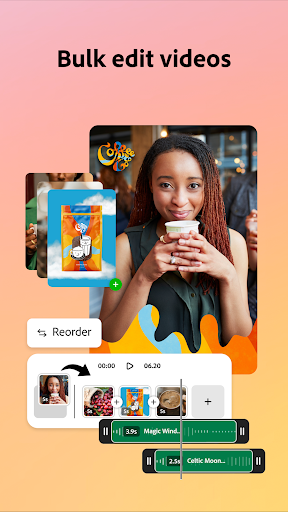
Edit videos with customisable templates. Upload clips right from your Gallery. Combine and trim clips, add text to videos, add music, sound effects and transitions to make content that stands out. Add captions automatically, reframe clips for different social channels, and easily remove background noise for quality videos.
AI CONTENT CREATOR
Jump-start creativity with Generate image. Instantly create photo art with our AI photo generator. Use AI tools to erase objects from photos or insert new objects from a prompt, and watch your imagination come to life with our AI photo generator.
BYE-BYE BACKGROUNDS
With Quick Actions, it’s easy to remove backgrounds, add video captions, transform images into GIFs, and resize your content in a single tap.
STAYING ON BRAND MADE EASY
With brand kits, it’s easy to create on-brand graphic design. Keep all your fonts, colours, and logos at your fingertips, ready to drop into any design. Apply your brand across all your social content with a tap. Maintain a cohesive look with Generate Similar. And refine designs with 30+ new filters powered by Photoshop.
CONTENT SCHEDULING SIMPLIFIED
Easily plan, preview, schedule and publish your social media posts in just a few clicks.
QUICK ACTION TOOLS
· Trim & resize designs for any digital marketing channel
· Remove backgrounds, convert image files, crop images for multiple platforms & more
· Convert to GIF from images and videos
· Generate QR codes in different styles and colours
· Animate a character with your voice
· Generate and edit video captions
Some features are not currently supported on all devices, but good things are coming. Support for more devices is rolling out over time.
QUESTIONS?
Your feedback and engagement will help us make Adobe Express better for everyone.
Join our Discord community
[https://discord.gg/adobeexpress] to share your thoughts, connect with the community and get involved with creative challenges
Visit Uservoice [https://adobeexpress.uservoice.com/forums/951181-adobe-express] to request new features
Let us know about any bugs or issues you encounter in our Adobe Community Forum [https://community.adobe.com/t5/adobe-express/ct-p/ct-adobe-express]
PREMIUM MEMBERSHIP
Your Adobe Express Premium membership unlocks access to Premium features:
· Over 200M royalty-free Adobe Stock photos, videos, music tracks, design elements and fonts
· 250 generative credits to generate images, templates and more
· Remove Video Background, One-click Resize for multiple channels, brand kits and more
Use your Adobe Express Premium plan across your desktop browser and mobile phone. Also includes Adobe Photoshop Express on mobile.
Please refer to our full terms of service for more details. [http://www.adobe.com/go/terms_uk]
Terms and conditions:
Your use of this Adobe application is governed by the Adobe General Terms of Use http://www.adobe.com/go/terms_uk, and Adobe Privacy Policy http://www.adobe.com/go/privacy_policy_uk and any successor versions thereto.
Do not sell or share my personal information: www.adobe.com/go/ca-rights
All trademarks are the property of their respective owners.
Show more

1. Download MEmu installer and finish the setup

2. Start MEmu then open Google Play on the desktop

3. Search Creative Cloud Express: Design in Google Play
Install
4. Download and Install Creative Cloud Express: Design
5. On install completion click the icon to start

6. Enjoy using Creative Cloud Express: Design on PC with MEmu
MEmu Play is the best Android emulator, and 100 million users already enjoy its superb Android app experience. Powered by advanced virtualization technology, it lets you enjoy thousands of Android apps smoothly on your PC—including the most graphics-intensive ones.
Bigger screen with better graphics; Long duration, without limitation of battery or mobile data.
Full Keymapping support for precise control of keyboard and mouse or gamepad.
Multiple game accounts or tasks on single PC at one time with Multi-Instance manager.
Use Creative Cloud Express: Design on PC by following steps: