
AZ Media Player
Updated
Current Version
1.11
Offered By

Stop worrying about high battery drain when using AZ Media Player on your phone. Free yourself from the tiny screen and enjoy the app on a much larger display. From now on, get a full-screen experience of your app with the convenience of a keyboard and mouse. MEmu offers you all the surprising features you’d expect: quick installation and easy setup, intuitive controls, and no more worries about battery life, mobile data, or unexpected calls. The all-new MEmu 9 is the choice for using AZ Media Player on your computer. With the MEmu multi-instance manager, you can run two or more accounts at the same time. Most importantly, our exclusive emulation engine unlocks your PC’s full potential, delivering smooth and enjoyable performance.
Show more
Enjoy superb experience of using AZ Media Player on PC with MEMU App Player. It's a powerful free Android emulator which provides you with thousands of android apps for their desktop version. Enjoy connecting with friends and polishing your work with higher efficiency! Welcome to AZ Media Player, your ultimate solution for an exceptional media experience!
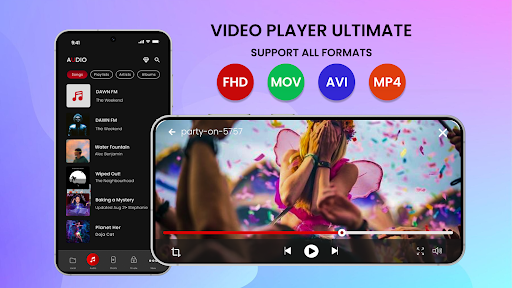
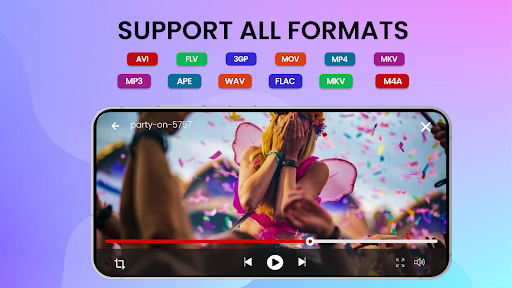
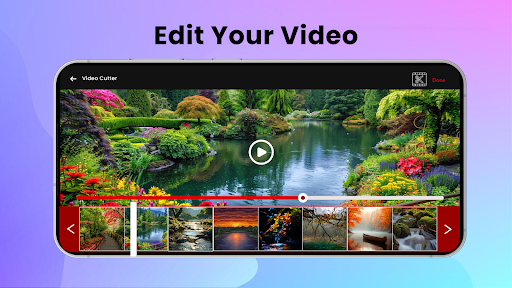
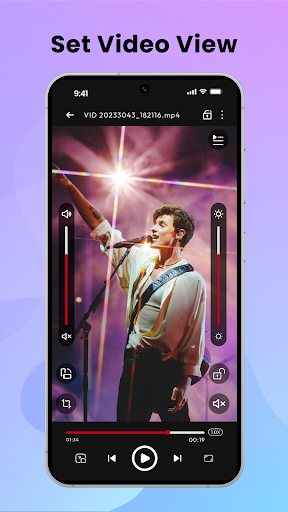
Welcome to AZ Media Player, your ultimate solution for an exceptional media experience! Whether you’re into movies, music, or trending short videos, AZ Media Player has everything you need. With a feature-packed application, enjoy the best of video and audio in one convenient place.
Key Features:
1. AZ Media Player Media Player App.
Experience flawless media playback with AZ Media Player, your all-in-one app for watching videos and listening to music. Supports all popular formats for hassle-free enjoyment.
2. AZ Media Player HD Video Player
Enjoy stunning, high-definition video playback with our HD Video Player. Perfect for all your favorite movies, TV shows, and personal videos.
3. AZ Media Player High-Quality Audio Player.
Dive into crystal-clear audio with our high-quality audio player. Includes an equalizer to customize your listening experience, making it ideal for music lovers.
4.AZ Media Player Secure Media Lock
Protect your personal media with Secure Media Lock. Lock your private audio and video files with a password or fingerprint, ensuring your privacy is always maintained.
5.AZ Media Player Private Media Player
Keep your personal moments safe with our Private Media Player feature. Only you have access to your secured files, ensuring complete privacy.
6.AZ Media Player Pip (Picture-in-Picture) Video
Stay productive with Picture-in-Picture (Pip) mode. Watch videos in a small, resizable window while you multitask with other apps.
7.AZ Media Player Screen Lock for Video Playback
Prevent accidental interruptions with the Screen Lock feature. Enjoy uninterrupted video playback, even on the go.
8. AZ Media Player Full-Screen Video Player
Maximize your viewing experience with Full-Screen Video Player. Immerse yourself in edge-to-edge video playback that brings your content to life.
9.AZ Media Player Video Screenshot Capture
Capture and share your favorite moments effortlessly with Video Screenshot Capture. Save snapshots from your videos instantly.
10.AZ Media Player Trending Short Videos
Stay updated with the latest trends and discover new content with our dedicated Trending Short Videos feature. Perfect for quick entertainment during breaks.
11. AZ Media Player Dark and light Themes
Customize your media experience with our app themes. Choose between a sleek Dark Theme for night-time viewing or the classic Default Theme for a clean, bright interface. Tailor the look and feel of AZ Media Player to suit your mood and environment.
12. AZ Media Player Delete Video & Audio Files
Easily manage your media library with the ability to delete video and audio files directly within the app. Free up space on your device and keep your media collection organized with just a few taps.
Why Choose AZ Media Player?
AZ Media Player is not just another media player; it’s a comprehensive solution designed for all your media needs. With a user-friendly interface, extensive format support, and robust features, AZ Media Player stands out as the ultimate choice for media enthusiasts.
Optimized for All Devices
Whether you’re using a smartphone, tablet, or any other Android device, AZ Media Player is optimized to deliver the best performance. Experience smooth playback, fast loading times, and an intuitive interface that adapts to your screen size perfectly.
Continuous Updates
We believe in continuous improvement. Our team is dedicated to providing regular updates, ensuring you always have the latest features and enhancements at your fingertips.
Community-Driven
Join a community of media lovers and share your experiences. We value your feedback and suggestions, making sure that AZ Media Player evolves with your needs.
Download AZ Media Player Today!
Transform the way you enjoy your media with AZ Media Player. Discover the ultimate media experience that caters to all your entertainment needs, right at your fingertips.
Show more

1. Download MEmu installer and finish the setup

2. Start MEmu then open Google Play on the desktop

3. Search AZ Media Player in Google Play
Install
4. Download and Install AZ Media Player
5. On install completion click the icon to start

6. Enjoy using AZ Media Player on PC with MEmu
MEmu Play is the best Android emulator, and 100 million users already enjoy its superb Android app experience. Powered by advanced virtualization technology, it lets you enjoy thousands of Android apps smoothly on your PC—including the most graphics-intensive ones.
Bigger screen with better graphics; Long duration, without limitation of battery or mobile data.
Full Keymapping support for precise control of keyboard and mouse or gamepad.
Multiple game accounts or tasks on single PC at one time with Multi-Instance manager.
Use AZ Media Player on PC by following steps:































