
BET IPTV
Updated
Current Version
2.0.0
Offered By

Stop worrying about high battery drain when using BET IPTV on your phone. Free yourself from the tiny screen and enjoy the app on a much larger display. From now on, get a full-screen experience of your app with the convenience of a keyboard and mouse. MEmu offers you all the surprising features you’d expect: quick installation and easy setup, intuitive controls, and no more worries about battery life, mobile data, or unexpected calls. The all-new MEmu 9 is the choice for using BET IPTV on your computer. With the MEmu multi-instance manager, you can run two or more accounts at the same time. Most importantly, our exclusive emulation engine unlocks your PC’s full potential, delivering smooth and enjoyable performance.
Show more
Enjoy superb experience of using BET IPTV on PC with MEMU App Player. It's a powerful free Android emulator which provides you with thousands of android apps for their desktop version. Enjoy connecting with friends and polishing your work with higher efficiency! Experience the future of IPTV with BET IPTV, the ultimate media player that combines speed, reliability, and premium quality in one sleek package.
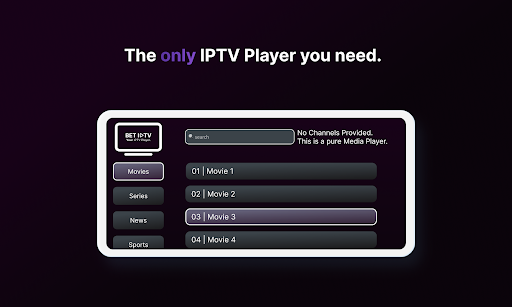
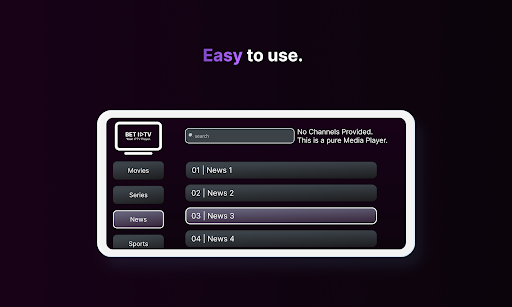
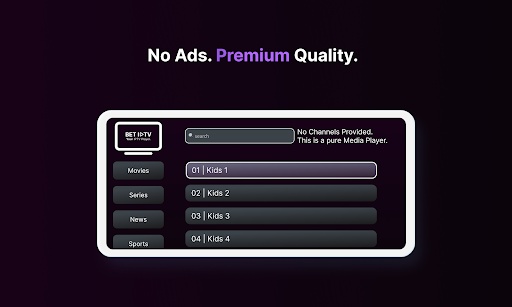
Experience the future of IPTV with BET IPTV, the ultimate media player that combines speed, reliability, and premium quality in one sleek package. With its beautiful design and robust features, BET IPTV provides a seamless entertainment experience like no other.
**Fast and Reliable Streaming**
Say goodbye to buffering and slow loading times. BET IPTV offers lightning-fast streaming, allowing you to enjoy your favorite TV shows, movies, sports, and more without any interruptions. With our advanced streaming technology, you can immerse yourself in high-definition content with minimal buffering, ensuring a smooth and enjoyable viewing experience.
**Beautiful Design**
BET IPTV is not just powerful; it's also visually stunning. Our app boasts a beautiful and modern design that is both visually appealing and intuitive to navigate. With its sleek interface, you'll be able to effortlessly explore our extensive library of channels and content, finding exactly what you're looking for with ease.
**Premium Quality**
We believe in delivering nothing but the best. BET IPTV offers premium quality streaming, bringing you crystal-clear video and audio to enhance your entertainment experience. Whether you're watching your favorite TV series or catching up on live sports events, you can trust that BET IPTV will provide exceptional quality that will leave you impressed.
**7-Day Free Trial**
Curious about what BET IPTV has to offer? Try it out risk-free with our generous 7-day free trial. Sign up and gain access to a vast selection of channels and content, all at no cost to you. Explore the app, discover new shows, and see for yourself why BET IPTV is the go-to choice for IPTV streaming.
**Unlimited Entertainment**
With BET IPTV, the possibilities are endless. Gain access to a wide range of channels, including local and international options, covering a variety of genres such as news, sports, movies, documentaries, and more. Create custom playlists to organize your favorite content and enjoy a personalized entertainment experience tailored to your preferences.
**Easy to Use**
BET IPTV is designed with user-friendliness in mind. Our app features an intuitive interface that makes it easy for anyone to navigate and enjoy their favorite content. Whether you're a tech-savvy user or new to IPTV, BET IPTV ensures a seamless and hassle-free experience.
Download BET IPTV now and discover a new world of entertainment. Unlock the full potential of IPTV with our fast, reliable streaming, beautiful design, and premium quality. Don't miss out on the 7-day free trial – start exploring and enjoying your favorite content today!
*BET IPTV does not include any Channels or Playlists. You will need to bring your own Playlists und upload them on our uploads page at: https://betiptv.com/upload
*Any information about Channels or Playlists will not be given and any requests regarding Channels/Playlists will be ignored. Also as BET IPTV, we do not endorse nor support the use of copyrighted Material in our App.
**BET IPTV 1 Month for free!
Dear Customers,
It is almost a year since we started our journey, to give you the best IPTV experience.
As a thank you we have decided to start a new promotion for new customers.
We want to give you free access to BET IPTV for 1 Month!
To claim BET IPTV for 1 Month for free,
you have to complete following requirements:
- Give BET IPTV a 5 Star Rating
- Send us a mail at support@betiptv.com with your AppID and Google Rating.
- After 1-2 Weeks we will give you confirmation and
activate BET IPTV 1 Month for free.
**This promotion is limited! It goes from 26/03/2024 - 16/04/2024.**
Show more

1. Download MEmu installer and finish the setup

2. Start MEmu then open Google Play on the desktop

3. Search BET IPTV in Google Play
Install
4. Download and Install BET IPTV
5. On install completion click the icon to start

6. Enjoy using BET IPTV on PC with MEmu
MEmu Play is the best Android emulator, and 100 million users already enjoy its superb Android app experience. Powered by advanced virtualization technology, it lets you enjoy thousands of Android apps smoothly on your PC—including the most graphics-intensive ones.
Bigger screen with better graphics; Long duration, without limitation of battery or mobile data.
Full Keymapping support for precise control of keyboard and mouse or gamepad.
Multiple game accounts or tasks on single PC at one time with Multi-Instance manager.
Use BET IPTV on PC by following steps:































