Change Video Background Editor PC

Download Change Video Background Editor on PC

Change Video Background Editor PC

Change Video Background Editor

  • Updated

  • Current Version

    2.9-LitePS

  • Offered By

    Change Video Background Editor PC

Features of Change Video Background Editor on PC

Stop worrying about high battery drain when using Change Video Background Editor on your phone. Free yourself from the tiny screen and enjoy the app on a much larger display. From now on, get a full-screen experience of your app with the convenience of a keyboard and mouse. MEmu offers you all the surprising features you’d expect: quick installation and easy setup, intuitive controls, and no more worries about battery life, mobile data, or unexpected calls. The all-new MEmu 9 is the choice for using Change Video Background Editor on your computer. With the MEmu multi-instance manager, you can run two or more accounts at the same time. Most importantly, our exclusive emulation engine unlocks your PC’s full potential, delivering smooth and enjoyable performance.

Show more

Screenshots & Video of Change Video Background Editor PC

Enjoy superb experience of using Change Video Background Editor on PC with MEMU App Player. It's a powerful free Android emulator which provides you with thousands of android apps for their desktop version. Enjoy connecting with friends and polishing your work with higher efficiency! Remove background from video and images with green screen app for free!

APP Info

Remove background from video and images with green screen app for free!
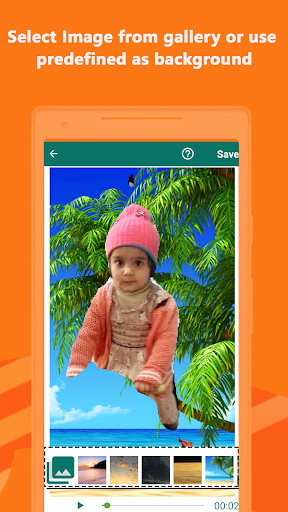
Video background changer is an innovative and useful green screen editor to replace the background of person in video or image with image of your choice, you can set the video quality and processing speed and share your results to different social media networks..
Flawless compression and smooth processing help to erase video background without doing any special operation. Our video background remover makes video background editing super easy. You can use free video backgrounds to make videos ready for different social media platforms.

Want to change video background super faster?
Looking for an image background remover app?
Want to use an automatic green screen editor for phone?

Video and image background changer will be a perfect addition to your app’s gallery. This video background editor provides simple control to change video BG in the way you want. It will be an active workspace for users to experience the magic!

Showcase your creativity and replace video background without fading away the quality!

How To Use


• From main screen click Select Video or Select Image
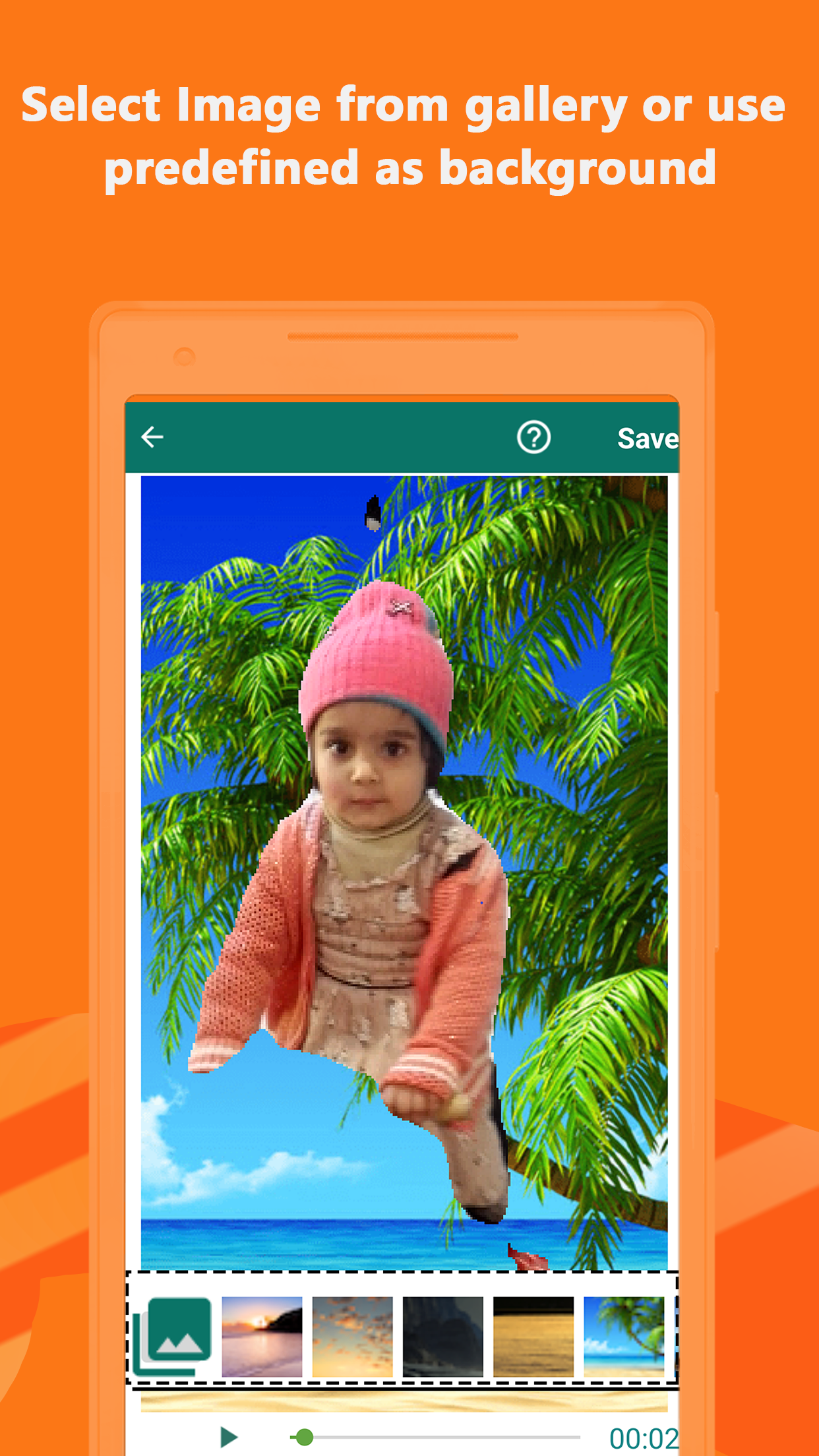
• In editing screen select the image to be used as background from bottom-bar
• Crop background image according to aspect ratio of video
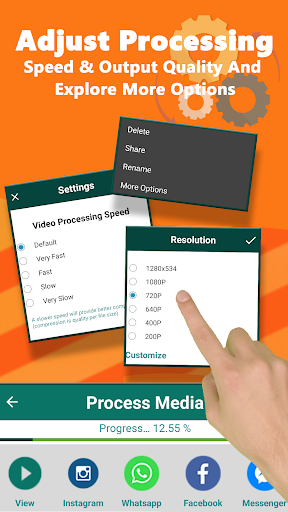
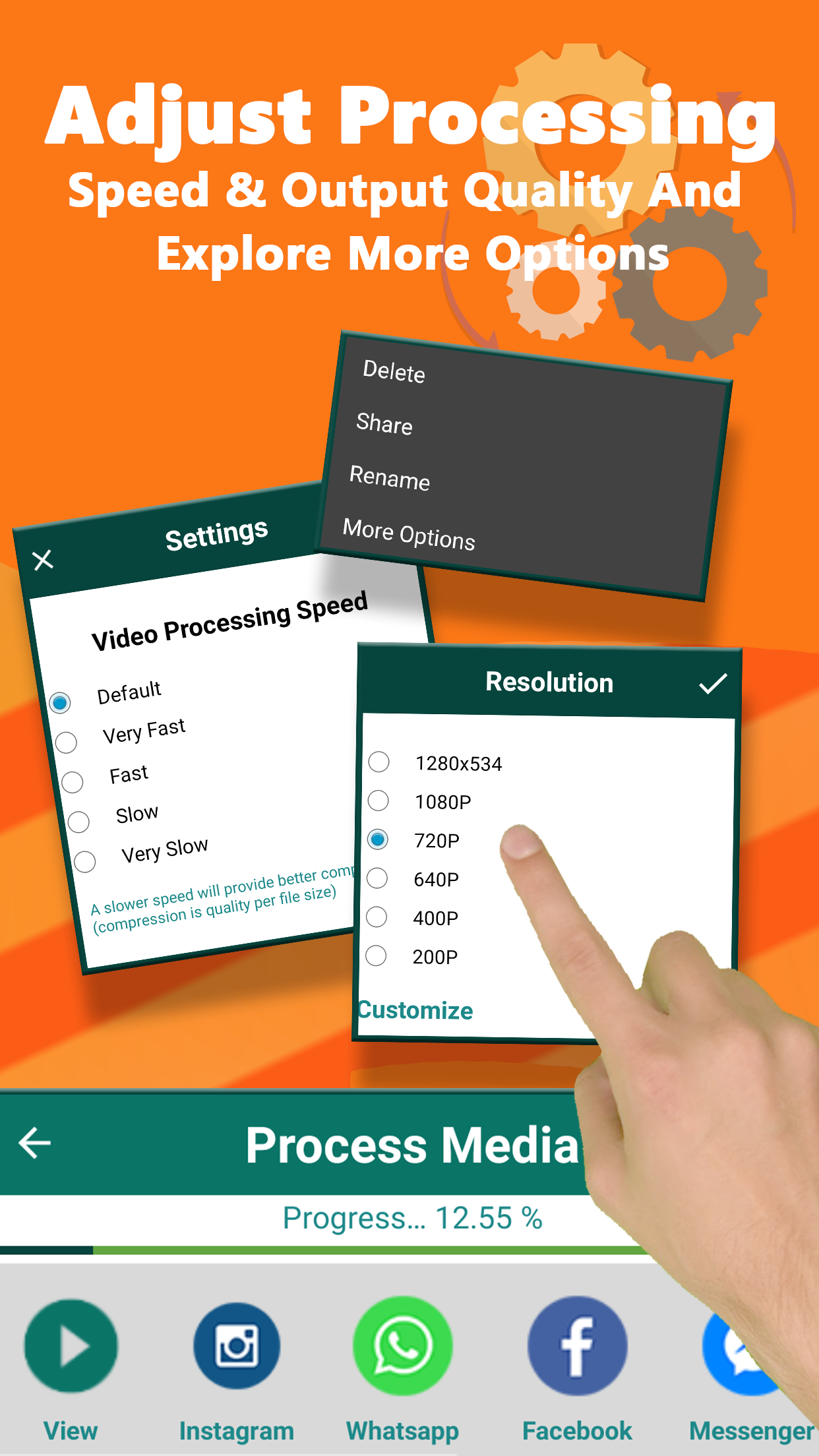
• Use the gear icon on top-right corner and select settings to improve output quality at the expense of processing speed and vice versa.
• Press 'Save' button to start editing process.
• All processed videos can be accessed from 'My Gallery' screen

Video Background Editor


Video background changer allows you to add video background with ease and confidence. You can edit video background and remove image background with simple features. However, you can also add a desired background image or gradient effect.

Free Video Backgrounds


Auto video background changer provides a comprehensive collection of video backgrounds that make your videos look fascinating. These are well-crafted backgrounds that add energy to your videos.

Video Background Remover


Removing background from a video is just a piece of cake for you now with the video BG remover app. Thanks to intuitive functionality that erases video background automatically and allows you to select any background from available choices.

Green Screen Editor


Green screen effect is an unsung hero of the era that can manipulate viewers’ minds with a quite different experience. This green screen editor provides an instant solution to edit video background without losing quality.

Chroma Key Background Editor


Chroma key background editing app automatically recognizes the movements to make a perfect mask. Replace video background with chroma key effect and smart background eraser tool. You can edit your image or video background easily.

APP FEATURES:


- Interactive and user-centric interface
- Video BG editor with intuitive options
- Green screen app to change video background
- Automatically remove video background
- Video background eraser with crop function
- Check creation folder to see edited files
- Slower processing speed for better compression
- Free video backgrounds for videos and photos
- Replace image and video background offline
- Includes both light and dark display themes

Your feedback is Essential:
We would love to hear your valuable suggestions and comments about this video maker and video editing app. Please rate us and share this video background changer app with your friends that comes with multiple options to edit your videos on mobile.

Thanks for being here

Show more

How to Download Change Video Background Editor on PC

  • Change Video Background Editor PC

    1. Download MEmu installer and finish the setup

  • Change Video Background Editor PC

    2. Start MEmu then open Google Play on the desktop

  • Change Video Background Editor PC

    3. Search Change Video Background Editor in Google Play

  • Change Video Background Editor PC Install

    4. Download and Install Change Video Background Editor

  • Change Video Background Editor PC

    5. On install completion click the icon to start

  • Change Video Background Editor PC
    Change Video Background Editor PC Change Video Background Editor PC

    6. Enjoy using Change Video Background Editor on PC with MEmu

Why Use MEmu for Change Video Background Editor

MEmu Play is the best Android emulator, and 100 million users already enjoy its superb Android app experience. Powered by advanced virtualization technology, it lets you enjoy thousands of Android apps smoothly on your PC—including the most graphics-intensive ones.

  • Bigger screen with better graphics; Long duration, without limitation of battery or mobile data.

  • Full Keymapping support for precise control of keyboard and mouse or gamepad.

  • Multiple game accounts or tasks on single PC at one time with Multi-Instance manager.

Ready to Use?

Change Video Background Editor - FAQs

  • How to use Change Video Background Editor on PC?

    Use Change Video Background Editor on PC by following steps:

    • Download MEmu, then install and launch it
    • Login to Google Play Store, install the app
    • Enjoy using the app on PC with MEmu
  • What are the minimum system requirements to run Change Video Background Editor on PC?
    • Intel or AMD Processor
    • Microsoft Windows 7 and above
    • 2GB of memory
    • 5GB of free disk space
    • Hardware Virtualization Technology
Change Video Background Editor PC