QR & Barcode Scanner
Updated
Current Version
1785517922
Offered By

Stop worrying about high battery drain when using QR & Barcode Scanner on your phone. Free yourself from the tiny screen and enjoy the app on a much larger display. From now on, get a full-screen experience of your app with the convenience of a keyboard and mouse. MEmu offers you all the surprising features you’d expect: quick installation and easy setup, intuitive controls, and no more worries about battery life, mobile data, or unexpected calls. The all-new MEmu 9 is the choice for using QR & Barcode Scanner on your computer. With the MEmu multi-instance manager, you can run two or more accounts at the same time. Most importantly, our exclusive emulation engine unlocks your PC’s full potential, delivering smooth and enjoyable performance.
Show more
Enjoy superb experience of using QR & Barcode Scanner on PC with MEMU App Player. It's a powerful free Android emulator which provides you with thousands of android apps for their desktop version. Enjoy connecting with friends and polishing your work with higher efficiency! QR & Barcode Scanner app is the fastest QR code scanner / bar code scanner out there.
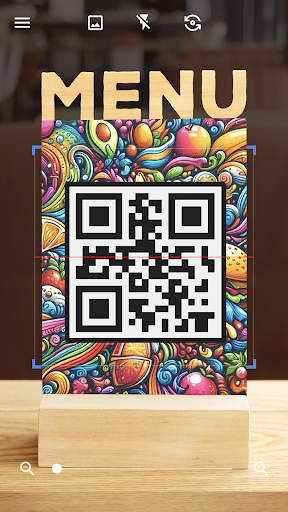
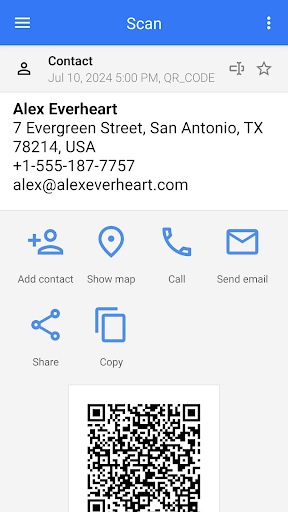
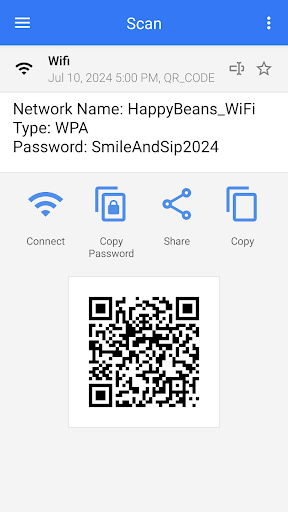
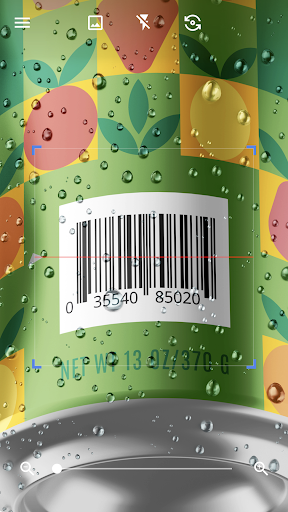
QR & Barcode Scanner app is the fastest QR code scanner / bar code scanner out there. QR & Barcode Scanner is an essential QR reader for every Android device.
QR & Barcode Scanner / QR code reader is extremely easy to use; with quick scan built in simply point QR code scanner free app to QR or barcode you want to scan and QR scanner will automatically start scanning and QR scan it. No need to press any buttons, take photos or adjust zoom as barcode reader works automatically.
QR & Barcode Scanner can scan and read all QR codes / barcode types including text, url, ISBN, product, contact, calendar, email, location, Wi-Fi and many more formats. After scan and automatic decoding user is provided with only the relevant options for individual QR (qu r code) or Barcode type and can take appropriate action. You can even use QR & Barcode Scanner to scan coupons / coupon codes to receive discounts and save some money.
QR code scanner for Android, barcode scanner app is also QR code generator in your pocket. Using QR generator is extremely easy to use, simply enter the data you wish on QR code and click to generate QR codes.
QR codes are everywhere! Install qrcode reader app to scan QR code or to scan barcode on the go. Barcode & QR Scanner app is the only free qr code scanner app you will ever need. Turn on the flashlight for scanning in the dark or use pinch to zoom to scan QRs far away.
With barcode reader app you can also scan product barcodes. Scan with bar code reader in shops and compare prices with online prices to save money. QR & Barcode Scanner app is the only free QR code reader / barcode scanner you will ever need.
Other functionality of QR code reader / QR code scanner: Create QR, Scan QR from image, Scan QR from Gallery, Share your contact info via QR, share images to scan from other apps, generate QR codes from clipboard content, change color, theme of the app, use dark mode, use Batch scan mode to scan multiple QR codes at once, export as .csv .txt, import .csv, add to Favorities, easy share... You can also use QR code scanner for wifi password QRs.
Introducing the ultimate all-in-one QR and Barcode scanning solution, designed for seamless integration with your Android device. This QR Scanner App is not just a QR Code Scanner; it's a comprehensive tool that lets you effortlessly scan QR codes and barcodes anytime, anywhere. With its dual functionality, you can also generate your own QR codes, making it a versatile tool for both personal and professional use.
This intuitive Barcode Scanner App streamlines the process of reading any barcode, offering quick and accurate results. Whether you're scanning a QR code or a barcode, our advanced technology ensures a smooth, hassle-free experience. This QR Code Scanner Free app offers top-notch features without any cost, making it accessible for all Android users.
The Barcode Scanner Free feature is a testament to our commitment to providing high-quality services at no extra charge. For those looking for an efficient QR Reader App, this application offers unmatched speed and reliability. Similarly, as a Barcode Reader App, it stands out for its precision and user-friendly interface.
This QR Code Scanner for Android is tailored to meet the needs of Android users, offering seamless integration with your device's capabilities. Likewise, the Barcode Scanner for Android is optimized for the Android platform, ensuring smooth operation and compatibility.
This QR code scanner for wifi password also specializes in scanning WiFi QR codes, seamlessly connecting you to wireless networks without the need to enter passwords manually.
For Android enthusiasts seeking a reliable QR Reader Android app, this application offers the perfect blend of speed and accuracy. The Barcode Reader Android functionality further enhances its appeal, making it a must-have tool for every Android user.
Show more

1. Download MEmu installer and finish the setup

2. Start MEmu then open Google Play on the desktop

3. Search QR & Barcode Scanner in Google Play
Install
4. Download and Install QR & Barcode Scanner
5. On install completion click the icon to start

6. Enjoy using QR & Barcode Scanner on PC with MEmu
MEmu Play is the best Android emulator, and 100 million users already enjoy its superb Android app experience. Powered by advanced virtualization technology, it lets you enjoy thousands of Android apps smoothly on your PC—including the most graphics-intensive ones.
Bigger screen with better graphics; Long duration, without limitation of battery or mobile data.
Full Keymapping support for precise control of keyboard and mouse or gamepad.
Multiple game accounts or tasks on single PC at one time with Multi-Instance manager.
Use QR & Barcode Scanner on PC by following steps: