
Microsoft Copilot
Updated
Current Version
30.0.440331002
Offered By

Stop worrying about high battery drain when using Microsoft Copilot on your phone. Free yourself from the tiny screen and enjoy the app on a much larger display. From now on, get a full-screen experience of your app with the convenience of a keyboard and mouse. MEmu offers you all the surprising features you’d expect: quick installation and easy setup, intuitive controls, and no more worries about battery life, mobile data, or unexpected calls. The all-new MEmu 9 is the choice for using Microsoft Copilot on your computer. With the MEmu multi-instance manager, you can run two or more accounts at the same time. Most importantly, our exclusive emulation engine unlocks your PC’s full potential, delivering smooth and enjoyable performance.
Show more
Enjoy superb experience of using Microsoft Copilot on PC with MEMU App Player. It's a powerful free Android emulator which provides you with thousands of android apps for their desktop version. Enjoy connecting with friends and polishing your work with higher efficiency! Copilot just landed AI's leading model.
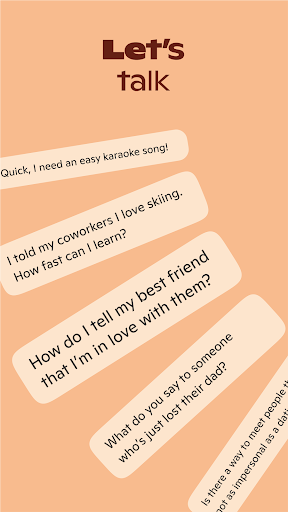
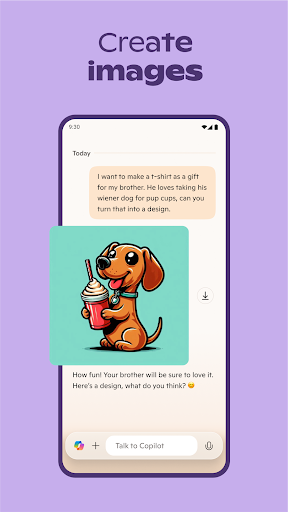
Copilot just landed AI's leading model. GPT-5 is AI at its smartest and most intuitive, combining the best of our reasoning and chat models into one cohesive experience. Select "Smart" mode to try GPT-5 today.
Microsoft Copilot is your daily AI companion. Talking with Copilot is an easy way to learn, grow and gain confidence, all with the help of the latest OpenAI and Microsoft AI models.
Accomplish anything with Copilot’s AI chat assistant. Our AI photo generator helps you create images from words. Chat with AI to get a fresh perspective on your ideas. Air your thoughts out and get the support you need with Copilot’s AI chat assistant. Copilot is your AI helper that boosts productivity, acts as your personal AI writing assistant, and drives business.
Chat with AI, either through messages or with your voice, to bring the vast world of information straight to you. Your personal AI can answer hard questions and give straightforward answers, giving you complex insights from simple conversations.
Microsoft Copilot is in your corner and by your side for whatever comes your way. Your AI chat assistant can help when you want it to and give you a boost for when you’re almost there. Explore endless possibilities with instant sharp summaries, helpful rewrites, or AI image generation. Our AI writing assistant can write, edit, or research topics to create well-rounded content. Smart AI technology allows you to use a text prompt to create artwork or designs with our AI photo generator. From finding inspiration on new projects to creating a grocery list with AI shopping - with Copilot, you’ve got this.
Achieve more with Copilot, the ultimate AI companion.
Work smarter, enhanced with AI chat assistant
• Smart AI gets you summarized answers quickly - get straightforward answers to your complex questions, all from simple conversations with our AI helper
• Chat with AI to simplify your grocery list or weekly meal prep list with a shopping list generated with AI
• AI chat assistant can translate and proofread across multiple languages, optimizing the text you need in hundreds of languages, including regional dialects
• Compose and draft emails, cover letters, and update your resume
AI voice chat with Copilot is the support you need, when you need it
• Compose stories or scripts when you talk to our AI helper
• AI photo generator technology turns your ideas into reality
• Create high quality visuals from text prompts, rendering your concepts into stunning visuals, from the abstract to the photorealistic with voice chat
• AI chat assistant can spark inspiration for a new task
Your AI companion and AI photo generator
• Search by images with AI helper
• Explore and develop new styles and ideas, including logo designs and brand motifs
• Create illustrations for children's books
• Curate social media content
• AI image generation helps you visualize film and video storyboards
• Chat with AI to help build and update a portfolio
Copilot combines the power of AI with the imaginative capabilities of the latest OpenAI models all in one place. Download Microsoft Copilot, the AI companion that’s here to help.
Show more

1. Download MEmu installer and finish the setup

2. Start MEmu then open Google Play on the desktop

3. Search Microsoft Copilot in Google Play
Install
4. Download and Install Microsoft Copilot
5. On install completion click the icon to start

6. Enjoy using Microsoft Copilot on PC with MEmu
MEmu Play is the best Android emulator, and 100 million users already enjoy its superb Android app experience. Powered by advanced virtualization technology, it lets you enjoy thousands of Android apps smoothly on your PC—including the most graphics-intensive ones.
Bigger screen with better graphics; Long duration, without limitation of battery or mobile data.
Full Keymapping support for precise control of keyboard and mouse or gamepad.
Multiple game accounts or tasks on single PC at one time with Multi-Instance manager.
Use Microsoft Copilot on PC by following steps:
























![[3D Platformer] Super Bear Adventure PC](https://dl.memuplay.com/new_market/img/com.Earthkwak.Platformer.icon.2024-09-08-15-16-43.png)









