FineCut - Video Editor & Maker
Updated
Current Version
1.1.9
Offered By

Stop worrying about high battery drain when using FineCut - Video Editor & Maker on your phone. Free yourself from the tiny screen and enjoy the app on a much larger display. From now on, get a full-screen experience of your app with the convenience of a keyboard and mouse. MEmu offers you all the surprising features you’d expect: quick installation and easy setup, intuitive controls, and no more worries about battery life, mobile data, or unexpected calls. The all-new MEmu 9 is the choice for using FineCut - Video Editor & Maker on your computer. With the MEmu multi-instance manager, you can run two or more accounts at the same time. Most importantly, our exclusive emulation engine unlocks your PC’s full potential, delivering smooth and enjoyable performance.
Show more
Enjoy superb experience of using FineCut - Video Editor & Maker on PC with MEMU App Player. It's a powerful free Android emulator which provides you with thousands of android apps for their desktop version. Enjoy connecting with friends and polishing your work with higher efficiency! Finecut Video Editor - Powerful video editor and professional video maker | You can record and trim video on finecut.
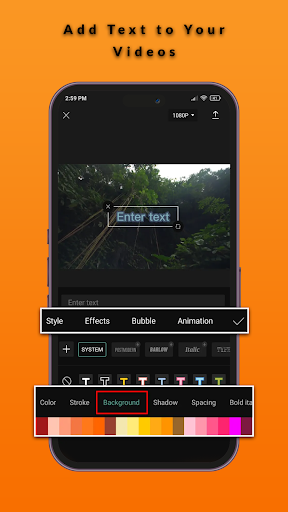
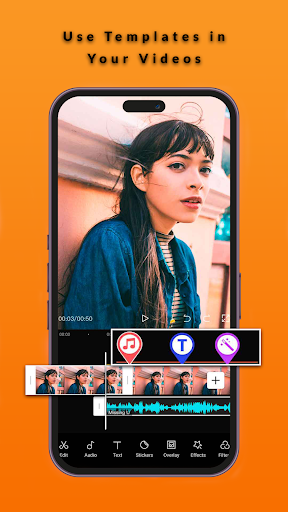
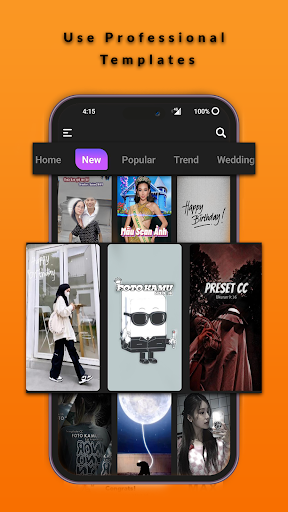
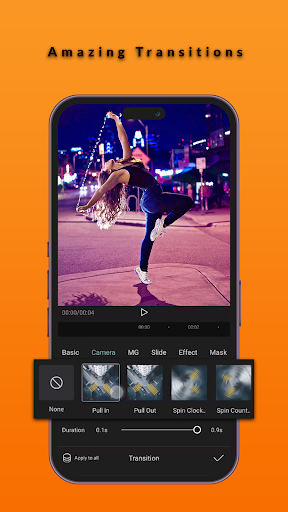
Finecut Video Editor - Powerful video editor and professional video maker | You can record and trim video on finecut. Finecut offers a camera for video recording. You can easily edit any video with Different filters or video effects. finecut pro editor offers different music albums to create videos on tiktok or other sites YouTube, Facebook or Instagram. FineCut is the official free Video Editor and Video Maker with Music for TikTok that is versatile and easy to use. In addition to basic features such as image, text, wallpaper, color filters and music editing, Finecut offers free development features including frame animation, effects button, dynamic effects, chrome picture (PIP) and stabilizer. time Create unique videos with special features: favorite mode, automatic subtitles, voice memos, animation tracking and background removal. Show your style and go to TikTok, YouTube video editor, Instagram, WhatsApp and Facebook! Video editor features Basic video editing on Finecut • Trim and tighten clips and split or merge videos. • Adjust video speed from 0.1x to 100x, and apply speed curves to clips. • Animate video clips with incredible zoom in/out effects. • Make interesting video clips for social media with the reverse/rewind function. • Highlight the best moments for clips and vlogs with the freeze feature. • Explore transition options with awesome effects on cut points between clips. Advanced video editor • Keyframe video animation is available for all settings. • Edit videos to create smooth slow motion with the optical flow feature and speed curve tool. • Use the chroma key to remove specific colors from videos. • Apply the Picture-in-Picture (PIP) feature to add video and photo layers above the clip and easily splice them. • The stabilizing feature keeps video footage steady. Special features • Auto captions: automate speech recognition and subtitles in videos. • Background removal: automatically removes people from videos free of charge. • Trending styles: enjoy creative and constantly updated options like 3D zoom, auto velocity, and more. Text & Stickers • Add text to videos with different fonts and styles, and find the best subtitle font with unique text templates. Subtitle font formats can be imported. • Subtitles can be added to the timeline of video tracks and can be moved and adjusted in one step. Trending Effects & Filters • Match video content with diverse filters that are updated weekly with the latest trends. • Edit videos with hundreds of trending effects, including Glitch, Blur, 3D, etc. • Add movie-style video filters or adjust the color by changing video brightness, contrast, etc. Music & Sound Effects • Add music to videos with millions of music clips and sound effects. • Sign in to sync your favorite TikTok music. • Extract audio, clips, and recordings from videos. Easy to Share • Custom video export resolution, HD video editor supports 4K 60fps exports and smart HDR. • Adjust the format and share your creativity on TikTok and other social media platforms. FineCut is a free video editor and video maker with everything you need to create beautiful and beautiful videos. Beginners can start using FineCut in seconds, while advanced users will enjoy all the features, they need for video editing. Show off your style with custom editing and video editing features. When your music video is ready, you can share it on social media to get likes with one click. And it benefits everyone. Thanks for downloading FineCut - Video Editor & Maker. And if you want to get support and share your ideas with more friends or have any feedback: Email us at: appytune@gmail.com
Show more

1. Download MEmu installer and finish the setup

2. Start MEmu then open Google Play on the desktop

3. Search FineCut - Video Editor & Maker in Google Play
Install
4. Download and Install FineCut - Video Editor & Maker
5. On install completion click the icon to start

6. Enjoy using FineCut - Video Editor & Maker on PC with MEmu
MEmu Play is the best Android emulator, and 100 million users already enjoy its superb Android app experience. Powered by advanced virtualization technology, it lets you enjoy thousands of Android apps smoothly on your PC—including the most graphics-intensive ones.
Bigger screen with better graphics; Long duration, without limitation of battery or mobile data.
Full Keymapping support for precise control of keyboard and mouse or gamepad.
Multiple game accounts or tasks on single PC at one time with Multi-Instance manager.
Use FineCut - Video Editor & Maker on PC by following steps: