IPTV Smarters Pro - XTREAM M3U
Updated
Current Version
1.2.5
Offered By

Stop worrying about high battery drain when using IPTV Smarters Pro - XTREAM M3U on your phone. Free yourself from the tiny screen and enjoy the app on a much larger display. From now on, get a full-screen experience of your app with the convenience of a keyboard and mouse. MEmu offers you all the surprising features you’d expect: quick installation and easy setup, intuitive controls, and no more worries about battery life, mobile data, or unexpected calls. The all-new MEmu 9 is the choice for using IPTV Smarters Pro - XTREAM M3U on your computer. With the MEmu multi-instance manager, you can run two or more accounts at the same time. Most importantly, our exclusive emulation engine unlocks your PC’s full potential, delivering smooth and enjoyable performance.
Show more
Enjoy superb experience of using IPTV Smarters Pro - XTREAM M3U on PC with MEMU App Player. It's a powerful free Android emulator which provides you with thousands of android apps for their desktop version. Enjoy connecting with friends and polishing your work with higher efficiency! IPTV Smarters Pro - XTREAM and IPTV App for Android.
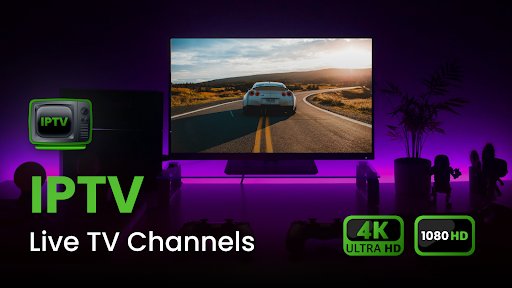
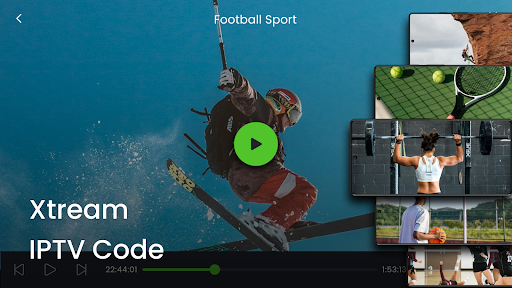
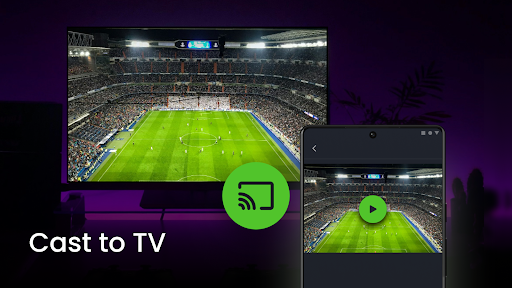
IPTV Smarters Pro - XTREAM and IPTV App for Android
Discover the best M3U player on the market with our cutting-edge IP TV player designed for seamless streaming. Our IP television solution delivers high-quality content directly to your Android device. Whether you’re looking to enhance your viewing experience with live TV, movies, or sports, our IPTV app for Android is here to provide top-notch service.
Transform Your Viewing Experience with Smarters player.
Our IP TV player ensures that you have access to a comprehensive range of channels and media, making it a powerful tool for all your entertainment needs. With our IP television capabilities, you can enjoy high-definition streaming with ease. The Smart M3U8 player integration allows you to access your favorite playlists and channels effortlessly.
Embrace the Future of Television
Midway through your viewing journey, our IPTV Android player stands out by delivering exceptional quality and performance. This robust M3U player and HD IPTV player combination ensures you experience superior streaming, from catching the latest TV shows to enjoying live sports. Plus, our IP TV player is equipped to handle various streaming formats, providing you with the flexibility you need.
Versatile Format Compatibility
As you conclude your viewing session, remember that our IP television service is designed to meet all your entertainment demands. Our IPTV app for Android offers a user-friendly interface and seamless integration with StrymTV, enhancing your overall experience. With the IPTV Android player and HD IPTV player capabilities, you’re assured a top-tier streaming experience.
High-Quality Viewing
For those seeking a reliable M3U player and a comprehensive IP TV player, look no further. Our IPTV 3MU player offers unmatched performance, making it the ideal choice for all your streaming needs. Embrace the future of entertainment with the ultimate IPTV app for Android and enjoy high-quality streaming like never before.
Smart Compatibility
Our app is a powerhouse of compatibility, supporting various extensions such as mqv, pls, aifc, m4r, wav, 3gp, 3g2, flac, avi, m2a, aac, mpa, xhe, m3u, mov, aiff, ttml, vtt, m4v, amr, caf, m4a, m3u8, m4b, mp4, mp1, m1a, mp4, aax, mp2, w64, aa, mp3, itt, au, eac3, webvtt, vtt, ac3, m4p, loas, and live stream media. Choose any live media format and connect to your TV with Chromecast.
User-Friendly Design
We prioritize simplicity, designing our app to be user-friendly and intuitive. Download broadcasts in M3U or M3U8 format in just two clicks and watch TV effortlessly. Utilize our playlist creator for a seamless experience.
Personalized Library
With our player, create your personalized library, ensuring your favorite content is always at your fingertips. Add playlists in our playlist creator and you're set.
Features:
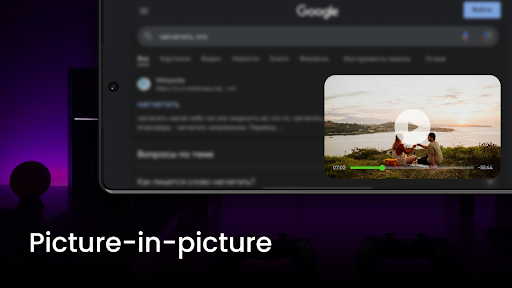
Picture-in-picture mode
Android TV compatibility
Lightweight M3U player
Live TV All Channel
Chromecast
Videos in high quality 4K and HD
XTREAM-CODES XTREAM API
IMPORTANT ANNOTATION:
We do not offer any TV services like subscriptions or streams.
Users must contact their TV service provider for Username, Password, Server URL, or Playlist (M3U file/URL).
Users must provide their own content. This is a fast app that provides a platform to play the content.
Disclaimer:
Our IPTV smart player does not supply or include any media or content. Users must provide their own content. Our player has no affiliation with any third-party provider whatsoever. We do not endorse the streaming of copyright-protected material without the permission of the copyright holder.
Download now and revolutionize your TV streaming experience with the best in class! Enjoy the freedom of streaming and discover the future of television today. Your entertainment options are limitless.
Show more

1. Download MEmu installer and finish the setup

2. Start MEmu then open Google Play on the desktop

3. Search IPTV Smarters Pro - XTREAM M3U in Google Play
Install
4. Download and Install IPTV Smarters Pro - XTREAM M3U
5. On install completion click the icon to start

6. Enjoy using IPTV Smarters Pro - XTREAM M3U on PC with MEmu
MEmu Play is the best Android emulator, and 100 million users already enjoy its superb Android app experience. Powered by advanced virtualization technology, it lets you enjoy thousands of Android apps smoothly on your PC—including the most graphics-intensive ones.
Bigger screen with better graphics; Long duration, without limitation of battery or mobile data.
Full Keymapping support for precise control of keyboard and mouse or gamepad.
Multiple game accounts or tasks on single PC at one time with Multi-Instance manager.
Use IPTV Smarters Pro - XTREAM M3U on PC by following steps:































