
Photo Video Slideshow Solution
Updated
Current Version
1.1.0
Offered By

Stop worrying about high battery drain when using Photo Video Slideshow Solution on your phone. Free yourself from the tiny screen and enjoy the app on a much larger display. From now on, get a full-screen experience of your app with the convenience of a keyboard and mouse. MEmu offers you all the surprising features you’d expect: quick installation and easy setup, intuitive controls, and no more worries about battery life, mobile data, or unexpected calls. The all-new MEmu 9 is the choice for using Photo Video Slideshow Solution on your computer. With the MEmu multi-instance manager, you can run two or more accounts at the same time. Most importantly, our exclusive emulation engine unlocks your PC’s full potential, delivering smooth and enjoyable performance.
Show more
Enjoy superb experience of using Photo Video Slideshow Solution on PC with MEMU App Player. It's a powerful free Android emulator which provides you with thousands of android apps for their desktop version. Enjoy connecting with friends and polishing your work with higher efficiency! Photo Video Maker: Introducing ”Photo Video Maker - Slideshow “ your ultimate companion for creating stunning, high-quality video slideshows movies from your photos.
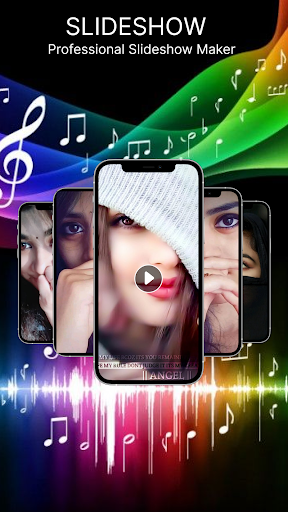
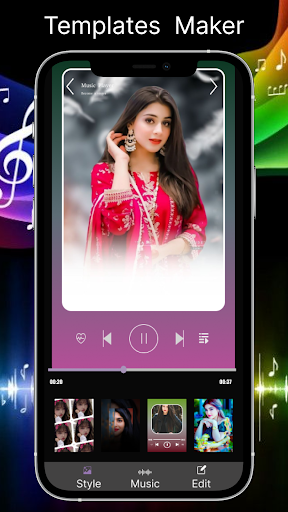
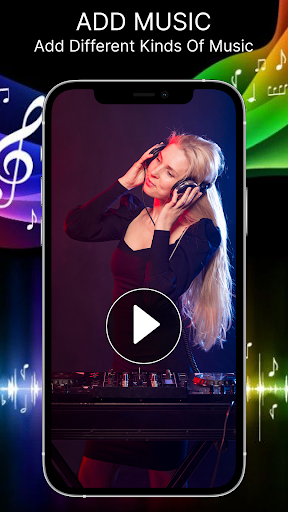
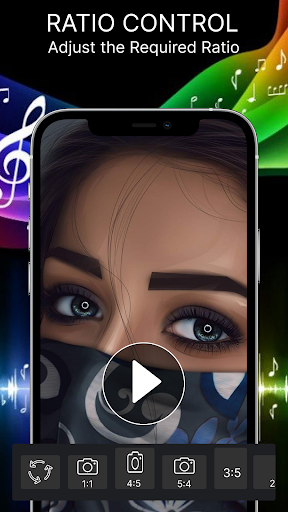
Photo Video Maker: Introducing ”Photo Video Maker - Slideshow “ your ultimate companion for creating stunning, high-quality video slideshows movies from your photos. Personalized your experience with this exciting application to create photo slideshow video with background music video maker, effects, frames and animations. Whether you’re a professional photographer, an influencer, or just someone who loves to capture memorable moments of life, our app empowers you to transform your images into cinematic slideshows that tell a story.
Here’s everything you need to know about our unique Photo Video Maker and the features that set it apart.
Slideshow Creation in a few Clicks:
Our Photo Video Maker app offers an intuitive interface, allowing you to create mesmerizing slideshows movies in just a few taps. Simply import your favorite photos from your gallery, arrange them in your preferred order for video making and select from an array of stunning transitions and frames. Within minutes, you’ll have a professional-grade video slideshow ready to be shared across all social media platforms.
Customization Options:
Choose from various effects, filters, frames and transition animation to give your slideshow the perfect look. Adjust the duration of each slide and experiment with different video aspect ratios to suit your needs, whether you’re creating for social media platforms, or a personal project.
Key Features:
➤ Photo & Video Integration: Seamlessly combine both photos and videos in your slideshows for a richer experience. Import high-resolution images or videos from your device’s gallery.
➤Music & Audio: Add your favorite music or sound to your slideshow, with the ability to trim audio and adjust volume levels.Choose from your phone storage music and set it with your video slideshow.Sync slides to the beat of the music for a seamless, cinematic effect.
➤Dynamic Transitions: Elevate your video slideshow with a wide range of stunning transition effects from classic crossfades and zooms to more 3D and geometric transitions.Preview transitions in real-time and apply them with ease.
➤Filters & Effects: Apply artistic filters and effects to individual photos or the entire slideshow to create a specific mood or aesthetic.
➤Drag-and-Drop Timeline: Enjoy a user-friendly drag-and-drop timeline editor allowing you to effortlessly rearrange slides, adjust timing, and preview your changes instantly.
➤Cross-Platform Sharing: Share your slideshows instantly to any social media or video-sharing platform with your friends and family.
Why Choose a Slideshow Maker - Photo Video Maker?
User-Friendly interface for users. No prior editing experience needed for a free slideshow online. Create stunning slideshows with simple and easy clicks with your own desires with no watermark.
Photo Video Slideshow Maker is a creative tool that empowers you to turn ordinary photos into video slideshow presentations. Whether you're creating for fun, business, or to preserve precious memories, this app offers everything you need to video and picture slideshow.
If you have any questions and suggestions. Feel free to contact us on Email : solutionoflogics@gmail.com
Show more

1. Download MEmu installer and finish the setup

2. Start MEmu then open Google Play on the desktop

3. Search Photo Video Slideshow Solution in Google Play
Install
4. Download and Install Photo Video Slideshow Solution
5. On install completion click the icon to start

6. Enjoy using Photo Video Slideshow Solution on PC with MEmu
MEmu Play is the best Android emulator, and 100 million users already enjoy its superb Android app experience. Powered by advanced virtualization technology, it lets you enjoy thousands of Android apps smoothly on your PC—including the most graphics-intensive ones.
Bigger screen with better graphics; Long duration, without limitation of battery or mobile data.
Full Keymapping support for precise control of keyboard and mouse or gamepad.
Multiple game accounts or tasks on single PC at one time with Multi-Instance manager.
Use Photo Video Slideshow Solution on PC by following steps: