Prime Video Player Pro
Updated
Current Version
3.3-legacy
Offered By

Stop worrying about high battery drain when using Prime Video Player Pro on your phone. Free yourself from the tiny screen and enjoy the app on a much larger display. From now on, get a full-screen experience of your app with the convenience of a keyboard and mouse. MEmu offers you all the surprising features you’d expect: quick installation and easy setup, intuitive controls, and no more worries about battery life, mobile data, or unexpected calls. The all-new MEmu 9 is the choice for using Prime Video Player Pro on your computer. With the MEmu multi-instance manager, you can run two or more accounts at the same time. Most importantly, our exclusive emulation engine unlocks your PC’s full potential, delivering smooth and enjoyable performance.
Show more
Enjoy superb experience of using Prime Video Player Pro on PC with MEMU App Player. It's a powerful free Android emulator which provides you with thousands of android apps for their desktop version. Enjoy connecting with friends and polishing your work with higher efficiency! Elevate your video playback experience to new heights with Play Prime Pro.
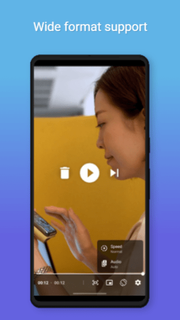
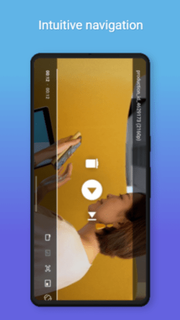
Elevate your video playback experience to new heights with Play Prime Pro. This cutting-edge video player app is meticulously crafted to offer unparalleled performance, versatility, and convenience. Whether you're streaming your favorite movies, binge-watching TV series, or enjoying home videos, Play Prime Pro delivers seamless playback with pristine quality.Unlock a world of possibilities with our advanced features, including support for a wide range of video formats, customizable playback controls, and intuitive navigation. Experience immersive audio with support for various audio codecs and surround sound formats. Seamlessly switch between audio tracks and subtitles, and even adjust playback speed to suit your preferences.Stay organized with our intuitive library management system, allowing you to categorize and organize your video collection effortlessly. Customize your viewing experience with adjustable playback settings, including aspect ratio, screen rotation, and brightness control. Enjoy uninterrupted viewing with our background playback feature, allowing you to multitask while watching your favorite content.With Play Prime Pro, the power is in your hands. Take control of your video playback experience like never before. Download now and discover why Play Prime Pro is the ultimate choice for discerning video enthusiasts.Features:Audio/subtitle track selectionPlayback speed controlHorizontal swipe and double tap to quickly seekVertical swipe to change brightness (left) / volume (right)Pinch to zoom (Android 7+)PiP (Picture in Picture)Resize (fit/crop)Volume boostAuto frame rate matching on Android TV/boxes Post-playback actions (delete file/skip to next)Touch lock (long tap)App shortcut for direct access to file chooser 3rd party equalizer / audio processing support Media Session and Audio Focus supportPause playback when disconnecting headphonesNo ads, tracking or excessive permissionsWide format supportCustomizable playback controlsIntuitive navigationImmersive audio experienceSeamless subtitle and audio track switchingPlayback speed adjustmentLibrary management systemAdjustable playback settingsBackground playbackMultitasking supportPristine video qualityUser-friendly interfaceRegular updates and enhancementsAnd much more!*****Video player, Playback, Streaming, Movies, TV series, Home videos, Formats, Audio codecs, Surround sound, Subtitles, Playback speed, Library management, Aspect ratio, Screen rotation, Brightness control, Background playback, Multitasking, Quality, User-friendly, Immersive, Customizable, Updates, Enhancements,Media player, Entertainment, Streaming service, Digital content, Video streaming, Playlists, High-definition, 4K resolution, Chromecast support, Casting, Offline playback, Cloud storage, Syncing, User experience, Performance, Stability, Compatibility, Cross-platform, Mobile app, Tablet app, Audiovisual, Online content, Media library, Remote control, Gesture control, Multi-language support, Accessibility, Subscription service, Premium features.
Show more

1. Download MEmu installer and finish the setup

2. Start MEmu then open Google Play on the desktop

3. Search Prime Video Player Pro in Google Play
Install
4. Download and Install Prime Video Player Pro
5. On install completion click the icon to start

6. Enjoy using Prime Video Player Pro on PC with MEmu
MEmu Play is the best Android emulator, and 100 million users already enjoy its superb Android app experience. Powered by advanced virtualization technology, it lets you enjoy thousands of Android apps smoothly on your PC—including the most graphics-intensive ones.
Bigger screen with better graphics; Long duration, without limitation of battery or mobile data.
Full Keymapping support for precise control of keyboard and mouse or gamepad.
Multiple game accounts or tasks on single PC at one time with Multi-Instance manager.
Use Prime Video Player Pro on PC by following steps: