SCU Mobile Banking
Updated
Current Version
1.0.0
Offered By

Stop worrying about high battery drain when using SCU Mobile Banking on your phone. Free yourself from the tiny screen and enjoy the app on a much larger display. From now on, get a full-screen experience of your app with the convenience of a keyboard and mouse. MEmu offers you all the surprising features you’d expect: quick installation and easy setup, intuitive controls, and no more worries about battery life, mobile data, or unexpected calls. The all-new MEmu 9 is the choice for using SCU Mobile Banking on your computer. With the MEmu multi-instance manager, you can run two or more accounts at the same time. Most importantly, our exclusive emulation engine unlocks your PC’s full potential, delivering smooth and enjoyable performance.
Show more
Enjoy superb experience of using SCU Mobile Banking on PC with MEMU App Player. It's a powerful free Android emulator which provides you with thousands of android apps for their desktop version. Enjoy connecting with friends and polishing your work with higher efficiency! Banking should fit your life, not the other way around.
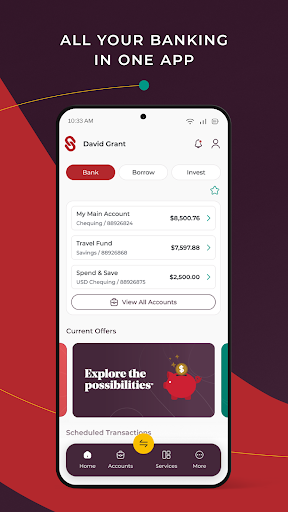
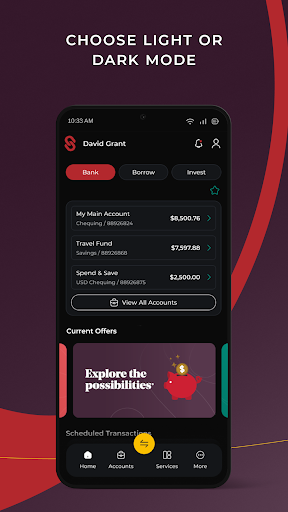
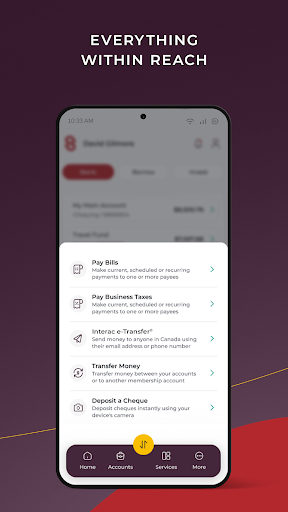
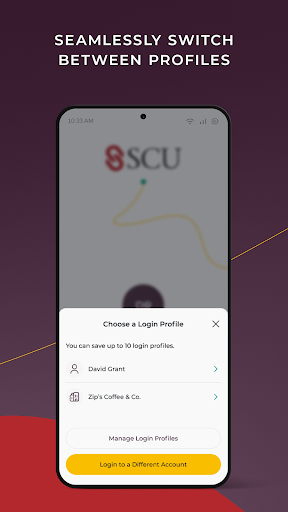
Banking should fit your life, not the other way around.
The new SCU banking app delivers a streamlined experience designed to make managing your money easier, faster, and more secure. With an updated look and feel, improved navigation, and enhanced features, everyday banking is more convenient than ever.
Whether you're checking balances, paying bills, transferring money, managing your debit card, or monitoring your finances on the go, the SCU banking app puts the tools you need right at your fingertips.
Why choose SCU digital banking?
Enhanced security Bank with confidence using advanced security features designed to help protect your accounts and personal information.
Control your debit card Lock or unlock your debit card, manage card settings, and take greater control of your account security directly from the app.
Book appointments with ease Need advice or support? Book a meeting with an SCU specialist directly through the app.
Designed for convenience Check balances, transfer money between your own accounts or to another SCU member, pay bills, send Interac e-Transfer®, manage and open new accounts, and complete everyday banking tasks wherever you are.
Personalize your experience Switch to dark mode for comfortable viewing that matches your preferences.
A complete financial picture Connect and view your eligible investment accounts alongside your SCU banking accounts for greater visibility into your finances.
Built for your life Whether you're managing household finances, running a business, growing your investments, or all three, SCU digital banking helps keep everything connected in one secure experience.
Download the SCU digital banking app today to start enjoying the convenience and innovation you expect from digital banking, backed by the personalized service and local expertise that make SCU different.
Show more

1. Download MEmu installer and finish the setup

2. Start MEmu then open Google Play on the desktop

3. Search SCU Mobile Banking in Google Play
Install
4. Download and Install SCU Mobile Banking
5. On install completion click the icon to start

6. Enjoy using SCU Mobile Banking on PC with MEmu
MEmu Play is the best Android emulator, and 100 million users already enjoy its superb Android app experience. Powered by advanced virtualization technology, it lets you enjoy thousands of Android apps smoothly on your PC—including the most graphics-intensive ones.
Bigger screen with better graphics; Long duration, without limitation of battery or mobile data.
Full Keymapping support for precise control of keyboard and mouse or gamepad.
Multiple game accounts or tasks on single PC at one time with Multi-Instance manager.
Use SCU Mobile Banking on PC by following steps: