
Shortz : Video Status Maker
Updated
Current Version
1.8
Offered By

Stop worrying about high battery drain when using Shortz : Video Status Maker on your phone. Free yourself from the tiny screen and enjoy the app on a much larger display. From now on, get a full-screen experience of your app with the convenience of a keyboard and mouse. MEmu offers you all the surprising features you’d expect: quick installation and easy setup, intuitive controls, and no more worries about battery life, mobile data, or unexpected calls. The all-new MEmu 9 is the choice for using Shortz : Video Status Maker on your computer. With the MEmu multi-instance manager, you can run two or more accounts at the same time. Most importantly, our exclusive emulation engine unlocks your PC’s full potential, delivering smooth and enjoyable performance.
Show more
Enjoy superb experience of using Shortz : Video Status Maker on PC with MEMU App Player. It's a powerful free Android emulator which provides you with thousands of android apps for their desktop version. Enjoy connecting with friends and polishing your work with higher efficiency! Shortz is an animated video story making app that offers 400+ story animated templates.
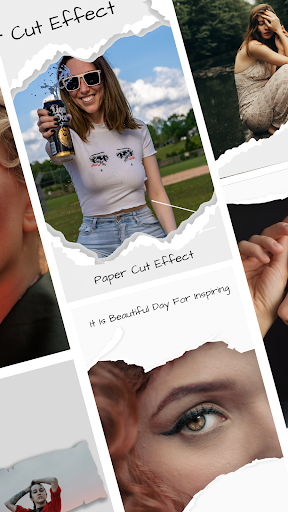
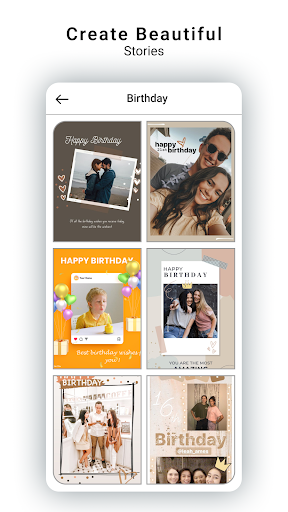
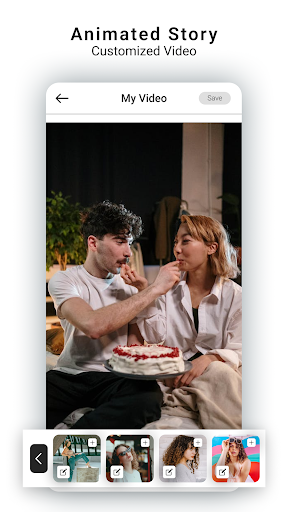
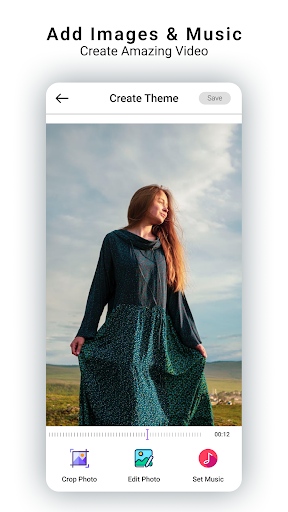
Shortz is an animated video story making app that offers 400+ story animated templates.It is super easy to design amazing Instagram animated story and reels with music or without music.
Shortz is an Instagram animated story maker app that offers 400+ animated templates to help you create beautiful collage, Minimal layouts for Instagram story & Instagram Reels, which can help you easily get more likes and followers! Stretch out one finger to customize your amazing stories and video status right now.
It’s never too hard to be a collage maker or video story editor in IG! As an excellent Instagram business story maker, building a story brand with Shortz has never been easier.
Layout & Template
· A variety of customizable collage styles and layout from instagram can be used, including borders, minimalist styles, etc..
· A variety of ig story templates for you to choose, including film, magazines, etc., suitable for multiple occasion in life, edit photos with instagram collage layout and story templates, make your own insta stories, and become an excellent story maker, create your own insta story art.
· The templates will be updated regularly.
Trendy Animated Story
- Preset aesthetic animated story and post templates like minimal and film attract your fans at a glance!
Text
· There are multiple font types. When editing photos, you can choose different type fonts, customize the font size, color, format, and then write your mood and thoughts on photos.
· Constantly update more styled fonts.
Filter
· Provide a variety of different style filters, including natural, cool, retro and other styles.
· Add filters to photos to achieve more stunning visual effects, design an appealing insta story, make the best storyart, attract more likes and followers.
· Constantly update more filter effects.
High-Quality Export:
Export your stories in high resolution and sharing to other platforms like Instagram Story, Snapchat Story and Facebook Story.
Highlight Resources:
★ Over 400+ customizable animated Instagram templates to become an insta story artist!
★ Just select template you like best ,choose several pictures and create a stunning IG story.
★ Different styles of categories, including Beat, Tiny Reels, Minimal, Collage, Birthday etc.
★ Your story gets the perfect-fit size so you can upload to IG without worrying size problem and no need to cut or crop your images
★ Being the story maker, editor and creator that helps you create high quality insta stories that stand out and gain you more likes and followers!
About our permissions:
Shortz: Video Story Art Maker asks for permissions "READ_EXTERNAL_STORAGE, WRITE_EXTERNAL_STORAGE" to read your photos so that you can select the photos from gallery and you can save the animated story in local storage. We do not use this permission for any other purpose.
Disclaimers:
The "Instagram" name is copyright to Instagram. This app only helps you to create stories for Instagram app.
All the content (Music & Images) in this app & All the copyright material credit goes to their Respected Owner ,We have Just Provided a platform to you for entertainment. If you have any issue regarding this app or Content(Music & Images) then you can contact us by sending feedback from application.
Thank you for downloading and using Shortz, if you have any problems or suggestions, please contact us at any time.
Show more

1. Download MEmu installer and finish the setup

2. Start MEmu then open Google Play on the desktop

3. Search Shortz : Video Status Maker in Google Play
Install
4. Download and Install Shortz : Video Status Maker
5. On install completion click the icon to start

6. Enjoy using Shortz : Video Status Maker on PC with MEmu
MEmu Play is the best Android emulator, and 100 million users already enjoy its superb Android app experience. Powered by advanced virtualization technology, it lets you enjoy thousands of Android apps smoothly on your PC—including the most graphics-intensive ones.
Bigger screen with better graphics; Long duration, without limitation of battery or mobile data.
Full Keymapping support for precise control of keyboard and mouse or gamepad.
Multiple game accounts or tasks on single PC at one time with Multi-Instance manager.
Use Shortz : Video Status Maker on PC by following steps:






























