Slow Motion Video Maker Editor
Updated
Current Version
1.2.2
Offered By

Stop worrying about high battery drain when using Slow Motion Video Maker Editor on your phone. Free yourself from the tiny screen and enjoy the app on a much larger display. From now on, get a full-screen experience of your app with the convenience of a keyboard and mouse. MEmu offers you all the surprising features you’d expect: quick installation and easy setup, intuitive controls, and no more worries about battery life, mobile data, or unexpected calls. The all-new MEmu 9 is the choice for using Slow Motion Video Maker Editor on your computer. With the MEmu multi-instance manager, you can run two or more accounts at the same time. Most importantly, our exclusive emulation engine unlocks your PC’s full potential, delivering smooth and enjoyable performance.
Show more
Enjoy superb experience of using Slow Motion Video Maker Editor on PC with MEMU App Player. It's a powerful free Android emulator which provides you with thousands of android apps for their desktop version. Enjoy connecting with friends and polishing your work with higher efficiency! Discover the ultimate video editing tool that's going to take your video creation to a whole new level!
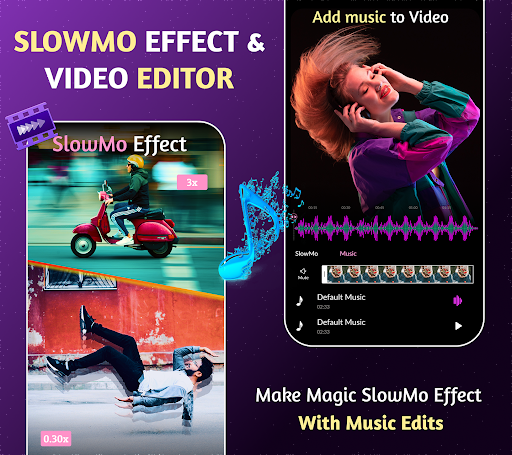
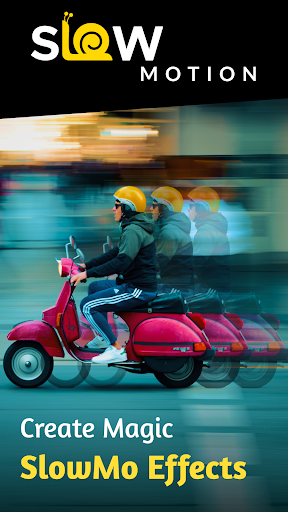
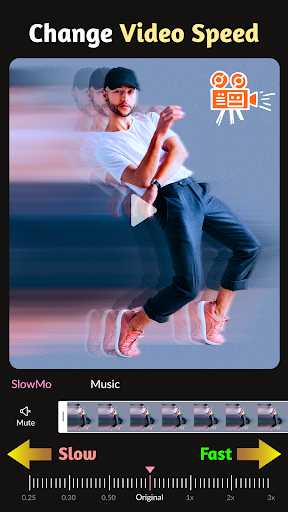
Discover the ultimate video editing tool that's going to take your video creation to a whole new level! Welcome to Slow Motion Video Maker Editor, the one-stop solution for all your video editing needs. Turn ordinary videos into extraordinary masterpieces with the all-new Slow Motion Video Editor App. Whether you want to slow down video, fast-forward them, add music, or apply stunning effects and filters. With Slow Motion Video Maker Editor, your video editing possibilities are limitless.
Slow motion video editor is a video maker app that creates slow-motion video, and fast video and adds effects and music to make video more attractive. You will easily share that wonderful video on social networks with friends and family quickly. Create captivating video with ease using our comprehensive and feature-packed app. Slow Motion Editor is your all-in-one video editing, making, and creating companion, offering limitless possibilities to unleash your creativity.
Features of Slow Motion Video Maker:
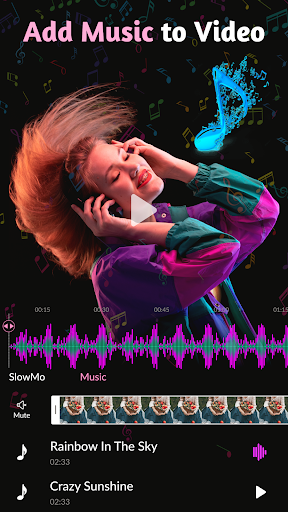
Add Music to Video: Turn your video into compelling stories by adding the perfect soundtrack. Our Music Video Editor feature lets you synchronize music with your visuals, creating captivating and immersive video.
Fast Forward Video: For those moments that demand a quick burst of excitement, fast forward your footage with ease. Create dynamic sequences that keep your viewers engaged and entertained.
Multiple Effects: Enhance your video, whether you're looking to create dreamy sequences, add drama, or make your content pop with unique visual flair.
Reels Maker & Editor: In today's world of short and snappy video content, our Reels Maker & Editor feature is tailored to help you produce eye-catching reels perfect for sharing on social media platforms.
Slow Motion Video: Harness the art of slow motion to add a touch of elegance and dramatic effect to your video. Slow down specific moments to highlight their significance and create visual impact.
Video Editor & Animation Editor: Animate your visuals, add text overlays, and create unique effects that set your content apart.
Video Effects & Filters: Make your video shine with a multitude of effects and filters. Achieve the look and style you desire, enhancing the visual appeal of your video.
Video Filters & Adjustment: Maintain complete control over your video's visual characteristics.
Video Maker with Music: Let music set the mood for your video. Seamlessly integrate soundtracks to evoke emotion, create rhythm, and enhance your storytelling.
Video Sound/Audio Editor: Achieve the perfect balance between visuals and audio. Our audio editor ensures that your video's sound quality matches the high standard of your visuals.
Video Speed Changer: Harness the power to manipulate video speed, whether for dramatic effect or comedic timing. Create sequences that leave a lasting impression.
Video Speed Editor & Tempo Control: Maintain full control over video speed and tempo. Achieve the precise pacing you envision for your video creations.
Video effects editor: Professional video effects such as Glitch effects, Transition effects, etc. Add movie-style video filters to the video.
Save Video & Share: Export video in 720p, Full HD 1080p and 4K. Slowmo maker and video editor with all features. Save videos to your phone or share them with your friends.
Multiple effects: Add multiple fast-motion and slow-motion effects in the same video, you can adjust the start time and the end of each speed fragment.
With Slow and Fast Motion Video Maker, you become the master of your video editing universe. As a video editor, maker, and creator, this app empowers you to craft videos that capture the essence of your vision. Unlock the potential of your video and embark on a journey of creative storytelling and expression.
Show more

1. Download MEmu installer and finish the setup

2. Start MEmu then open Google Play on the desktop

3. Search Slow Motion Video Maker Editor in Google Play
Install
4. Download and Install Slow Motion Video Maker Editor
5. On install completion click the icon to start

6. Enjoy using Slow Motion Video Maker Editor on PC with MEmu
MEmu Play is the best Android emulator, and 100 million users already enjoy its superb Android app experience. Powered by advanced virtualization technology, it lets you enjoy thousands of Android apps smoothly on your PC—including the most graphics-intensive ones.
Bigger screen with better graphics; Long duration, without limitation of battery or mobile data.
Full Keymapping support for precise control of keyboard and mouse or gamepad.
Multiple game accounts or tasks on single PC at one time with Multi-Instance manager.
Use Slow Motion Video Maker Editor on PC by following steps:































