
Slow Motion Video
Updated
Current Version
1.4
Offered By

Stop worrying about high battery drain when using Slow Motion Video on your phone. Free yourself from the tiny screen and enjoy the app on a much larger display. From now on, get a full-screen experience of your app with the convenience of a keyboard and mouse. MEmu offers you all the surprising features you’d expect: quick installation and easy setup, intuitive controls, and no more worries about battery life, mobile data, or unexpected calls. The all-new MEmu 9 is the choice for using Slow Motion Video on your computer. With the MEmu multi-instance manager, you can run two or more accounts at the same time. Most importantly, our exclusive emulation engine unlocks your PC’s full potential, delivering smooth and enjoyable performance.
Show more
Enjoy superb experience of using Slow Motion Video on PC with MEMU App Player. It's a powerful free Android emulator which provides you with thousands of android apps for their desktop version. Enjoy connecting with friends and polishing your work with higher efficiency! Slow Motion VideoSmooth and perfect video player is an amazing app to play and save your audios and videos in all formats.
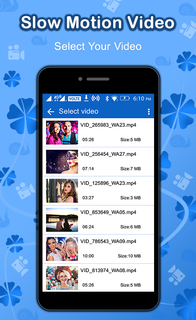
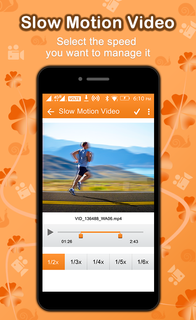
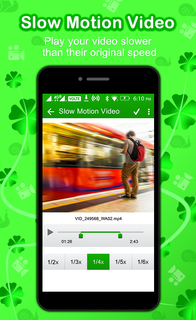
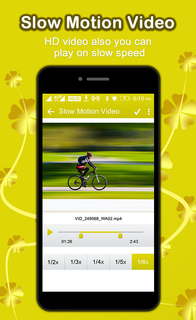
Slow Motion VideoSmooth and perfect video player is an amazing app to play and save your audios and videos in all formats. It’s the best video player in the android world which plays every video smoothly and effortlessly. Video resume option and easy playback features are very useful for the user. This classic video player will amaze you with its best video quality. The most amazing fact of this Slow motion video fx is that you can also play the videos, films and movies in slow order, they will look alike but all the actions, fighting and laughter will be slow. Play your favorite movie now and give this to your friends to enjoy an endless gun, try smooth video playing along with amazing 3D graphics, this is a top app of the new lot of 2017 adventure, go ahead, use it, select the list of your favorite DVD’s. or movies to play the clips on, one after the other. The movies can be of any type, sad, funny, action, commando arcade, assassin’s assassination, roller coaster ride, furious futuristic bike and car racing, slow them down and watch the details in the movie and video clips to a better noticeable level.Make a slow motion video! You can also make magic fast motion video after playing it in normal pace. Output video can be uploaded to any social media that you have accounts on, to show your friends and get hundreds of 'likes'!Amazing features of perfect video player HD are:Plays all your videos slower than their original speedSelect the speed you want to manage it atHD Quality videos can be played in it.Videos are saved in folders.Support numerous video formats like MPG, 3gp , MOV, FLV, WMV, MP4 , RMVB ,MKV and AVI.Sophisticated and elegant designMany Audio formats are also being supported.Support cross platform and accelerated hardware. Subtitle format support.Share your videos easily with your friends.Gesture control.Control sound volume in the app.Adjust audio/video synchronization.Control aspect ratio of video.Delete and rename files manually.Watch and save your movies on either internal storage or SD card.Free for all android mobile and devices.This app with very effective and expensive looking features is right in front of you and one click away, and absolutely free to use. Any kind of local videos or movies can be seen on it. Network streaming is also an attractive and different feature of Slow motion video fx.This app also supports certain audio formats and has many widgets. Bass can also be boosted for extra clarity in bass. Kids lock and powerful hardware acceleration provide you best and perfect video quality.This app is supported and tested on all android devices .Although we are working hard to give you best quality apps but there is always a room for improvement. Kindly rate and shares this app even if you like it or dislike it. Your suggestions matters a lot to us.
Show more

1. Download MEmu installer and finish the setup

2. Start MEmu then open Google Play on the desktop

3. Search Slow Motion Video in Google Play
Install
4. Download and Install Slow Motion Video
5. On install completion click the icon to start

6. Enjoy using Slow Motion Video on PC with MEmu
MEmu Play is the best Android emulator, and 100 million users already enjoy its superb Android app experience. Powered by advanced virtualization technology, it lets you enjoy thousands of Android apps smoothly on your PC—including the most graphics-intensive ones.
Bigger screen with better graphics; Long duration, without limitation of battery or mobile data.
Full Keymapping support for precise control of keyboard and mouse or gamepad.
Multiple game accounts or tasks on single PC at one time with Multi-Instance manager.
Use Slow Motion Video on PC by following steps:































