
STV: Online Video Player
Updated
Current Version
1.0.7
Offered By

Stop worrying about high battery drain when using STV: Online Video Player on your phone. Free yourself from the tiny screen and enjoy the app on a much larger display. From now on, get a full-screen experience of your app with the convenience of a keyboard and mouse. MEmu offers you all the surprising features you’d expect: quick installation and easy setup, intuitive controls, and no more worries about battery life, mobile data, or unexpected calls. The all-new MEmu 9 is the choice for using STV: Online Video Player on your computer. With the MEmu multi-instance manager, you can run two or more accounts at the same time. Most importantly, our exclusive emulation engine unlocks your PC’s full potential, delivering smooth and enjoyable performance.
Show more
Enjoy superb experience of using STV: Online Video Player on PC with MEMU App Player. It's a powerful free Android emulator which provides you with thousands of android apps for their desktop version. Enjoy connecting with friends and polishing your work with higher efficiency! Are you tired of juggling between multiple media players to enjoy your favorite online content?
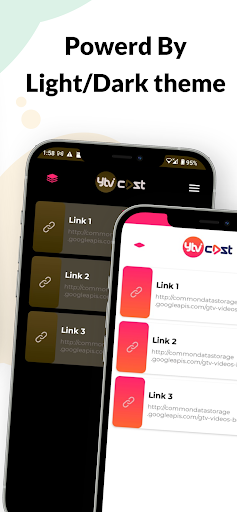
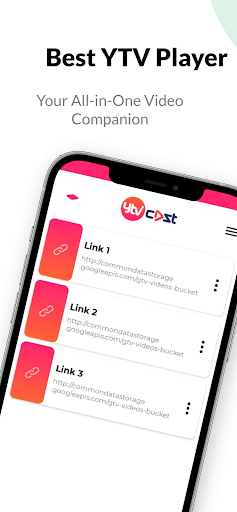
Are you tired of juggling between multiple media players to enjoy your favorite online content? Look no further! STV: Video Player is your all-in-one solution for seamless media streaming right on your Android device. With a robust set of features and customization options, STV sets a new standard for online media playback.
STV: Video Player is designed to provide you with an exceptional streaming experience, whether you're watching movies, TV shows, live sports events, or listening to music. It's better than all the best popular video players like MX Player, VLC Player, PlayIt, Network Streaming, YTV Player Pro, and more, and comes with a unique set of features that make it stand out.
Key Features:
1. Online Stream Playback: STV: Video Player lets you effortlessly play online streams and links. Say goodbye to the hassle of copying and pasting URLs into different players; STV handles it all.
2. Enhanced Streaming Options:
Cookies: Customize your streaming experience by adding or managing cookies.
Referer: Set the referer URL to access content behind authentication or paywalls.
Origin: Adjust the origin for geo-restricted content with ease.
User Agent: Switch user agents for compatibility with various websites and platforms.
3. Multi-Format Support: STV: Video Player supports a wide range of audio and video formats, ensuring you can enjoy your media in the format that suits you best. Play M3U8, HLS links, TS, MP4, and all other popular formats effortlessly.
4. User-Friendly Interface: Our user interface is intuitive and user-friendly, making it easy for you to navigate through your media library and configure settings.
5. Hardware Acceleration: Experience smooth playback even for high-definition content, thanks to STV: Video Player's hardware acceleration support.
6. Subtitle Support: Customize your subtitle preferences with a variety of options, including text size, color, and synchronization.
7. Playlist Management: Create and manage playlists effortlessly, so you can organize your content your way.
8. Screen Lock and Screen Rotation: Lock your screen orientation and enjoy hands-free viewing.
9. Equalizer: Fine-tune your audio experience with STV: Video Player's built-in equalizer, which offers a range of presets and manual adjustments.
10. Privacy and Security: STV: Video Player respects your privacy and doesn't collect any personal information. Enjoy peace of mind while streaming.
STV: Video Player is designed to cater to both casual viewers and media enthusiasts. Whether you want to catch up on the latest movies or need a versatile player for your extensive media collection, STV: Video Player has you covered.
Upgrade your streaming experience with STV: Video Player today and unlock a world of entertainment at your fingertips. Say goodbye to compatibility issues, complex configurations, and the need for multiple media players. STV: Video Player simplifies streaming, so you can sit back, relax, and enjoy your favorite content hassle-free.
Download STV: Video Player now and experience the future of media streaming on your Android device. Your entertainment, your way!
Show more

1. Download MEmu installer and finish the setup

2. Start MEmu then open Google Play on the desktop

3. Search STV: Online Video Player in Google Play
Install
4. Download and Install STV: Online Video Player
5. On install completion click the icon to start

6. Enjoy using STV: Online Video Player on PC with MEmu
MEmu Play is the best Android emulator, and 100 million users already enjoy its superb Android app experience. Powered by advanced virtualization technology, it lets you enjoy thousands of Android apps smoothly on your PC—including the most graphics-intensive ones.
Bigger screen with better graphics; Long duration, without limitation of battery or mobile data.
Full Keymapping support for precise control of keyboard and mouse or gamepad.
Multiple game accounts or tasks on single PC at one time with Multi-Instance manager.
Use STV: Online Video Player on PC by following steps:































