Subtitles & Captions for video PC

Download Subtitles & Captions for video on PC

Subtitles & Captions for video PC

Subtitles & Captions for video

  • Updated

  • Current Version

    11.5

  • Offered By

    Subtitles & Captions for video PC

Features of Subtitles & Captions for video on PC

Stop worrying about high battery drain when using Subtitles & Captions for video on your phone. Free yourself from the tiny screen and enjoy the app on a much larger display. From now on, get a full-screen experience of your app with the convenience of a keyboard and mouse. MEmu offers you all the surprising features you’d expect: quick installation and easy setup, intuitive controls, and no more worries about battery life, mobile data, or unexpected calls. The all-new MEmu 9 is the choice for using Subtitles & Captions for video on your computer. With the MEmu multi-instance manager, you can run two or more accounts at the same time. Most importantly, our exclusive emulation engine unlocks your PC’s full potential, delivering smooth and enjoyable performance.

Show more

Screenshots & Video of Subtitles & Captions for video PC

Enjoy superb experience of using Subtitles & Captions for video on PC with MEMU App Player. It's a powerful free Android emulator which provides you with thousands of android apps for their desktop version. Enjoy connecting with friends and polishing your work with higher efficiency! Introducing Subtitles: Your Ultimate Video Captions Solution!
APP Info

Introducing Subtitles: Your Ultimate Video Captions Solution!


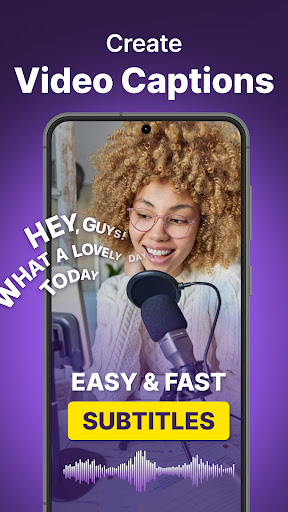
Are you looking for an efficient way to enhance your video content with captions? Look no further than Subtitles! Our feature-packed subtitle editor and generator will revolutionize your video captioning experience. Whether you're a content creator, marketer, or simply want to make your videos more accessible, Subtitles has got you covered.

Key Features:

✨AI-Driven Capabilities:
Auto Subtitles: Let our cutting-edge AI handle the captioning, saving you time and ensuring accuracy.
Subtitles AI: Benefit from our artificial intelligence for precision in every caption.
Auto Caption: Our AI seamlessly takes care of the entire captioning process.

✨Subtitle Creation & Customization:
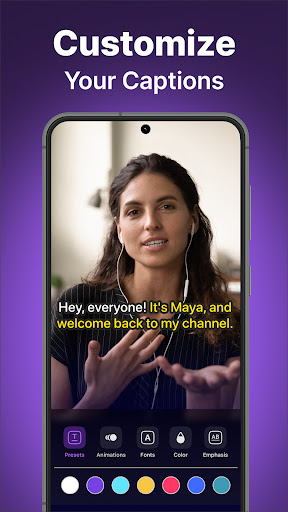
Subtitle Editor: Design and fine-tune subtitles in harmony with your video's unique tone.
Subtitle Creator: Craft the perfect captions that blend with your video's narrative.
Caption Styles: Customize your captions to suit various video genres, ensuring a perfect match every time.
Subtitle Embedding: Give your videos a refined touch by embedding the subtitles directly.
Subtitle Generator: Produce subtitles for your videos swiftly, saving you both time and effort.

✨Global Accessibility:
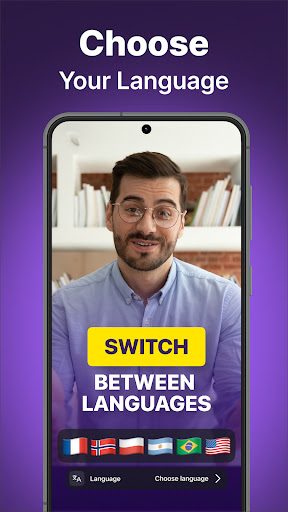
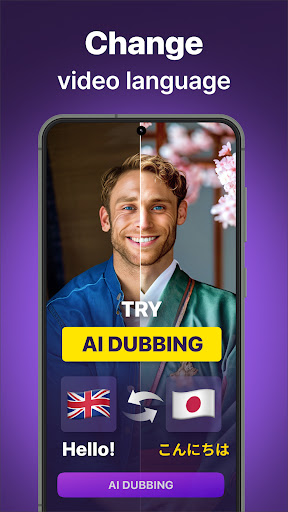
Multiple Language Support

✨Additional Features:
Closed Captioning: Boost accessibility, making your content more inclusive.
Hardcode Subtitles: Professionally integrate subtitles directly into your video.
Subtitle App: Caption on-the-move using our mobile app, ensuring flexibility.
Caption Generator: Easily create captions for all your video content, streamlining the process.

By simplifying the captioning process, Subtitles & Captions for video guarantees a more engaging and accessible video experience for your audience. Dive into a world where manual captioning hassles are a thing of the past.

Download Subtitles & Captions for video today and redefine your video content!

Show more

How to Download Subtitles & Captions for video on PC

  • Subtitles & Captions for video PC

    1. Download MEmu installer and finish the setup

  • Subtitles & Captions for video PC

    2. Start MEmu then open Google Play on the desktop

  • Subtitles & Captions for video PC

    3. Search Subtitles & Captions for video in Google Play

  • Subtitles & Captions for video PC Install

    4. Download and Install Subtitles & Captions for video

  • Subtitles & Captions for video PC

    5. On install completion click the icon to start

  • Subtitles & Captions for video PC
    Subtitles & Captions for video PC Subtitles & Captions for video PC

    6. Enjoy using Subtitles & Captions for video on PC with MEmu

Why Use MEmu for Subtitles & Captions for video

MEmu Play is the best Android emulator, and 100 million users already enjoy its superb Android app experience. Powered by advanced virtualization technology, it lets you enjoy thousands of Android apps smoothly on your PC—including the most graphics-intensive ones.

  • Bigger screen with better graphics; Long duration, without limitation of battery or mobile data.

  • Full Keymapping support for precise control of keyboard and mouse or gamepad.

  • Multiple game accounts or tasks on single PC at one time with Multi-Instance manager.

Ready to Use?

Subtitles & Captions for video - FAQs

  • How to use Subtitles & Captions for video on PC?

    Use Subtitles & Captions for video on PC by following steps:

    • Download MEmu, then install and launch it
    • Login to Google Play Store, install the app
    • Enjoy using the app on PC with MEmu
  • What are the minimum system requirements to run Subtitles & Captions for video on PC?
    • Intel or AMD Processor
    • Microsoft Windows 7 and above
    • 2GB of memory
    • 5GB of free disk space
    • Hardware Virtualization Technology