Video Player for Android TV
Updated
Current Version
0.154
Offered By

Stop worrying about high battery drain when using Video Player for Android TV on your phone. Free yourself from the tiny screen and enjoy the app on a much larger display. From now on, get a full-screen experience of your app with the convenience of a keyboard and mouse. MEmu offers you all the surprising features you’d expect: quick installation and easy setup, intuitive controls, and no more worries about battery life, mobile data, or unexpected calls. The all-new MEmu 9 is the choice for using Video Player for Android TV on your computer. With the MEmu multi-instance manager, you can run two or more accounts at the same time. Most importantly, our exclusive emulation engine unlocks your PC’s full potential, delivering smooth and enjoyable performance.
Show more
Enjoy superb experience of using Video Player for Android TV on PC with MEMU App Player. It's a powerful free Android emulator which provides you with thousands of android apps for their desktop version. Enjoy connecting with friends and polishing your work with higher efficiency! Video Player for Android TV offers a great video player experience with its very easy and useful structure on Android TV , Google TV , Fire TV , and Smart TV.
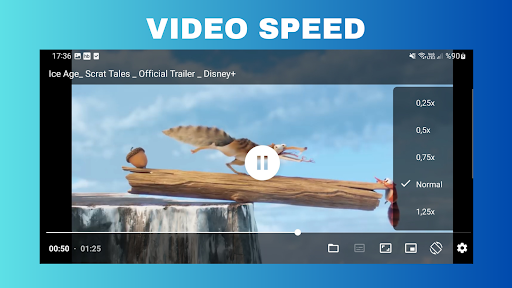
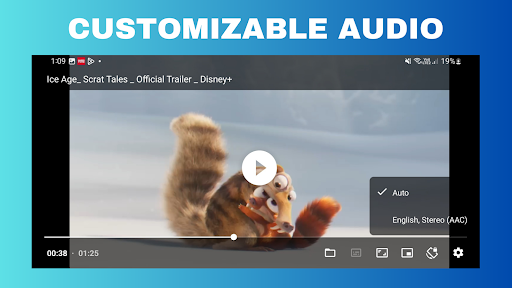
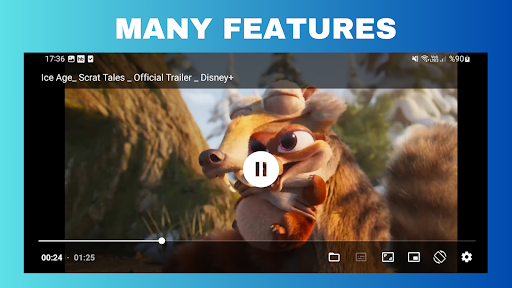
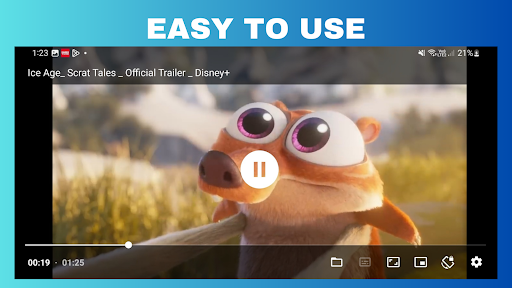
Video Player for Android TV offers a great video player experience with its very easy and useful structure on Android TV , Google TV , Fire TV , and Smart TV.
Video Player for Android TV allows customization with Audio/subtitle track selection and Playback speed control features.
Video Player for Android TV provides a professional video player experience with different audio, image and subtitle formats.
Video Player for Android TV: Download now to experience a great video player on Android TV , Google TV , Fire TV and Smart TVs.
-Audio/subtitle track selection
-Playback speed control
-Horizontal swipe and double tap to quickly seek
-Vertical swipe to change brightness (left) / volume (right)
-Pinch to zoom (Android 7+)
-PiP (Picture in Picture) on Android 8+ (resizable on Android 11+)
-Resize (fit/crop)
-Volume boost
-Auto frame rate matching on Android TV/boxes (Android 6+)
-Post-playback actions (delete file/skip to next)
-Touch lock (long tap)
-App shortcut for direct access to file chooser (Android 7.1+)
-3rd party equalizer / audio processing support (e.g. Wavelet)
-Media Session and Audio Focus support
-Pause playback when disconnecting headphones
-No ads, tracking or excessive permissions
Video Player for Android TV Features :
Some advanced features can be enabled or configured in settings. To access it, long press the ⚙️ gear icon. (Alternatively, you can also enter this settings from App info screen.)
-Default audio tracks. Set specific language, prefer device language, media file defaults.
-File access mode. Use of Storage Access Framework / MediaStore / legacy file access.
-Decoder priority. Prefer device or app decoders.
-Auto frame rate matching. (On Android 11+ and "compatible" displays, -------ExoPlayer supports seamless refresh rate switching)
Tunneled playback. Enabling tunneling can improve playback of 4K/HDR content on Android TV.
Playback of Dolby Vision profile 7 (UHD Blu-ray) as HDR HEVC
Auto picture-in-picture. When you leave Video Player for Android TV through the home button and video is playing, PiP will be activated automatically.
Skip silence
Repeat toggle
WRITE_SETTINGS ("Modify system settings") permission: When the system file chooser is opened, it will always use current system orientation, even if the Player app sets its own. Granting this permission via adb (adb shell pm grant com.brouken.player android.permission.WRITE_SETTINGS) or App info screen will allow this app to temporarily enable Auto-rotate to at least partially mitigate this imperfection.
Supported formats
Audio: Vorbis, Opus, FLAC, ALAC, PCM/WAVE (μ-law, A-law), MP1, MP2, MP3, AMR (NB, WB), AAC (LC, ELD, HE; xHE on Android 9+), AC-3, E-AC-3, DTS, DTS-HD, TrueHD
Video: H.263, H.264 AVC (Baseline Profile; Main Profile on Android 6+), H.265 HEVC, MPEG-4 SP, VP8, VP9, AV1
Containers: MP4, MOV, WebM, MKV, Ogg, MPEG-TS, MPEG-PS, FLV, AVI (
Show more

1. Download MEmu installer and finish the setup

2. Start MEmu then open Google Play on the desktop

3. Search Video Player for Android TV in Google Play
Install
4. Download and Install Video Player for Android TV
5. On install completion click the icon to start

6. Enjoy using Video Player for Android TV on PC with MEmu
MEmu Play is the best Android emulator, and 100 million users already enjoy its superb Android app experience. Powered by advanced virtualization technology, it lets you enjoy thousands of Android apps smoothly on your PC—including the most graphics-intensive ones.
Bigger screen with better graphics; Long duration, without limitation of battery or mobile data.
Full Keymapping support for precise control of keyboard and mouse or gamepad.
Multiple game accounts or tasks on single PC at one time with Multi-Instance manager.
Use Video Player for Android TV on PC by following steps:































