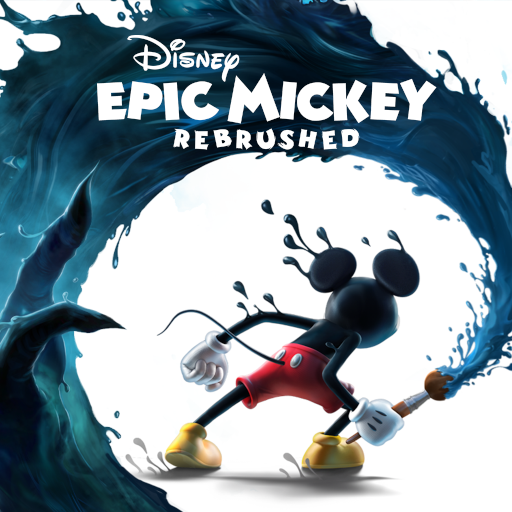
Disney Epic Mickey: Rebrushed
Aggiornata
Versione corrente
Offerta da

Vista tutta la passione dimostrata nel giocare a Disney Epic Mickey: Rebrushed, le tue mani non dovrebbero essere limitate al minuscolo schermo di un telefono. Gioca come un professionista e ottieni il pieno controllo del gioco con tastiera e mouse. MEmu ti offre tutto ciò che ti aspetti. Scarica e gioca a Disney Epic Mickey: Rebrushed su PC. Gioca quanto vuoi, niente più limitazioni di batteria, dati mobili e chiamate inquietanti. Il nuovissimo MEmu 9 è la scelta migliore per giocare a Disney Epic Mickey: Rebrushed su PC. Realizzato sulla base della nostra esperienza, lo squisito sistema di mappatura dei tasti preimpostati rende Disney Epic Mickey: Rebrushed un vero e proprio gioco per PC. MEmu è un gestore multi-instanza che permette di giocare con 2 o più account sullo stesso dispositivo. E la cosa più importante, il nostro esclusivo motore di emulazione può liberare tutto il potenziale del tuo PC, rendendo tutto fluido.
Mostra altro
Scarica Disney Epic Mickey: Rebrushed su PC con MEmu Android Emulator. Divertiti giocando sul grande schermo. Disney Epic Mickey: Rebrushed brings the magic of Disney to life in a vibrant 3D platformer.
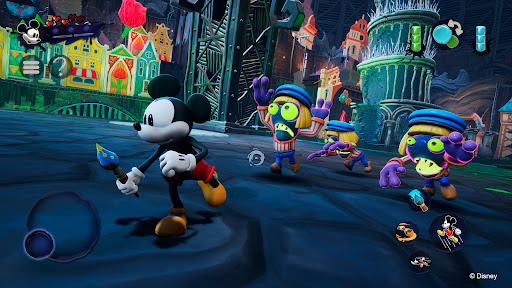
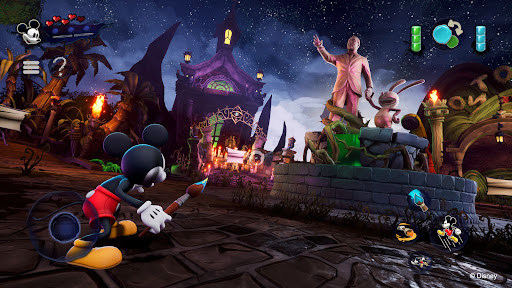
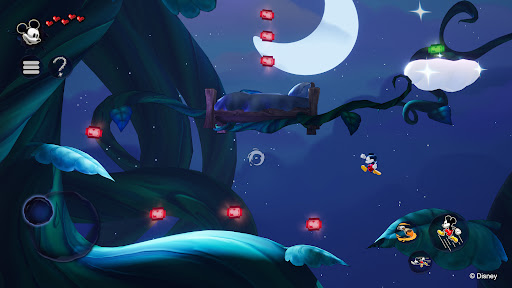
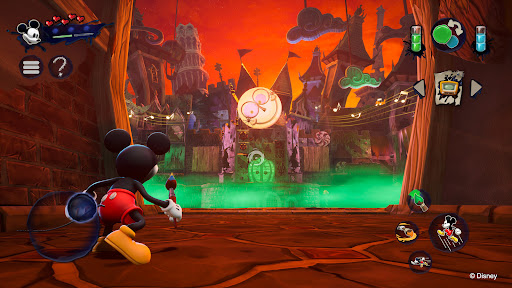
Disney Epic Mickey: Rebrushed brings the magic of Disney to life in a vibrant 3D platformer. This beautiful remake sends Mickey Mouse on an epic journey through Wasteland, a realm of forgotten Disney characters. As Mickey, you will dive into a fantastical world and, armed with paint and thinner, shape your adventure and the fate of this alternate world.
Every stroke of your magic brush matters! Use paint to restore beauty and harmony or thinner to alter your environment and uncover hidden secrets. Your choices influence Mickey's destiny and change the outcome of this artistic odyssey. Will you become the epic hero Wasteland needs?
Encounter various iconic characters like Oswald the Lucky Rabbit, Walt Disney’s first creation, as you travel between lands in Wasteland. Collect virtual Disney pins, tackle creative challenges, and uncover secrets, all while exploring classic platforming levels inspired by animated films and shorts.
Originally envisioned by Warren Spector, reimagined by Purple Lamp, Disney Epic Mickey: Rebrushed employs state-of-the-art visuals and improved controls to breathe new life into a beloved classic. Experience new movement skills for Mickey, such as dash, ground pound and sprinting. The game’s compelling story makes it an unforgettable adventure for long-time fans and newcomers alike. Join Mickey Mouse and unravel the mysteries of Wasteland in this homage to Disney's legacy.
Explore a reimagined Wasteland, full of Disney's timeless characters and stories.
Wield the magic brush: Paint to create, thinner to alter. Every choice shapes your story.
Meet Oswald the Lucky Rabbit, Disney's original star, in a rich, narrative-driven world.
Enjoy advanced gameplay with new abilities and enhanced visuals in a classic setting.
Mickey has new moves such as dash, ground pound and sprinting.
High replayability with multiple endings based on your unique playstyle and decisions.
© 2026 THQ Nordic Mobile
Mostra altro

1. Scarica il programma di installazione di MEmu e completa l'installazione

2. Avvia il Memu e apri il Google Play sulla homepage

3. Cerca Disney Epic Mickey: Rebrushed in Google Play
Install
4. Scarica e installa Disney Epic Mickey: Rebrushed
5. Al termine dell'installazione, fai clic sull'icona per avviar

6. Divertiti giocando a Disney Epic Mickey: Rebrushed su PC con MEmu
MEmu App Player è il miglior emulatore Android gratuito, utilizzato da 50 milioni di persone per ottenere un'esperienza di gioco Android superba. La tecnilogia di virtualizzazione MEmu ti permette di giocare a migliaia di giochi Android con semplicità sul tuo computer, anche i giochi con la grafica più esigente.
Schermo più grande con una grafica migliore; Lunga durata, senza limitazione di batteria o dati mobili.
Supporto completo per mappa di tastiera per un controllo preciso di tastiera e mouse o gamepad.
Multipli account di gioco o attività su un singolo PC contemporaneamente con il gestore di multi istanza.
Play Disney Epic Mickey: Rebrushed on PC by following steps: