Disney Epic Mickey: Rebrushed
Actualizada
Versión actual
1.779.1 (Shipping)
Ofrecida por

Con toda tu pasión para jugar Disney Epic Mickey: Rebrushed, no se supone que tus manos estén limitadas en una pequeña pantalla de tu teléfono. Juega como un profesional y obtén el control total de tu juego con el teclado y el mouse. MEmu le ofrece todas las cosas que espera. Descargar y jugar Disney Epic Mickey: Rebrushed en PC. Juega todo el tiempo que quieras, sin más limitaciones de batería, datos móviles y llamadas molestas. El nuevo MEmu 9 es la mejor opción para jugar Disney Epic Mickey: Rebrushed en PC. Preparado con nuestra experiencia, el exquisito sistema de keymapping preestablecido convierte a Disney Epic Mickey: Rebrushed en un verdadero juego de PC. Codificado con nuestra absorción, el administrador de instancias múltiples hace posible jugar 2 o más cuentas en el mismo dispositivo. Y lo más importante, nuestro exclusivo motor de emulación puede liberar todo el potencial de su PC, hacer que todo sea más fluido. Nos importa no solo cómo juegas, sino también todo el proceso de disfrutar de la felicidad de los juegos.
Más detalles
Descargar Disney Epic Mickey: Rebrushed en PC con MEmu Android Emulador. Disfruta jugando en la pentalla grande. Disney Epic Mickey: Rebrushed da vida a la magia de Disney en un vibrante juego de plataformas en 3D.
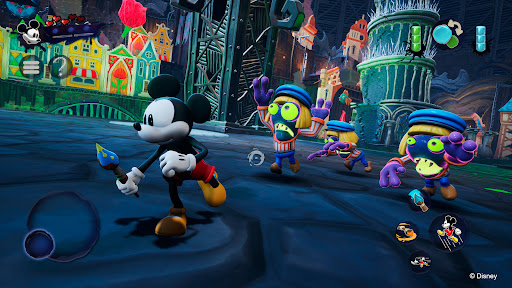
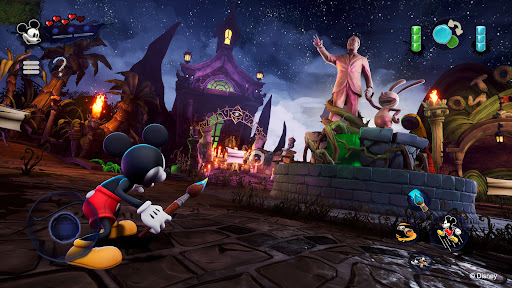
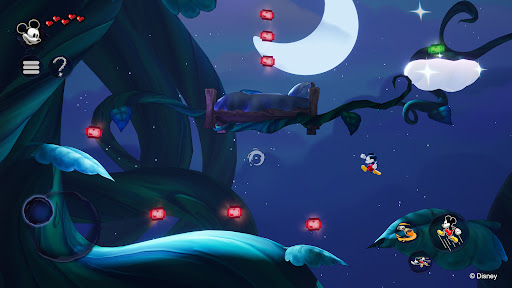
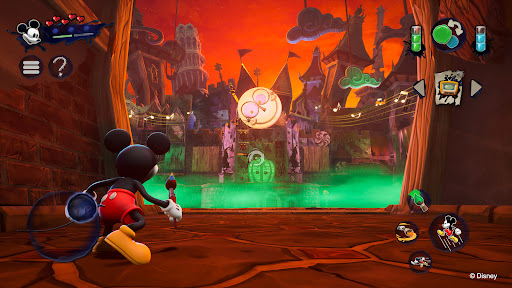
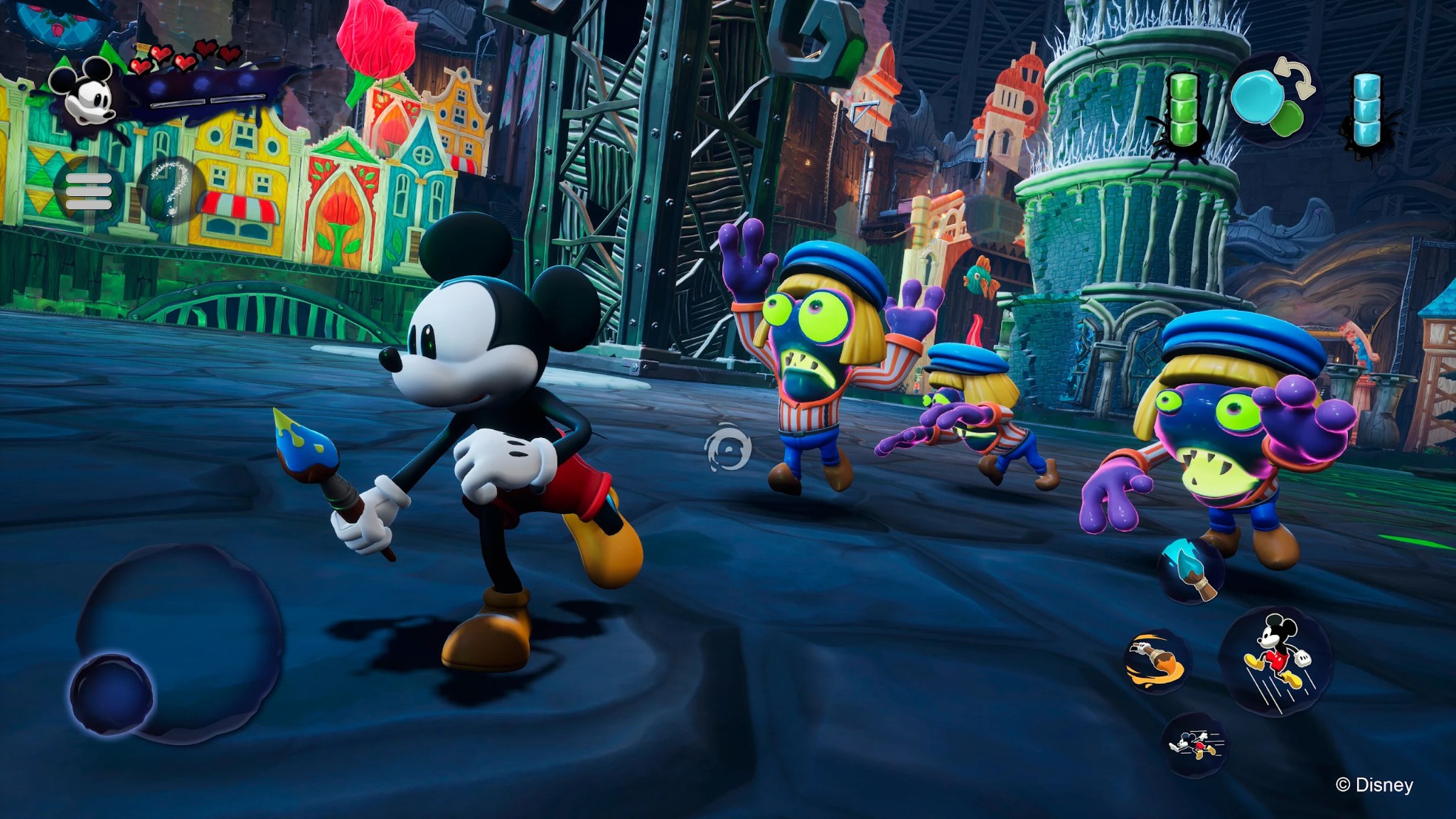
Disney Epic Mickey: Rebrushed da vida a la magia de Disney en un vibrante juego de plataformas en 3D. Este hermoso remake lleva a Mickey Mouse a un viaje épico a través de Wasteland, un reino de personajes Disney olvidados. Como Mickey, te sumergirás en un mundo fantástico y, armado con pintura y disolvente, darás forma a tu aventura y al destino de este mundo alternativo.
¡Cada pincelada cuenta! Usa la pintura para restaurar la belleza y la armonía, o el disolvente para alterar el entorno y descubrir secretos ocultos. Tus decisiones influyen en el destino de Mickey y cambian el resultado de esta odisea artística. ¿Te convertirás en el héroe épico que Wasteland necesita?
Encuentra a varios personajes icónicos como Oswald el Conejo Afortunado, la primera creación de Walt Disney, mientras viajas entre las tierras de Wasteland. Colecciona pines virtuales de Disney, supera desafíos creativos y descubre secretos, todo mientras exploras niveles clásicos de plataformas inspirados en películas y cortos animados.
Originalmente concebido por Warren Spector y reinventado por Purple Lamp, Disney Epic Mickey: Rebrushed utiliza gráficos de última generación y controles mejorados para dar nueva vida a un clásico entrañable. Experimenta nuevas habilidades de movimiento para Mickey, como correr, golpear el suelo y esprintar. La fascinante historia del juego lo convierte en una aventura inolvidable tanto para los fans de siempre como para los nuevos jugadores. Únete a Mickey Mouse y desvela los misterios del Páramo en este homenaje al legado de Disney.
Explora un Páramo reinventado, repleto de los personajes e historias atemporales de Disney.
Empuña el pincel mágico: pinta para crear, usa el diluyente para modificar. Cada decisión moldea tu historia.
Conoce a Oswald el Conejo Afortunado, la estrella original de Disney, en un mundo rico y narrativo.
Disfruta de una jugabilidad avanzada con nuevas habilidades y gráficos mejorados en un entorno clásico.
Mickey cuenta con nuevos movimientos como el dash, el golpe contra el suelo y el sprint.
Gran rejugabilidad con múltiples finales que dependen de tu estilo de juego y decisiones.
© 2026 THQ Nordic Mobile
Más detalles

1. Descargar el instalador de MEmu y finalice la instalación

2. Iniciar MEmu y abrir Google Play en la página de inicio

3. Buscar Disney Epic Mickey: Rebrushed en Google Play
Install
4. Descargar y instalar Disney Epic Mickey: Rebrushed
5. Hacer click al icono para iniciar

6. Disfruta jugando Disney Epic Mickey: Rebrushed en PC con MEmu
MEmu App Player es el mejor emulador de Android gratuito y 50 millones de personas ya están disfrutando su magnífica experiencia jugando en Android. La tecnología de virtualización de MEmu te permite jugar a miles de juegos Android suavemente en tu PC, incluso los más intensivos gráficamente.
Pantalla más grande con mejores gráficos; Larga duración, sin limitación de batería o datos móviles.
Soporte completo de keymapping para un control preciso del teclado y el mouse o gamepad.
Múltiples cuentas de juegos o tareas en una sola PC a la vez con el administrador de instancias múltiples.
Play Disney Epic Mickey: Rebrushed on PC by following steps: