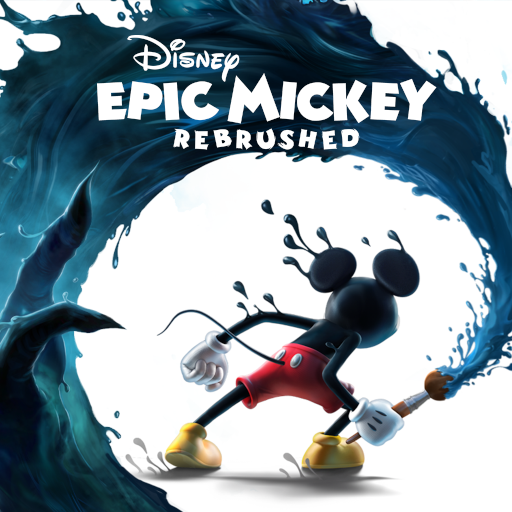
Disney Epic Mickey: Rebrushed
Aktualisiert
Aktuelle Version
1.779.1 (Shipping)
Angeboten von

Bei all Ihrer Leidenschaft für das Spielen von Disney Epic Mickey: Rebrushed sollten Ihre Hände nicht auf einen winzigen Bildschirm Ihres Telefons beschränkt sein. Spielen Sie wie ein Profi und übernehmen Sie die volle Kontrolle über Ihr Spiel mit Tastatur und Maus. MEmu bietet Ihnen all die Dinge, die Sie erwarten. Laden Sie Disney Epic Mickey: Rebrushed herunter und spielen Sie es auf dem PC. Spielen Sie so lange, wie Sie wollen, ohne Grenzwerte für Akku, mobile Daten und störende Anrufe. Das brandneue MEmu 9 ist die beste Wahl, um Disney Epic Mickey: Rebrushed auf dem PC zu spielen. Das exquisite voreingestellte Tastaturbelegungssystem, das mit unserem Fachwissen vorbereitet wurde, macht Disney Epic Mickey: Rebrushed zu einem echten PC-Spiel. Der MEmu Multi-Instanz-Manager ermöglicht das Spielen von 2 oder mehr Konten auf demselben Gerät. Und das Wichtigste: Unsere exklusive Emulations-Engine kann das volle Potenzial Ihres PCs freisetzen und für reibungslose Abläufe sorgen.
Mehr anzeigen
Laden Sie Play Disney Epic Mickey: Rebrushed auf dem PC mit MEmu Android Emulator. Viel Spaß beim Spielen auf großmundieren. Disney Epic Mickey: Rebrushed erweckt die Magie von Disney in einem farbenfrohen 3D-Jump'n'Run zum Leben.
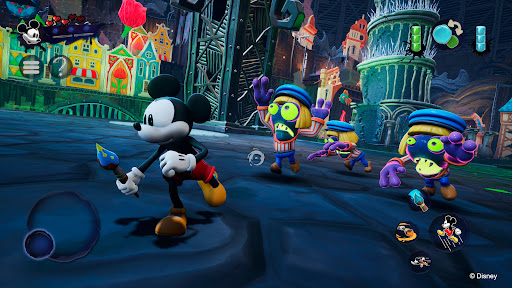
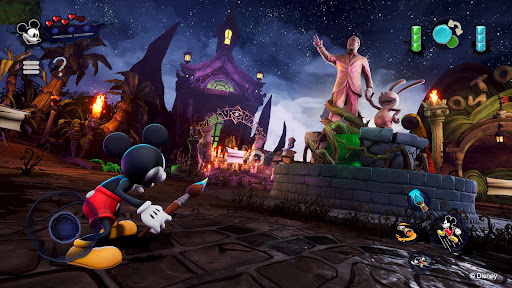
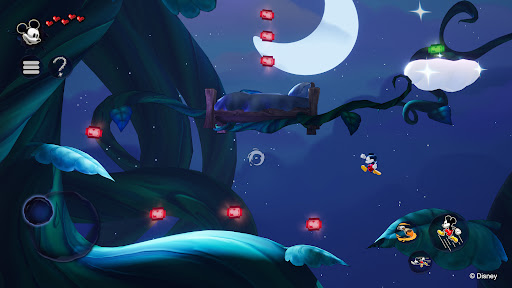
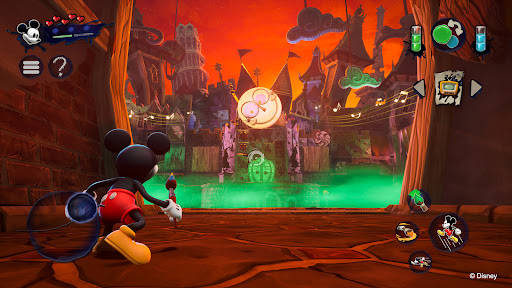
Disney Epic Mickey: Rebrushed erweckt die Magie von Disney in einem farbenfrohen 3D-Jump'n'Run zum Leben. Dieses wunderschöne Remake schickt Mickey Mouse auf eine epische Reise durch das Ödland, ein Reich vergessener Disney-Figuren. Als Mickey tauchst du in eine fantastische Welt ein und gestaltest, bewaffnet mit Farbe und Verdünner, dein Abenteuer und das Schicksal dieser alternativen Welt.
Jeder Pinselstrich zählt! Nutze Farbe, um Schönheit und Harmonie wiederherzustellen, oder Verdünner, um deine Umgebung zu verändern und verborgene Geheimnisse zu lüften. Deine Entscheidungen beeinflussen Mickeys Schicksal und den Ausgang dieser künstlerischen Odyssee. Wirst du der Held, den das Ödland braucht?
Begegne verschiedenen Kultfiguren wie Oswald dem Glückshasen, Walt Disneys erster Schöpfung, während du durch das Ödland reist. Sammle virtuelle Disney-Pins, meistere kreative Herausforderungen und decke Geheimnisse auf – und erkunde dabei klassische Jump'n'Run-Level, die von Animationsfilmen und -kurzfilmen inspiriert sind.
Ursprünglich von Warren Spector erdacht und von Purple Lamp neu interpretiert, erweckt Disney Epic Mickey: Rebrushed mit modernster Grafik und verbesserter Steuerung einen geliebten Klassiker zu neuem Leben. Entdecke neue Bewegungsfähigkeiten für Mickey, wie Sprinten, Stampfen und Anstürmen. Die fesselnde Geschichte macht das Spiel zu einem unvergesslichen Abenteuer für langjährige Fans und Neueinsteiger gleichermaßen. Begleite Mickey Mouse und lüfte die Geheimnisse des Ödlands in dieser Hommage an Disneys Vermächtnis.
Erkunde ein neu gestaltetes Ödland voller zeitloser Disney-Charaktere und -Geschichten.
Nutze den magischen Pinsel: Male, um zu erschaffen, verdünne, um zu verändern. Jede Entscheidung prägt deine Geschichte.
Triff Oswald den Glückshasen, Disneys ersten Star, in einer detailreichen, erzählerischen Welt.
Genieße fortschrittliches Gameplay mit neuen Fähigkeiten und verbesserter Grafik in einem klassischen Setting.
Mickey hat neue Moves wie Sprinten, Stampfen und Ausweichen.
Hoher Wiederspielwert dank mehrerer Enden, die von deinem individuellen Spielstil und deinen Entscheidungen abhängen.
© 2026 THQ Nordic Mobile
Mehr anzeigen

1. Laden das MEmu-Installationsprogramm herunter und beenden die Installation

2. MEmu starten und Google Play auf der Homepage öffnen

3. Suchen Disney Epic Mickey: Rebrushed in Google Play
Install
4. Herunterladen und Installieren Disney Epic Mickey: Rebrushed
5. Klicken nach Abschluss der Installation auf das Symbol, um es zu starten

6. Viel Spaß beim Spielen von Disney Epic Mickey: Rebrushed auf dem PC mit MEmu
MEmu App Player ist der beste kostenlose Android-Emulator und 50 Millionen Menschen genießen bereits seine hervorragende Android-Gaming-Erfahrung. Mit der MEmu-Virtualisierungstechnologie können Sie Tausende von Android-Spielen problemlos auf Ihrem PC spielen, selbst bei grafikintensiven Spielen.
BGrößeres Bild mit besserer Grafik; Keine unterbrechungen, keine sorgen um Akku
Komplette Tastenbelegung unterstützt mit Maus und Tastatur oder Controller
Mit dem „Multi-Instance-Manager“ können Sie mehrere Spielkonten oder Spiele gleichzeitig auf einem PC ausführen.
Play Disney Epic Mickey: Rebrushed on PC by following steps: