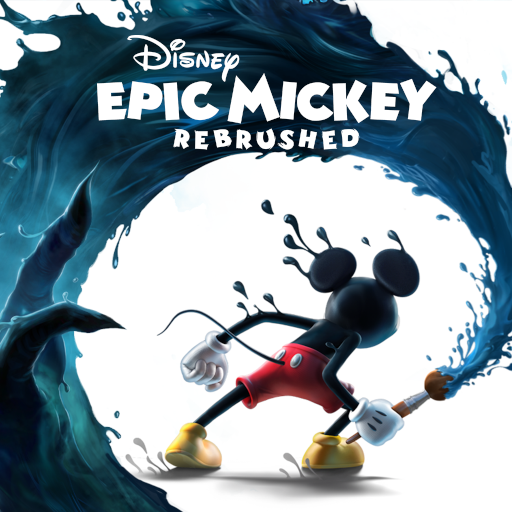
Disney Epic Mickey: Rebrushed
Zaktualizowano
Aktualna wersja
1.779.1 (Shipping)
Sprzedawca

Przy całej swojej pasji do grania w Disney Epic Mickey: Rebrushed, twoje ręce nie powinny być ograniczone na małym ekranie telefonu. Graj jak zawodowiec i uzyskaj pełną kontrolę nad grą za pomocą klawiatury i myszy. MEmu oferuje ci wszystko, czego oczekujesz. Pobierz i graj Disney Epic Mickey: Rebrushed na PC. Graj tak długo, jak chcesz, bez ograniczeń baterii, danych komórkowych i niepokojących połączeń. Zupełnie nowy MEmu 9 to najlepszy wybór do grania w Disney Epic Mickey: Rebrushed na PC. Przygotowany dzięki naszej wiedzy, znakomity, wstępnie ustawiony system mapowania klawiszy sprawia, że Disney Epic Mickey: Rebrushed jest prawdziwą grą na PC. Zakodowany naszą absorpcją, menedżer wielu instancji umożliwia granie na 2 lub więcej kontach na tym samym urządzeniu. A co najważniejsze, nasz emulator może uwolnić pełny potencjał twojego komputera, sprawić, że wszystko będzie płynne. Dbamy nie tylko o to, jak grasz, ale także o cały proces czerpania radości z grania.
Pokaż więcej
Ciesz się wspaniałym doświadczeniem podczas grania w Disney Epic Mickey: Rebrushed na komputerze z aplikacją MEMU App Player. Jest to potężny darmowy emulator Androida pozwalający grać w tysiące gier na Androida. Disney Epic Mickey: Rebrushed ożywia magię Disneya w tętniącej życiem platformówce 3D.
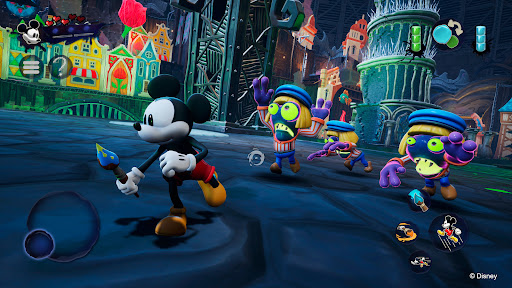
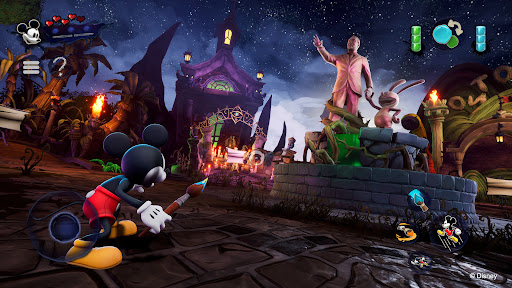
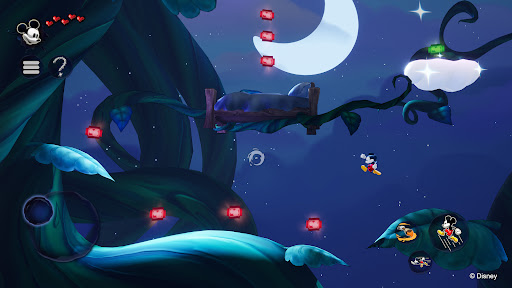
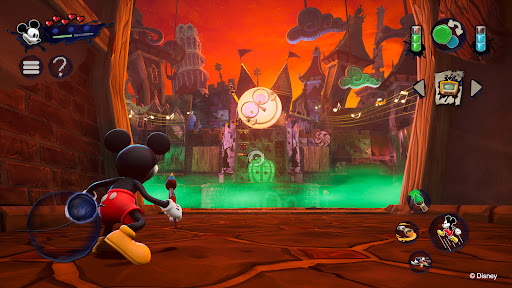
Disney Epic Mickey: Rebrushed ożywia magię Disneya w tętniącej życiem platformówce 3D. Ten piękny remake zabiera Myszkę Miki w epicką podróż przez Pustkowia, krainę zapomnianych postaci Disneya. Jako Myszka Miki zanurzysz się w fantastycznym świecie i uzbrojony w farbę i rozcieńczalnik, ukształtujesz swoją przygodę i losy tego alternatywnego świata.
Każde pociągnięcie magicznego pędzla ma znaczenie! Użyj farby, aby przywrócić piękno i harmonię, lub rozcieńczalnika, aby zmienić otoczenie i odkryć ukryte sekrety. Twoje wybory wpływają na losy Myszki Miki i zmieniają wynik tej artystycznej odysei. Czy staniesz się bohaterem, którego potrzebuje Pustkowie?
Spotkaj różne kultowe postacie, takie jak Oswald Szczęśliwy Królik, pierwsze dzieło Walta Disneya, podróżując między krainami Pustkowia. Zbieraj wirtualne przypinki Disneya, podejmuj kreatywne wyzwania i odkrywaj sekrety, eksplorując jednocześnie klasyczne poziomy platformowe inspirowane filmami animowanymi i krótkometrażowymi.
Pierwotnie wymyślona przez Warrena Spectora, a odświeżona przez Purple Lamp, gra Disney Epic Mickey: Rebrushed wykorzystuje najnowocześniejszą oprawę graficzną i ulepszone sterowanie, aby tchnąć nowe życie w ukochany klasyk. Odkryj nowe umiejętności ruchowe Myszki Miki, takie jak bieg, uderzanie o ziemię i sprint. Wciągająca fabuła gry sprawia, że jest to niezapomniana przygoda zarówno dla wieloletnich fanów, jak i nowicjuszy. Dołącz do Myszki Miki i odkryj tajemnice Pustkowia w tym hołdzie dla dziedzictwa Disneya.
Odkryj odświeżone Pustkowie, pełne ponadczasowych postaci i historii Disneya.
Sięgnij po magiczny pędzel: maluj, aby tworzyć, cieniej, aby zmieniać. Każdy wybór kształtuje Twoją historię.
Poznaj Oswalda, Szczęśliwego Królika, oryginalną gwiazdę Disneya, w bogatym, narracyjnym świecie.
Ciesz się zaawansowaną rozgrywką z nowymi umiejętnościami i ulepszoną oprawą graficzną w klasycznej scenerii. Myszka Miki ma nowe ruchy, takie jak doskok, uderzenie o ziemię i sprint.
Wysoka powtarzalność rozgrywki z wieloma zakończeniami, zależnymi od Twojego unikalnego stylu gry i decyzji.
© 2026 THQ Nordic Mobile
Pokaż więcej

1. Pobierz instalator MEmu i zakończ instalację

2. Uruchom MEmu, a następnie otwórz Google Play na pulpicie

3. Wyszukaj Disney Epic Mickey: Rebrushed w Google Play
Install
4. Pobierz i zainstaluj Disney Epic Mickey: Rebrushed
5. Po zakończeniu instalacji kliknij ikonę, aby rozpocząć

6. Ciesz się grą Disney Epic Mickey: Rebrushed na PC z MEmu
MEmu Play to najlepszy emulator Androida, a 100 milionów ludzi już korzysta z jego i dosta doskonałe wrażenia z gier na Androida. Technologia wirtualizacji MEmu umożliwia płynne granie w tysiące gier Androida na komputerze, nawet tych najbardziej wymagających grafiki.
Większy ekran z lepszą grafiką; Długi czas, bez ograniczeń baterii lub danych mobilnych.
Pełna obsługa mapowania klawiszy dla precyzyjnego sterowania klawiaturą i myszą lub gamepadem.
Wiele kont gier lub zadań na jednym komputerze jednocześnie z menedżerem wielu instancji.
Play Disney Epic Mickey: Rebrushed on PC by following steps: